Kling 4.0 Preview: What About Kling 4.0 Has Actually Reached the Next Level?
Kling 4.0 Preview: Explore the key upgrades in 30-second AI video generation, 10-bit HDR, and AI keyframes. We break down what’s new in image quality, video expression, and creative control before the official launch.
Table of Content
Kling AI announced on September 28, 2026, that Kling 4.0 will launch in October. A limited test version, Kling 4.0 Flash, is already available to a small group of testers.
The headline feature is not simply the ability to generate up to 30 seconds of video. The more significant shift is that Kling 4.0 treats visuals, sound, camera movement, and reference materials as parts of one connected creative workflow.
In other words, it’s no longer aiming to hand you a decent-looking clip. It’s trying to get you closer to something you can actually edit and deliver.
So where does Kling 4.0 actually improve? Will everyday viewers notice 10-bit HDR? Does dual-channel stereo matter on a phone? Can keyframes and multiple reference images reduce trial and error?
This preview focuses on three areas:
- Output quality
- Video expression
- Creative control
We’ll stick to the officially announced capabilities and clearly mark the parts that still need to be evaluated after launch.
Output Quality: From Longer Clips to More Complete Deliverables
30-Second AI Video Generation for More Complete Scenes
One of Kling 4.0’s most important upgrades is support for videos up to 30 seconds in a single generation.
For continuous performances, complex movement, and multi-shot pacing, it can reduce the editing needed to fix disconnected clips.
Kling AI has also announced an extended continuation capability of up to about two minutes.
This works as an ongoing workflow: generate a stable clip, then continue from its ending. It makes longer stories or product presentations easier to build.
10-Bit HDR Video Generation: Smoother Highlights and More Natural Color
HDR (high dynamic range) preserves both bright and dark areas better. Without it, a sunset, headlight, or neon sign can blow out to white, while shadow detail turns into solid black.
HDR helps retain detail across those extremes — skies, practical lights, metallic surfaces, and shadow areas. The “10-bit” part means more color levels, creating smoother transitions (sky to cloud, skin to shadow) with less banding.
For most viewers, the improvement may not look like a flashy effect. The image simply feels more balanced. Faces in backlight stay visible, night lights look less blown out, and product colors appear closer to their intended finish.
On cinematic and commercial shots, this often matters more than jumping from 1080p to 4K.
Dual-Channel Stereo: Making Directional Sound Easier to Hear
Dual-channel stereo gives left and right channels different information. If a character runs left to right, footsteps can start on the left and move across the stereo field. In a street scene, traffic, wind, and voices can sit at different positions and distances.
Sound becomes part of the visual experience instead of flat background audio. The effect is clearer with headphones or separated speakers.
For documentaries, action, travel, and product videos, directional audio makes scenes feel more present. Even on a phone speaker, clearer separation can reduce a muddy mix.
Video Expression: Stronger Camera Work, Emotion, Language, and Style
Camera Movement: More Stable Large-Scale Shots
A common AI video problem is that a subject looks solid while the camera is still, then falls apart once the camera moves quickly. Subject, background, and motion direction can lose coherence.
Kling 4.0 demos focus on more complex camera work — fast pushes, orbits, dives, tracking shots, disaster scenes, and large group actions.
Facial Detail and Emotional Performance
Kling 4.0 aims for more detailed human performance: eye movement, subtle mouth changes, hesitation, breathing, and emotional transitions. These can move AI characters from “looking human” toward delivering an actual performance.
For close-up, dialogue, and narrative shorts, small details decide whether a clip feels like a motion demo or believable acting. Micro-expressions are easy to overread in previews, though. Results still depend heavily on the prompt, reference image, camera angle, and range of movement.
Multilingual Dialogue, Accents, and Lip Sync
Kling AI has announced support for Chinese, Cantonese, English, Japanese, Korean, Spanish, Portuguese, German, French, Hindi, and multiple regional accents or dialects.
With lip sync, this supports localized ads, character dialogue, educational content, and short-form videos for different markets.
The real test is more than producing speech. Stress, pauses, emotion, pronunciation, and lip movement need to stay consistent. After launch, comparing languages individually will be useful, as naturalness and character consistency may vary.
Visual Style Expression Across Multiple Formats
Kling 4.0’s demonstrated styles include realistic documentary footage, cinematic visuals, animation, fantasy, pixel art, and felt or handmade textures. Creators can specify material, lighting, camera language, and reference style while keeping the main subject recognizable.
| Realistic Documentary Footage | Fantasy Movie |
Creative Control: From Prompt-Based Generation to Reference-Driven Workflows
For users with production requirements, prompts are only part of the process. Character appearance, product details, camera paths, and style are often easier to communicate with reference materials. Kling 4.0 puts multimodal inputs at the center of the workflow.
Multimodal References: Showing the Model What You Mean
Kling 4.0 accepts up to 15 reference inputs — 10 images, five videos, and seven subjects.
| References | Result Video |
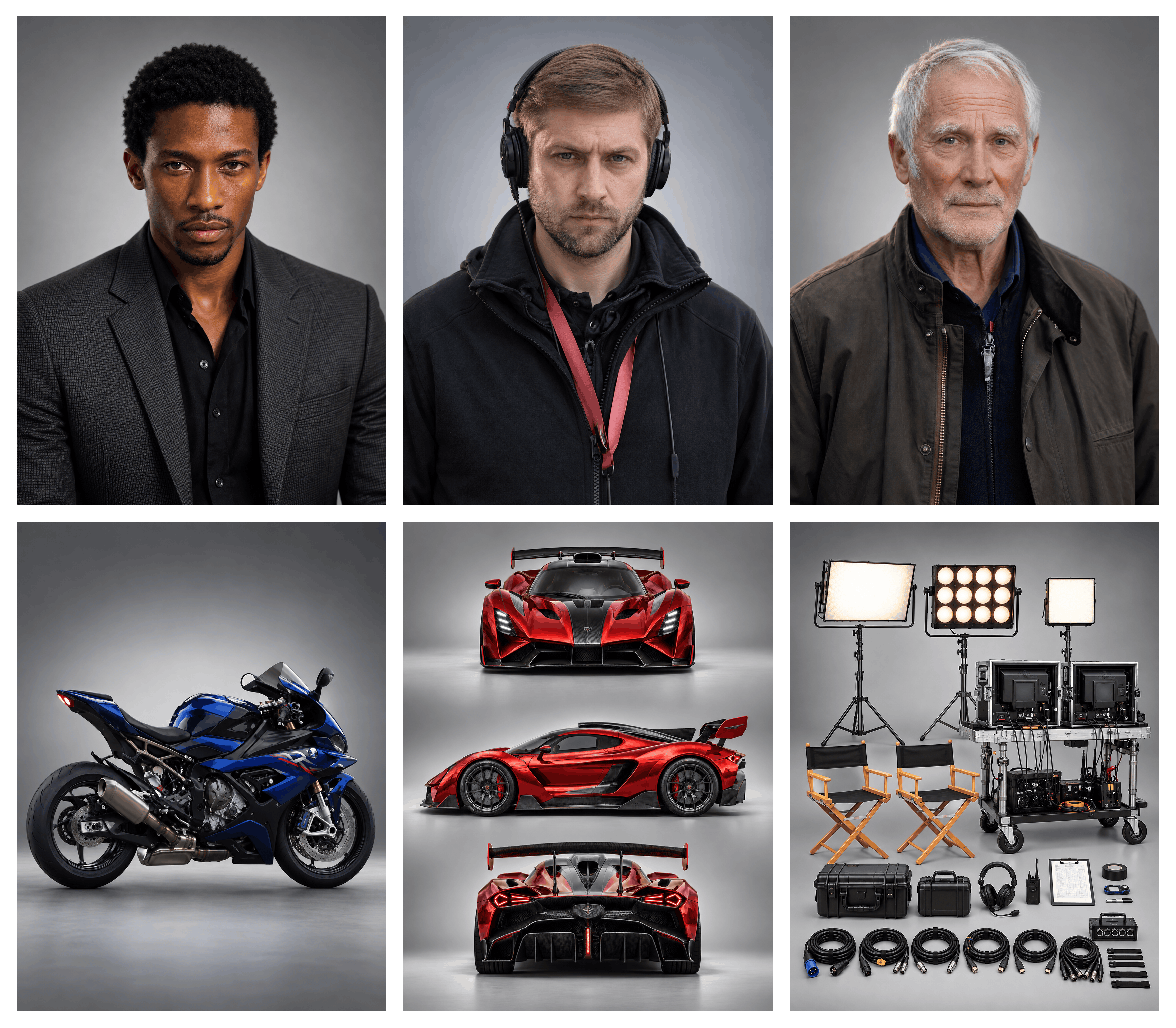 |
Instead of repeatedly describing a hairstyle, clothing, or product design, creators can show the model the image directly. Video references can also convey action rhythm or camera movement.
This reduces ambiguity and better supports projects with strict brand, product, or character requirements.
AI Keyframes: Planning the Middle of the Action
A start frame and end frame leave the middle up to the model. AI keyframes give a clearer route: a character raises a hand, turns, then walks toward the camera; a product moves from table to foreground; a clear visual change happens mid-shot.
| Key Frames | Result Video From Key Frames |
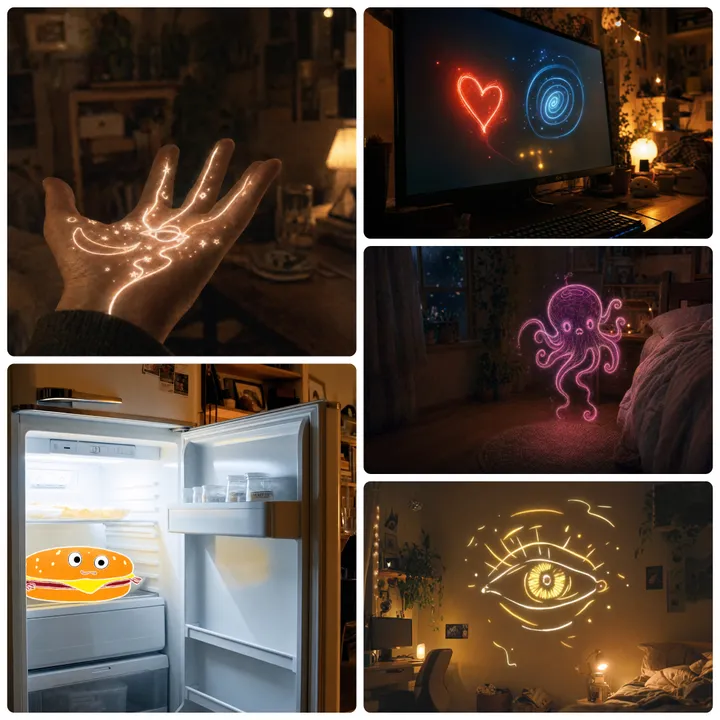 |
More keyframes mean more control over action order and pacing, making complex transitions more predictable. Kling 4.0 will support up to 10 keyframes. Exact workflow details will become clearer at launch.
Precise Video Editing: Change Only What Needs to Change
Kling 4.0’s precision editing keeps overall video stability while adjusting selected elements — facial expression, body movement, camera position and trajectory, style, or background.
| Reference Video | Reference Character Image | Result Video |
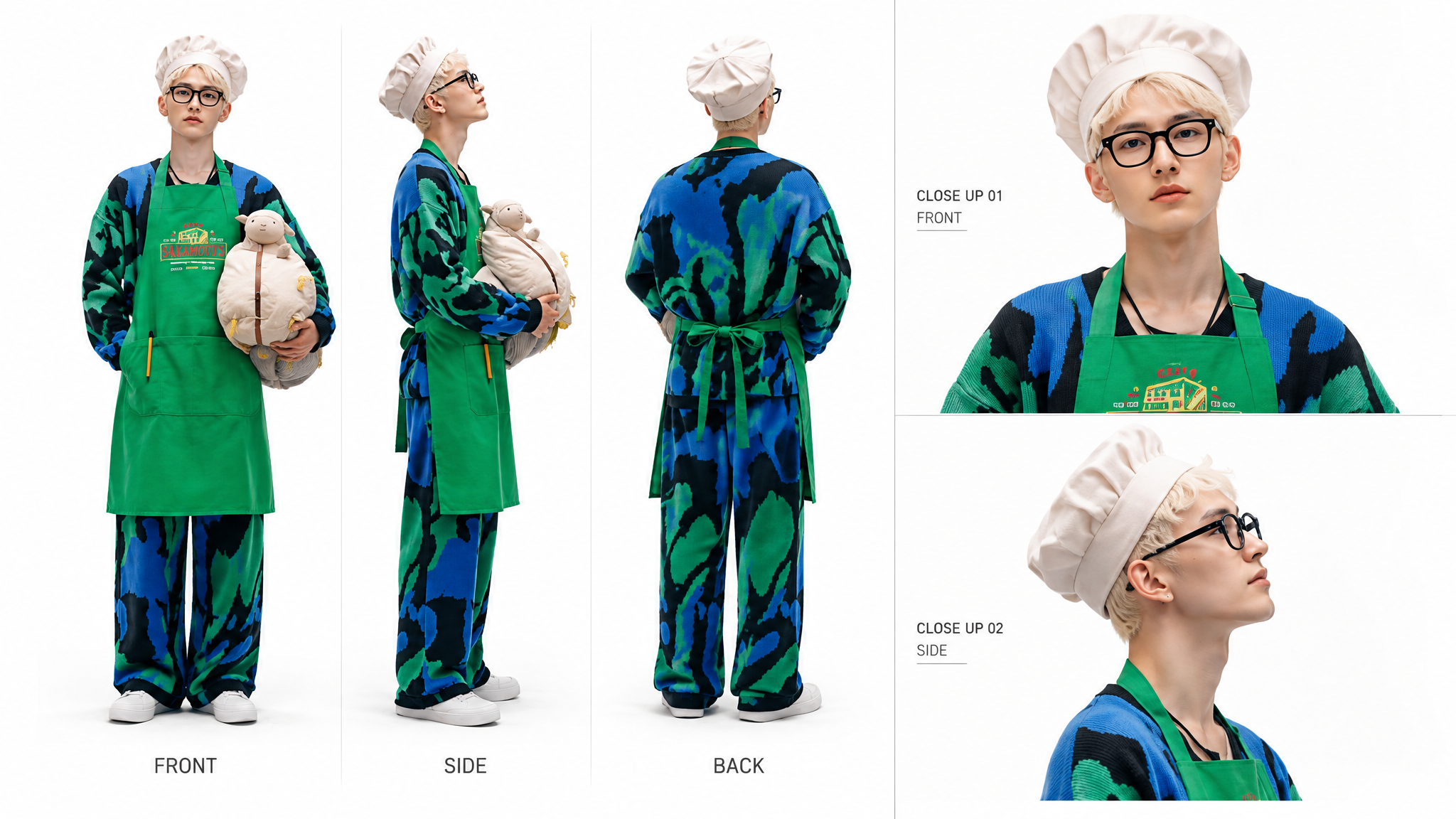 |
For footage that is already usable, targeted edits are faster than regenerating the full clip and closer to how commercial production works.
Creative Restyling: Reusing a Proven Story Structure
Creative restyling goes beyond copying a video. It takes a reference’s pacing, composition, and visual language, then swaps the product, character, or other assets.
This is useful for social media, product ads, fashion, beauty, and consumer electronics. Creators can keep a proven structure and focus on brand messaging and new assets.
Kling 4.0 or Kling 4.0 Flash? Choose Based on Your Workflow
Kling 4.0 Flash is built for fast, high-volume, cost-sensitive work. It generates 3–20 second clips at 720p, 8-bit SDR. It suits rapid testing, high-volume social content, batch production, or early composition checks. Creators who need longer duration, HDR, complex controls, or higher delivery quality should wait for full Kling 4.0.
| Category | Kling 4.0 | Kling 4.0 Flash |
| Positioning | Longer clips, higher quality, and advanced controls | Fast generation and rapid iteration |
| Single-generation length | Up to 30 seconds | 3–20 seconds |
| Output | 720p, 1080p, and 4K; 10-bit HDR | 720p, 8-bit SDR |
| Best for | Advertising, narrative shorts, and complex shots | High-volume social content, drafts, and batch testing |
Whichever version you choose, strong prompts should cover six areas: subject, action, setting, camera, lighting and style, and sound. Reference materials should clearly state what to keep and what to change. Clear, stable images or videos with a fully visible subject remain the best starting points.
What Will Users Compare After Kling 4.0 Launches?
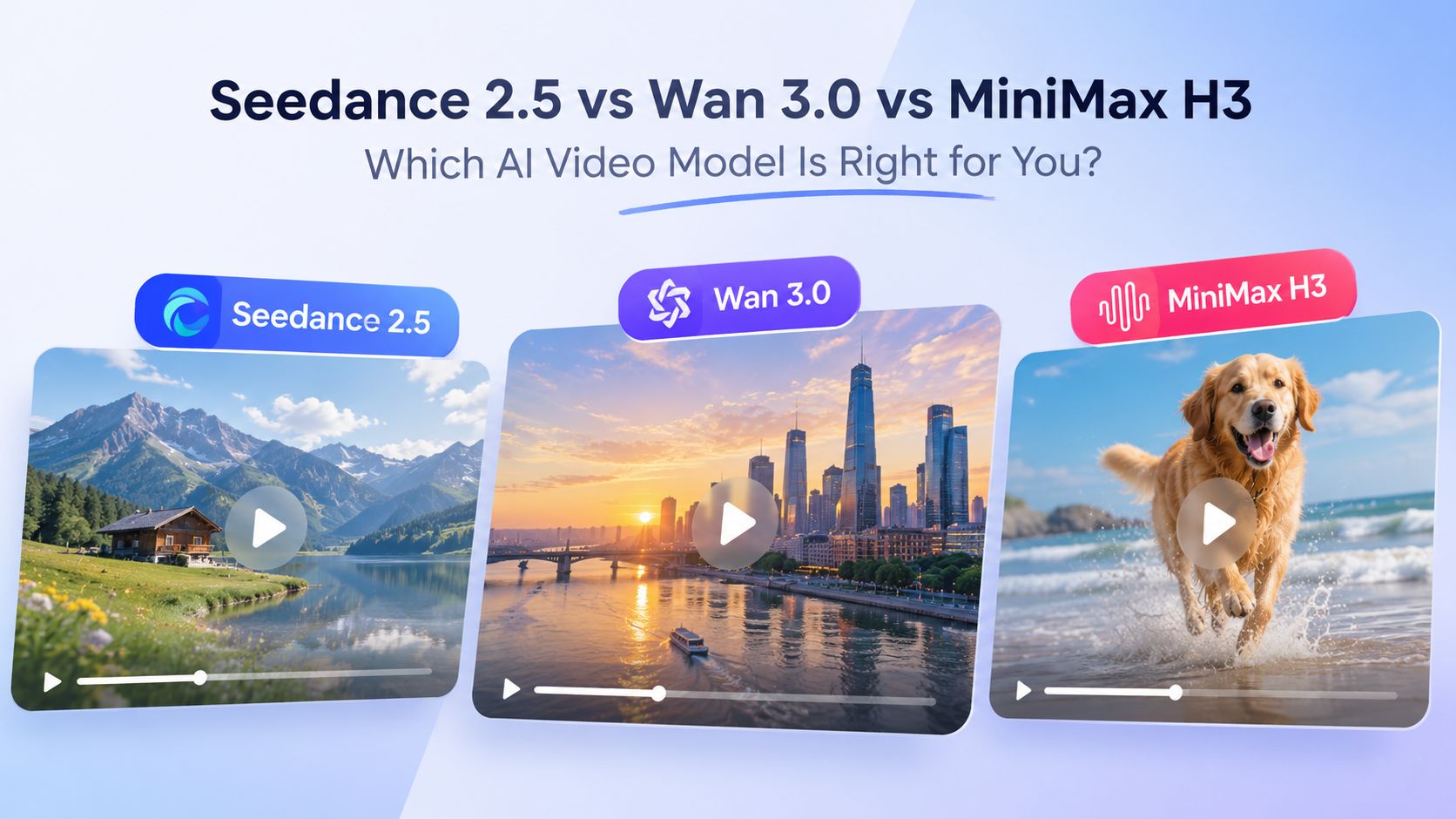
In comments under Kling AI’s official preview video, interest quickly moved beyond “How good does it look?” Many users also asked how it compares with Seedance 2.5.
That is understandable. Seedance 2.5 is already live, while Kling 4.0 enters the same market with 30-second generation, 10-bit HDR, and more advanced controls. For creators, the goal is not to name an absolute winner, but to see which tool fits a specific workflow.
| Category | Kling 4.0 | Seedance 2.5 by ByteDance |
| Status | Beta, launching in October | Already available, launched in July |
| Single-generation length | 3–30 seconds | 4–30 seconds |
| Resolution | 720p, 1080p, and 4K | 480p, 720p, 1080p, and 4K |
| Dynamic range | 10-bit HDR | 10-bit |
| Keyframes | Up to 10 | First and last frames |
| Reference inputs | Up to 15 items | Up to 50 items |
| Aspect ratios | Five options, including 21:9 | Seven options, including 21:9 |
| Audio | Dual-channel stereo | Native audio generation |
Meaningful comparison goes beyond the feature table. Creators will focus on long-shot stability, control of complex motion, consistency of characters and products, and cost per usable output in the same workflow.
Pricing is already a frequent topic. Many highly rated comments under the official preview focused less on image quality and more on launch pricing, generation credits, and differences between quality tiers.
That leaves one central question: Can Kling 4.0 meet user expectations not only on technology and quality, but also on practical pricing?
Closing: Waiting for an Upgrade That Works in Practice
Based on the information released so far, Kling 4.0’s upgrades fall into three broad areas:
- Longer and more layered output
- More complex and expressive video performance
- More professional reference, keyframe, and editing controls
The combination of 30-second AI video generation, 10-bit HDR, and AI keyframes addresses three long-standing challenges: duration, image quality, and creative control.
A preview’s job isn’t to declare the final verdict. Real performance will only show up once the full October release is in people’s hands and actual projects start rolling.
AIReel will integrate Kling 4.0 as soon as it’s available so you can test it directly. If you want to try the already-live Seedance 2.5, Wan 3.0, or the previous models from Kling AI in the meantime, you’re welcome to jump in on AIReel and experiment.
Looking forward to the day Kling 4.0 actually delivers.