Key Features of Kling 4.0 AI Video Model
Create a Full Scene in One 30-Second Take
Generate up to 30 seconds in a single pass—twice the maximum length of Kling 3.0. Give dialogue, action and camera movement more time to develop, with fewer separate clips to stitch into a coherent scene.
Bring Cinematic Detail to 4K HDR
Create videos in up to 4K, with 10-bit HDR at 1080p and 4K for richer colors, smoother gradients and more detail in highlights and shadows. A 21:9 ultrawide format gives landscapes, action scenes and product shots more room in the frame.
Direct Your Story with Keyframes and References
Use up to 10 keyframes to guide character poses, scene transitions and story beats. Combine up to 15 references, including images, videos and subjects, to define appearance, movement, camera work and pacing without explaining every detail in text.
Generate Stereo Sound and Dialogue in 9 Languages
Bring voices, sound effects and ambience into the same generation with native dual-channel stereo audio. Improved lip sync and support for nine languages, plus regional accents and dialects, help character conversations feel more natural across different audiences.
Rework Scenes and Adapt Creative Ideas
Adjust expressions, movements, camera angles, backgrounds or visual styles while keeping the rest of the scene stable. Use a reference video to guide pacing and shot composition, then introduce your own characters or products to develop a new version of the idea.
How to Use Kling 4.0 AI Video Generator Online
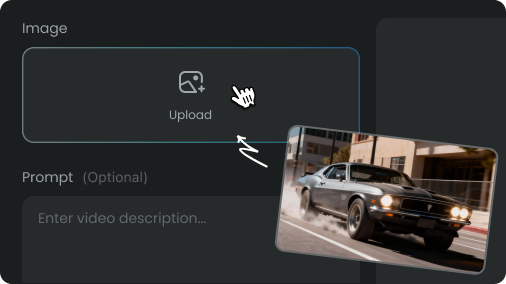
Sign in to AIReel, then enter your prompt in the generator above. Add image or video references to guide your characters, products, movement and camera style.
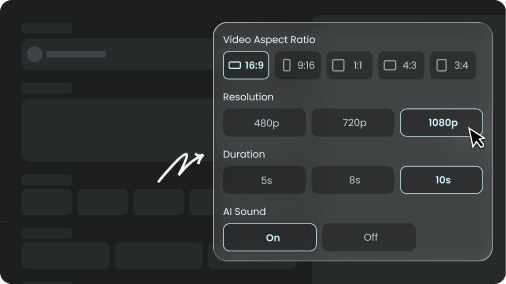
Select Kling 4.0, choose your duration, aspect ratio and resolution, and add up to 10 keyframes to guide key moments across a video of up to 30 seconds.
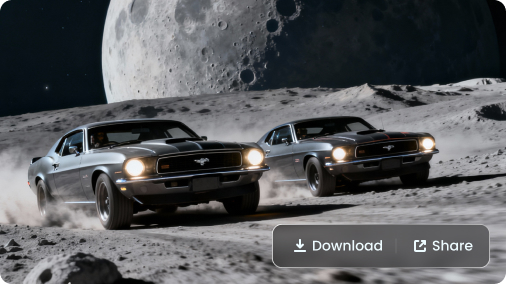
Click Generate, then check the action, character details and synchronized audio. Download your video, or refine your prompt and references to try another version.
Pick Your Plan
Select a plan to get more credits