Runway AI Video Generator Gen-4.5 Text & Image to Video Tool
Generate creative AI videos, characters, and scenes with Runway AI video tool. Turn prompts or images into videos using Gen-4.5 for storytelling, visuals, and experiments.
Key Capabilities of Runway AI Video Generation
Create AI Characters for Storytelling
Generate AI characters and bring them to life in video scenes. This is useful for storytelling, content series, or experimenting with virtual characters.
Camera & Motion Control
Enables precise control over camera movements (pan, zoom, tracking) and subject motion, making shots feel smooth and cinematic—ideal for storytelling, ads, and dynamic scenes.
Realistic Physics and Lighting
It delivers more believable motion, lighting, and environmental interactions in everyday scenes (e.g., indoor lighting, sunset streets). Great for e-commerce visuals and lifestyle content where realism boosts engagement and trust.
High-Quality Style Transfer
Users can apply consistent visual styles (cinematic, retro, cyberpunk, etc.) across videos. This is valuable for brands maintaining a unified visual identity or creators building a recognizable aesthetic.
How to Use Runway AI for Video Generation
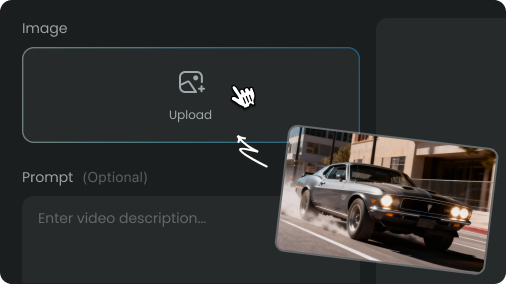
Start by describing your video idea with text, or upload a reference image to guide the scene, actions, and overall visual style.
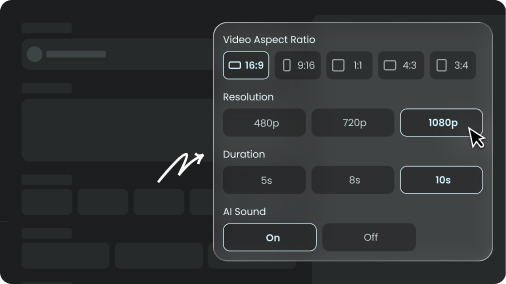
Select the appropriate aspect ratio, quality level, and model mode to match your intended output.
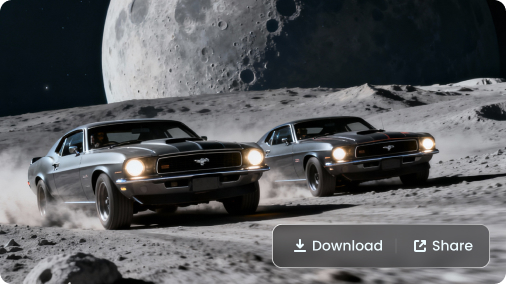
Generate your video, review the results, and fine-tune your prompts to improve motion, transitions, and visual consistency.
Pick Your Plan
Select a plan to get more credits