Is MiniMax H3 AI Video Generator Worth Using? A Complete Review With Real Tests
MiniMax H3 is one of the latest AI video models from MiniMax, designed to create higher-quality videos with native 2K generation, audio support, and improved scene control. To understand its real capabilities, we tested MiniMax H3 with different prompts and creative scenarios, focusing on video quality, motion consistency, and overall usability. This full review covers its features, pricing, performance, and the situations where MiniMax H3 works best.

Table of Content
Part 1: What Is MiniMax H3?
MiniMax H3 is a new AI video generation model developed by MiniMax, designed to create high-quality videos with improved visual consistency, motion control, and more realistic scene generation. As the latest evolution of MiniMax’s AI video technology, H3 focuses on helping creators generate cinematic videos from text prompts, images, and other references with fewer manual adjustments.
Unlike traditional AI video tools that mainly focus on short visual clips, MiniMax H3 aims to provide more complete video creation capabilities with features such as native 2K video output, built-in audio generation, and stronger control over characters and scenes. These improvements make it suitable for different creative workflows, including AI short films, social media videos, advertisements, and storytelling content.
Part 2: Key Features of MiniMax H3 AI Video Gnerator
Native 2K Video Generation
MiniMax H3 supports native 2K video generation, helping preserve more details in faces, textures, and environments. Higher-resolution output makes it a better option for creators working on cinematic videos, advertisements, and high-quality social content.
Built-in Audio Generation
Unlike many AI video models that only focus on visuals, MiniMax H3 includes native audio generation to create more complete video experiences. This feature is especially useful for storytelling content, short films, and scenes that require synchronized sound.
Improved Character and Scene Consistency
MiniMax H3 focuses on maintaining character appearance, object details, and scene continuity across generated videos. This improvement helps creators produce more consistent results when creating multi-shot scenes or longer storytelling content.
Flexible Text and Image-to-Video Creation
MiniMax H3 supports both text prompts and image references, giving creators more control over the final result. Users can start with a simple idea or reference image and generate videos with specific styles, movements, and visual directions.
Part 3: MiniMax H3 Real Test: Video Quality & Generation Results
MiniMax H3’s technical specifications show what the model can generate, but the actual video results provide a better understanding of its capabilities. We tested MiniMax H3 with different prompts and analyzed generated videos across several scenarios, including realistic humans, character consistency, camera movements, and audio performance.
-
Realistic Human Scenes: Strong Visual Details and Natural Movement
One of the most important tests for any AI video generator is how well it handles realistic human scenes. Based on the available MiniMax H3 examples, the model shows strong performance in maintaining facial details, clothing textures, and overall scene realism.
Compared with earlier AI video generations that often struggle with unnatural movements or unstable details, MiniMax H3 focuses on producing smoother motion and more coherent visual sequences. This makes it suitable for cinematic shots, character-based videos, and social media content that requires realistic human appearances.
-
Character and Reference Consistency: A More Controlled Generation Process
Maintaining the same character across different scenes is still one of the biggest challenges in AI video creation. MiniMax H3’s subject reference capability helps provide stronger control over character appearance when generating image-to-video content.
From the examples, the model is able to preserve important visual elements such as facial features, clothing style, and overall character identity. This makes it more practical for creators working on AI stories, character-based videos, and repeated scene generation.
-
Motion and Camera Effects: Creating More Dynamic Video Sequences
AI video quality is not only about image details but also how naturally elements move over time. MiniMax H3 examples demonstrate improved handling of camera movements, scene transitions, and interactions between subjects and environments.
While the results are more dynamic than simple image animations, complex actions involving multiple objects or detailed physical movements can still be challenging, which remains a common limitation across current AI video models.
-
Audio Generation: Adding Another Layer to AI Video Creation
MiniMax H3 also introduces native audio generation, allowing videos to include sound elements directly during the generation process.
This creates a more complete workflow for creators producing short films, social videos, and narrative content. Instead of generating visuals first and adding audio later, users can explore a more integrated video creation process.
Part 4: MiniMax H3 vs Other AI Video Models
Choosing the right AI video model depends on your creative goals. MiniMax H3 focuses on high-quality video generation with native audio, 2K output, and reference-based control, while other models offer different strengths in areas such as cinematic quality, motion generation, and professional workflows.
Here is a quick comparison of MiniMax H3 with some of the leading AI video models.
MiniMax H3 vs Seedance 2.5 vs Kling 3.0 vs Veo 3.1
|
Model |
Best For |
Key Strength |
|
MiniMax H3 |
Realistic videos with audio |
Native 2K generation, audio creation, reference control |
|
Seedance 2.5 |
AI short films and storytelling |
Strong scene consistency and cinematic workflows |
|
Kling 3.0 |
Character animation |
Realistic motion and image-to-video generation |
|
Veo 3.1 |
Professional cinematic videos |
High-end visual quality and advanced generation |
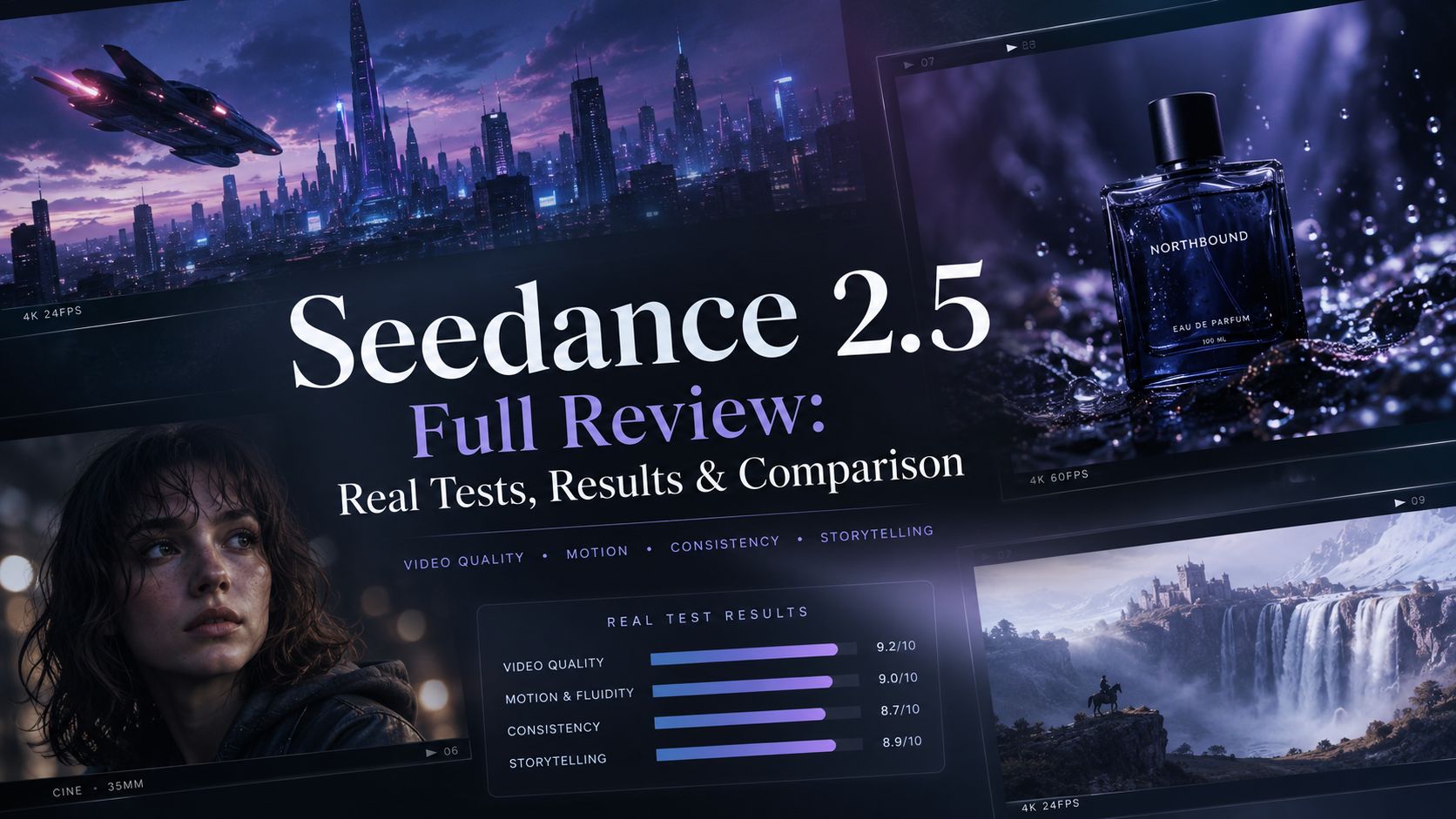
MiniMax H3 vs Seedance 2.5
MiniMax H3 focuses on combining video generation with native audio and flexible references, while Seedance 2.5 is better known for cinematic storytelling and longer, more complex scenes.
Choose MiniMax H3 for: integrated audio and flexible AI video creation.
Choose Seedance 2.5 for: cinematic storytelling and multi-scene projects.
MiniMax H3 vs Kling 3.0
Both models perform well in image-to-video workflows. Kling 3.0 is strong in realistic motion generation, while MiniMax H3 provides additional control through audio generation and multimodal creation.
Choose MiniMax H3 for: complete video workflows.
Choose Kling 3.0 for: character animation and motion-focused videos.
MiniMax H3 vs Veo 3.1
Veo 3.1 targets professional creators who need advanced cinematic generation, while MiniMax H3 offers a more accessible workflow with strong visual quality and integrated creation features.
Choose MiniMax H3 for: everyday AI video production.
Choose Veo 3.1 for: professional cinematic projects.
Part 5: MiniMax H3 Pricing: Is It Worth It?
MiniMax H3 pricing depends on the platform and subscription plan you use. Since AI video generation requires significant computing resources, the final cost usually varies based on video length, resolution, and the number of generations.
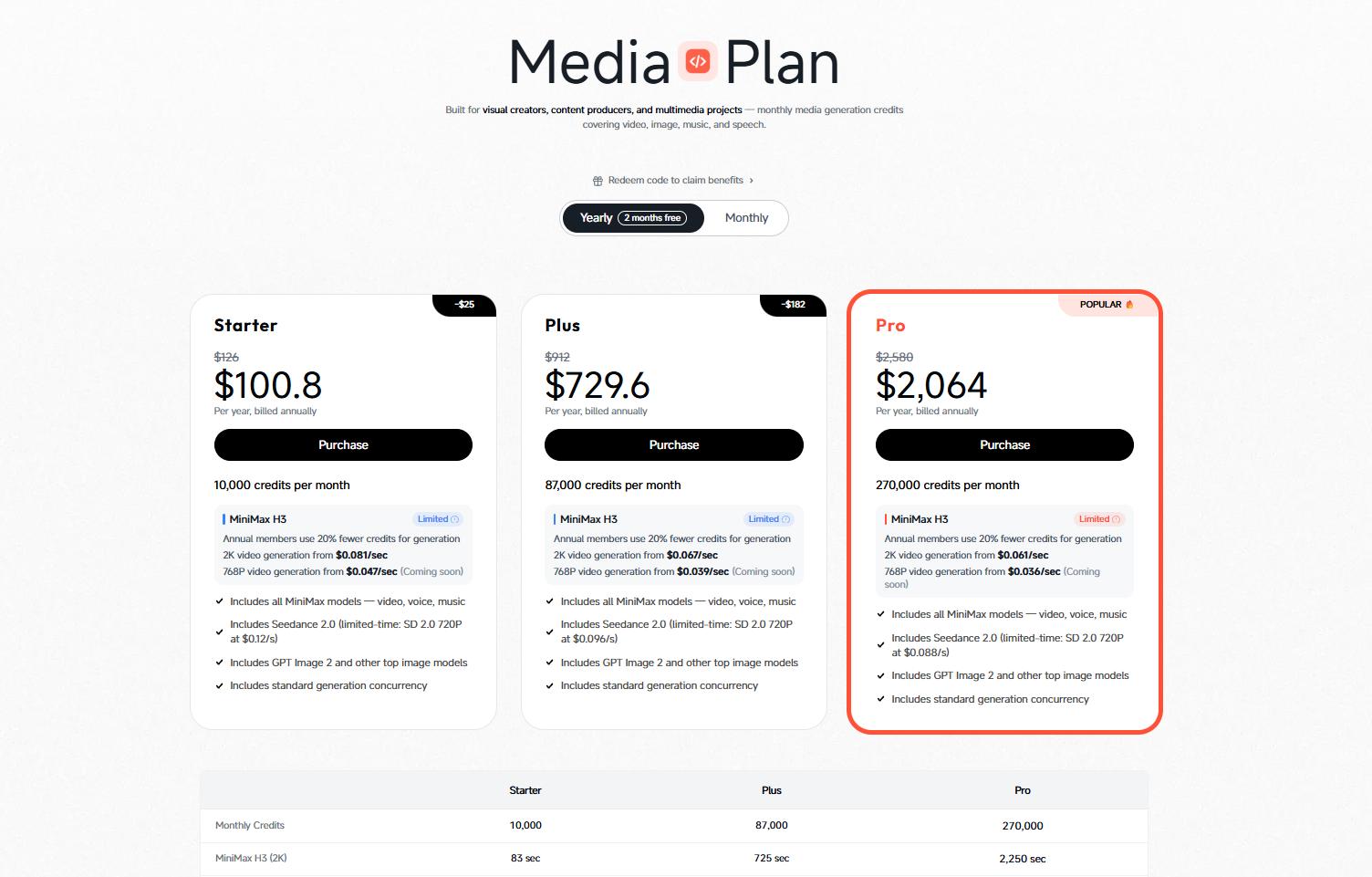
For creators who only want to try MiniMax H3, free credits or trial options may be enough to explore its capabilities. If you plan to create AI short films, marketing videos, or social content regularly, a paid plan with more generation credits will be more practical.
Part 6: Best Use Cases of MiniMax H3
MiniMax H3 is not limited to simple AI clips. With high-resolution video generation, reference control, and native audio support, it can be used in several creative workflows.
- AI Short Films & Storytelling
Create character-driven stories, cinematic scenes, and short narrative videos with more consistent visuals and integrated audio.
- Social Media Content
Generate engaging short videos, creative clips, and visual content for platforms like TikTok, YouTube Shorts, and Instagram Reels.
- Marketing & Product Videos
Create product demonstrations, promotional videos, and advertising concepts without complex filming setups.
- Character-Based Content
Develop recurring AI characters, virtual influencers, and series-style videos with better visual consistency.
Part 7: MiniMax H3 Limitations: What to Know Before Using It
Although MiniMax H3 introduces several advanced features, there are still some areas where creators may need to adjust their expectations.
Complex Actions May Still Need Refinement
MiniMax H3 performs well in controlled scenes, but videos involving complicated movements, multiple characters, or detailed physical interactions can still be challenging. Similar to other AI video models, achieving precise results often requires clearer prompts and multiple attempts.
Long-Form Video Creation Is Still Limited
While MiniMax H3 supports longer video generation than many earlier models, individual generations are still designed for short clips rather than complete long-form productions. Creators making full stories or advertisements may still need to combine multiple clips during editing.
Reference Control Improves Consistency, But Does Not Guarantee Perfection
MiniMax H3’s reference capabilities provide more control over characters and visual styles, but maintaining perfect consistency across complex scenes can still be difficult. Small changes in expressions, details, or environments may appear between different generations.
Advanced Features Require More Careful Workflows
Features like multimodal references and native audio provide more creative possibilities, but they also require users to understand how to structure prompts and references effectively to get the best results.
Part 8: FAQs About MiniMax H3 AI Video Generator
Is MiniMax H3 free to use?
Access to MiniMax H3 depends on the platform providing the model. Some platforms may offer free credits or trial options, while regular video generation usually requires a paid plan or credits.
What is MiniMax H3 mainly used for?
MiniMax H3 is mainly used for AI-powered video creation, helping creators turn ideas, concepts, and visual references into short videos. It is commonly explored for creative projects, marketing content, social media clips, and experimental video production.
Do I need video editing experience to use MiniMax H3?
No. MiniMax H3 is designed to simplify AI video creation, allowing users to generate videos through prompts and references instead of traditional filming and editing workflows. However, understanding how to write clear prompts can help improve the final results.
What kind of prompts work best with MiniMax H3?
Detailed prompts usually produce better results. Including information such as the subject, action, environment, camera movement, visual style, and mood can help the model better understand the desired scene.
How is MiniMax H3 different from traditional video production?
Traditional video production usually requires cameras, actors, locations, and post-production work. MiniMax H3 provides an alternative workflow where creators can develop video concepts directly through AI generation, reducing the preparation time needed for many creative ideas.
Does MiniMax H3 replace professional video editors?
No. MiniMax H3 can speed up the creation process, but professional projects may still require human editing, creative direction, and post-production to achieve a final polished result.
Conclusion
MiniMax H3 represents a new stage of AI video creation, where generating complete visual experiences is becoming more accessible to everyday creators. After reviewing its capabilities, examples, and practical applications, the model shows strong potential for creators who want to experiment with AI-powered video workflows.
Like other emerging AI video models, MiniMax H3 still requires careful prompting and refinement for more demanding projects. However, for creators exploring short films, social content, and AI-assisted storytelling, it provides a flexible option worth considering.
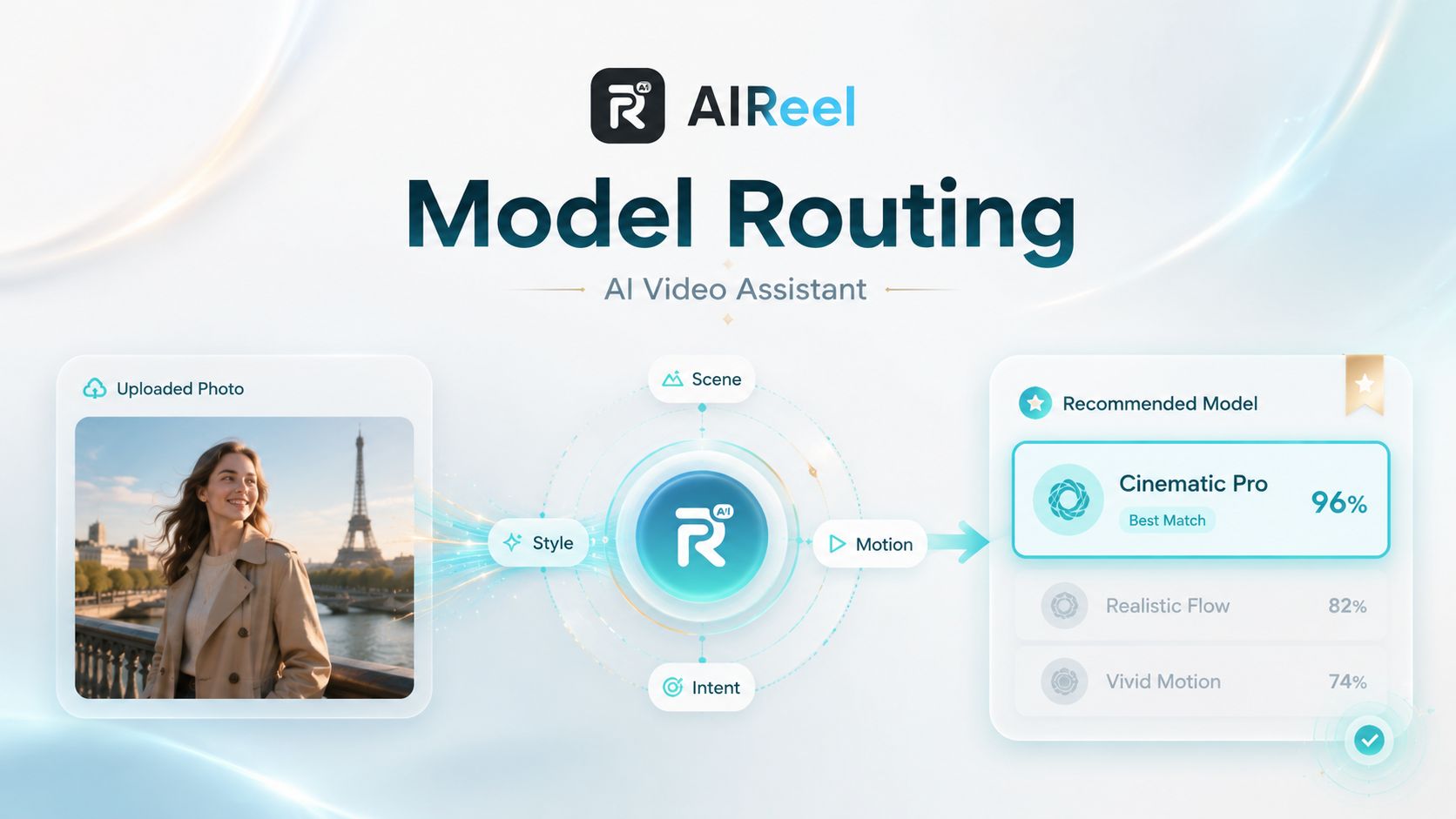
If you want to compare MiniMax H3 with other AI video models or test different creative workflows, AIReel provides access to multiple AI video generation tools in one platform, making it easier to find the right model for each project. Try AIReel online with more than 20 AI video models.