HappyHorse 1.0 AI Video Generator Native Audio & Multi-Shot Storytelling

✅️Multi-shot video generation ✅️Native audio with synced dialogue and sound effects ✅️1080p videos in ~38 seconds ✅️Multilingual lip-sync support

Prompt
Main Character: Based on @[Image 1]'s image (maintaining consistency in face and clothing). Scene: Heavy rain, broken bridge, post-apocalyptic city background. 【00:00 - 00:02】 Crisis Transition A violently shaking handheld tracking camera. The protagonist runs across the broken bridge, and a Leviathan emitting bioluminescent water suddenly leaps out from behind. The scene instantly cuts from fast forward to extremely slow motion, the camera swooping down to dodge flying steel bars and concrete debris. 【00:02 - 00:04】 Energy Gathering The camera rotates 180 degrees to lock onto a close-up of the protagonist's face. The protagonist slides through a deep ditch on the slippery ground, assuming a horse stance to steady himself. A scorching crimson energy stream bursts from his palm, creating a vacuum that shakes the camera back, and surrounding raindrops instantly vaporize into steam. 【00:04 - 00:06】 Climax Collision Bullet Time. A crimson laser collides violently at the center of a high-pressure water cannon fired by the Leviathan. The camera tilts and recoils violently, splashing boiling water, ash, and steam onto the lens, while the bridge beneath their feet cracks under the force of the impact. 【00:06 - 00:08】 Brutal Tug-of-War The scene shifts to fast-forward. The protagonist engages in a rapid battle with Leviathan, the camera shaking violently and irregularly with the movements, motion blur enhancing the brutality of the fight.

Why HappyHorse AI Model Stands Out

Multi-Shot Storytelling

Create full multi-scene videos from a single prompt — not just isolated clips. Maintain consistent characters, motion, and visual style across scenes, making it ideal for storytelling, ads, and short-form content.

Native Video + Audio Generation

Generate video and audio together, fully synchronized from the start. Dialogue, ambient sound, and effects are built in — so you don’t need dubbing or post-production.

Blazing Fast — 1080p in ~38 Seconds

Turn ideas into high-quality videos in seconds. Generate 1080p clips in around 38 seconds, making it easy to iterate, test concepts, and produce content at scale.

7-Language Native Lip-Sync

Create videos that naturally speak multiple languages like English, Mandarin, Cantonese, Japanese, Korean, German, and French. Accurate lip-sync ensures dialogue matches visuals, enabling seamless localization for global audiences.

How to Use HappyHorse for Video Creation

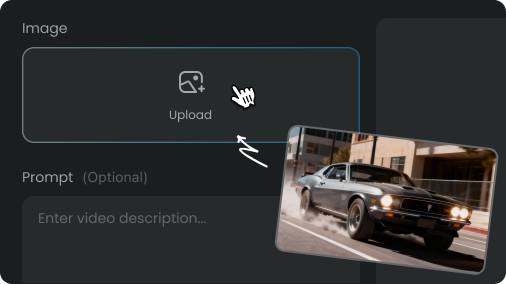
create ai video with happyhorse step 1
Step 1
Start with a prompt or image

Start with a prompt or image to describe your idea and set the style of your video.
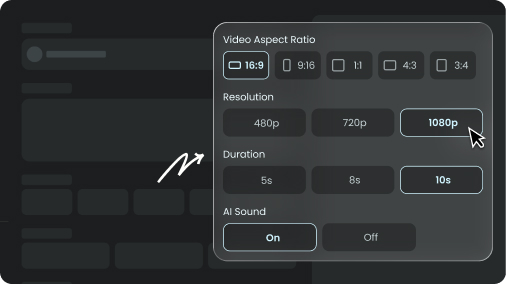
create ai video with happyhorse step 2
Step 2
Adjust the Video Setting

HappyHorse creates multi-shot video with synced dialogue and sound in one pass.
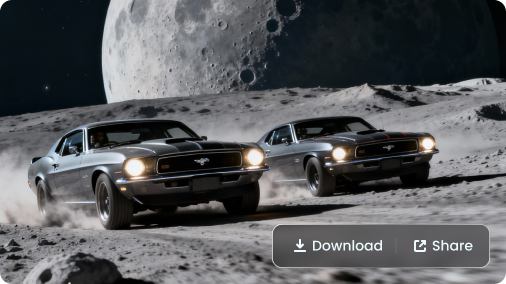
create ai video with happyhorse step 3
Step 3
Download and Share Your Video

Download and share your video instantly for social content, campaigns, or creative projects.

Pick Your Plan

Select a plan to get more credits

FAQs about HappyHorse AI Video Generator?

HappyHorse Now Available — Create Your First Video

© 2026 AIReel. All rights reserved.
FunCreate LIMITED
Registration Number: 76104529
Address: Room 1911, Lee Garden One, 33 Hysan Avenue, Causeway Bay, Hong Kong
© 2026 AIReel. All rights reserved.
FunCreate LIMITED
Registration Number: 76104529
Address: Room 1911, Lee Garden One, 33 Hysan Avenue, Causeway Bay, Hong Kong