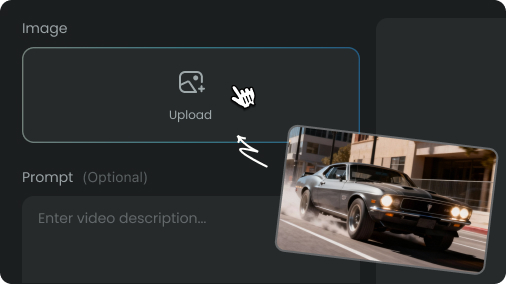
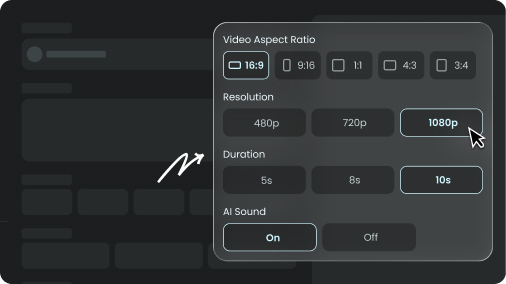
Create a 20-second, 16:9, first-person psychological suspense short film in realistic smartphone-camera style, with subtle handheld movement and one continuous shot. Use the provided image as the exact first frame.
All instructions and spoken dialogue must be in English. Use accurate English lip-sync. Include clear dialogue, footsteps, clothing rustle, breathing, and realistic indoor ambience. No music, narration, subtitles, captions, visible text, logos, or watermarks.
SETTING AND CONTINUITY
Strictly match the exact room layout, furniture, and lighting from the initial frame: a living room with a grey sofa on the left, a grey-and-white patterned rug, light wood flooring, warm-white lighting, and a hallway directly behind her leading to a bedroom (with the bed visible in the distance). Preserve this spatial route perfectly without hallucinating new architecture. In the bedroom, the bed is on the left and a white wardrobe is on the right.
The adult female protagonist uses this identity reference consistently. Keep her facial features, hairstyle, body type, voice, and identity consistent once revealed. She wears an elegant, dark, fitted knee-length dress matching the bare legs and black stiletto high heels seen in the first frame.
The camera is the male character's first-person viewpoint. The man never shows his face. Only his right hand may appear, along with his off-screen voice. He never pushes, restrains, touches, or climbs onto the bed.
FIXED CAMERA ROUTE
Starting exactly from the provided image (woman's feet in the living room) -> slowly tilt up to her face -> move forward toward her -> follow her backward through the doorway -> enter the bedroom -> stop beside the bed.
No cuts, transitions, teleportation, wall penetration, camera jumps, room morphing, or changes to the room structure.
EMOTIONAL ARC
The woman's goal is to make the man stop approaching and maintain distance. The man continues moving forward, forcing her to retreat into the bedroom until the bed blocks her.
Emotional progression:
confusion -> alertness -> avoidance -> panic -> pressure -> firm resistance.
TIMELINE
00:00-00:03 — FEET TO FACE
Start exactly from the provided image, approximately 20 centimeters above the floor at the woman's feet on the living-room rug. Slowly tilt upward past her black shoes, legs, waist, and upper body, stopping at a medium close-up of her face. Do not linger on her chest, hips, or buttocks.
She stands naturally. As she notices the approaching man, her toes move slightly backward. Only when the camera reaches her face does she look down at the lens.
Her brow is slightly tightened, her eyes are normally open, and her lips are slightly parted. Show confusion only, not fear. No wide eyes, trembling, crying voice, rapid retreat, or scream.
End approximately two meters away, with the woman becoming alert.
00:03-00:06 — LIVING-ROOM RETREAT
The camera reaches normal first-person height and takes one step forward. The woman retreats slowly with small steps while facing the camera. Her arms hang naturally, then her right hand rises slightly to signal the man to keep his distance.
Dialogue: “What are you doing?”
Use normal volume and slightly slow delivery. Begin as a question and end with guarded suspicion. Her eyebrows draw inward, her gaze locks onto the camera, and her mouth tightens.
The camera follows with subtle, realistic movement from each step, without excessive side-to-side shaking. End at the hallway entrance.
00:06-00:09 — ENTERING THE BEDROOM
As her back foot approaches the bedroom doorway, she quickly looks back to check behind her, steps backward through the doorway with her right foot, and turns her upper body halfway sideways to pass the doorframe. Once inside, she immediately faces the camera again and continues retreating.
Dialogue: “Please don’t come any closer.”
Use lower volume and slightly faster delivery. It is a controlled warning, never a scream. Her upper eyelids lift slightly when she looks back. After facing the camera again, her breathing becomes shallower and her inner eyebrows rise slightly.
The camera physically follows through the doorway, moves slightly right around the doorframe, then returns to center. Do not pass through walls, hit the doorframe, or cut into the bedroom.
End with both characters inside, approximately two steps from the bed.
00:09-00:13 — ACCIDENTAL FALL
The camera continues approaching. The woman takes two more small backward steps and raises her right hand to chest level to stop the man. After speaking, she takes one additional step backward.
The back of her lower leg accidentally hits the bed edge, causing her to lose balance. She reaches backward for support, first sitting on the bed edge, then falling backward onto the soft mattress.
Dialogue: “Stop…”
Use a quiet voice with one short intake of breath and no crying. Before losing balance, she remains alert. During the fall, her eyes briefly widen and her lips part, then she immediately bites her lips and regains control.
The fall must be caused by contact with the bed edge, never by pushing. She must not intentionally jump or throw herself onto the bed.
The camera makes one short reactive downward movement but does not touch, push, or follow her onto the bed. Stop beside the bed and frame her upper body and face.
She ends half-lying on the mattress, supported by one elbow, with her legs naturally near the bed edge. Do not emphasize sensitive body areas. End with faster breathing and direct eye contact.
00:13-00:16 — WARNING ABOUT CONSEQUENCES
Dialogue: “If my husband finds out, there will be serious consequences.”
Speak the first half quietly, pause briefly on “husband,” then deliver the second half faster with weakening breath.
When saying “husband,” her inner eyebrows slowly rise. She briefly looks toward the bedroom doorway, then back to the camera. Her eyes may be slightly moist, but no tears fall.
Her left elbow supports her body. Her right hand remains defensively raised near her chest. Her shoulders are tense but do not continuously tremble. After speaking, she swallows once and waits.
00:16-00:18 — MALE PRESSURE
Male off-screen dialogue: “You don’t want your husband to know, do you?”
The male voice is low, calm, controlled, and slow. Never shout.
His right hand slowly enters from the bottom of the frame and reaches toward her face, stopping before contact. He must not enter the bed, pin her down, touch her neck, lift her chin, kiss her, or make physical contact.
After hearing “husband,” she reacts with a brief delay. Her eyes stop darting and her lips press together. When she hears “don’t want your husband to know,” her breathing briefly stops and her right hand slowly rises to block the approaching hand.
Her mouth remains closed while the man speaks. She listens silently and does not interrupt or mouth his dialogue.
End with panic transforming into clear resistance.
00:18-00:20 — BLOCKING AND REFUSAL
Before contact, she firmly blocks his wrist with her right hand and pushes it downward and away. The action is decisive but controlled, not a violent struggle.
Dialogue: “No... stop.”
“No” is almost a breath, followed by a brief pause. Then say “stop” clearly and firmly, with slight trembling but no scream.
She briefly looks away, then reestablishes direct eye contact with the camera. Her brow tightens and her chin trembles slightly. The strongest fear and resistance appear only on “stop.”
The man's hand exits the frame. She remains supported on her elbow, maintains a guarded stare, and exhales briefly. Hold the final state briefly. She must not smile, relax, or look relieved.