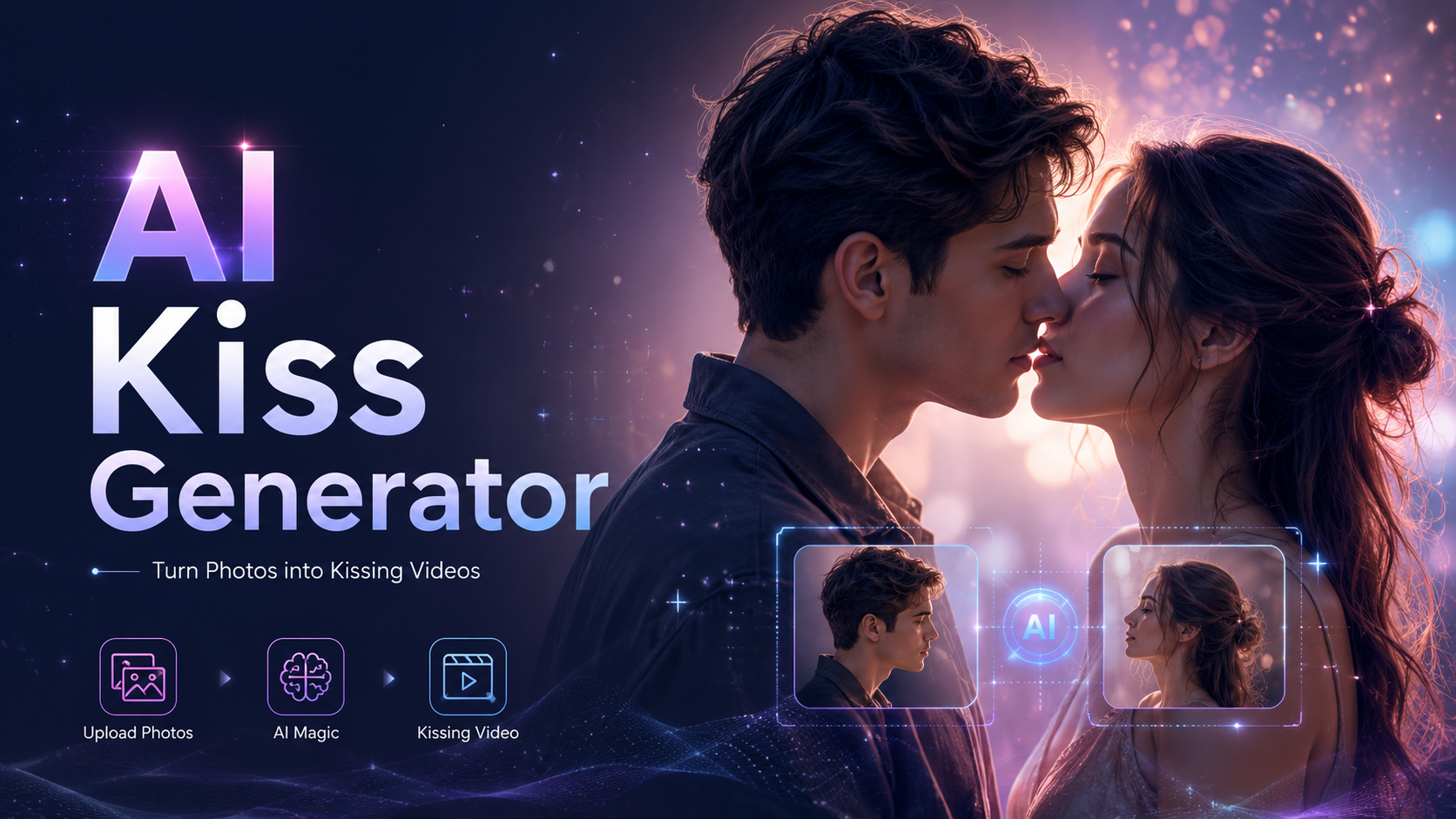
8 Best AI Kiss Generators 2026: Tested with One & Two Photos
AI kiss generators have moved well beyond a single novelty effect. Some can work from one photo, others can bring two separate portraits into the same scene, and a growing number now offer different kiss types, prompts, video models, and scene controls.

Table of Content
The harder question is what actually works before paying. A tool may call itself free while offering only one generation, adding a watermark, limiting resolution, or using credits quickly when a result needs another attempt.
For this comparison, eight popular AI kiss generators were checked against the same practical criteria: photo input, kiss controls, free access, retry cost, workflow flexibility, and the limits that become noticeable after the first generation. Rather than giving one tool a perfect score across every category, each option is matched to the use case where it makes the most sense.
What Is an AI Kiss Generator?
An AI kiss generator is an image-to-video tool that turns still photos into a short kissing scene. Instead of manually animating faces, head movement, and body interaction, the AI creates the motion between the source image and the finished video.
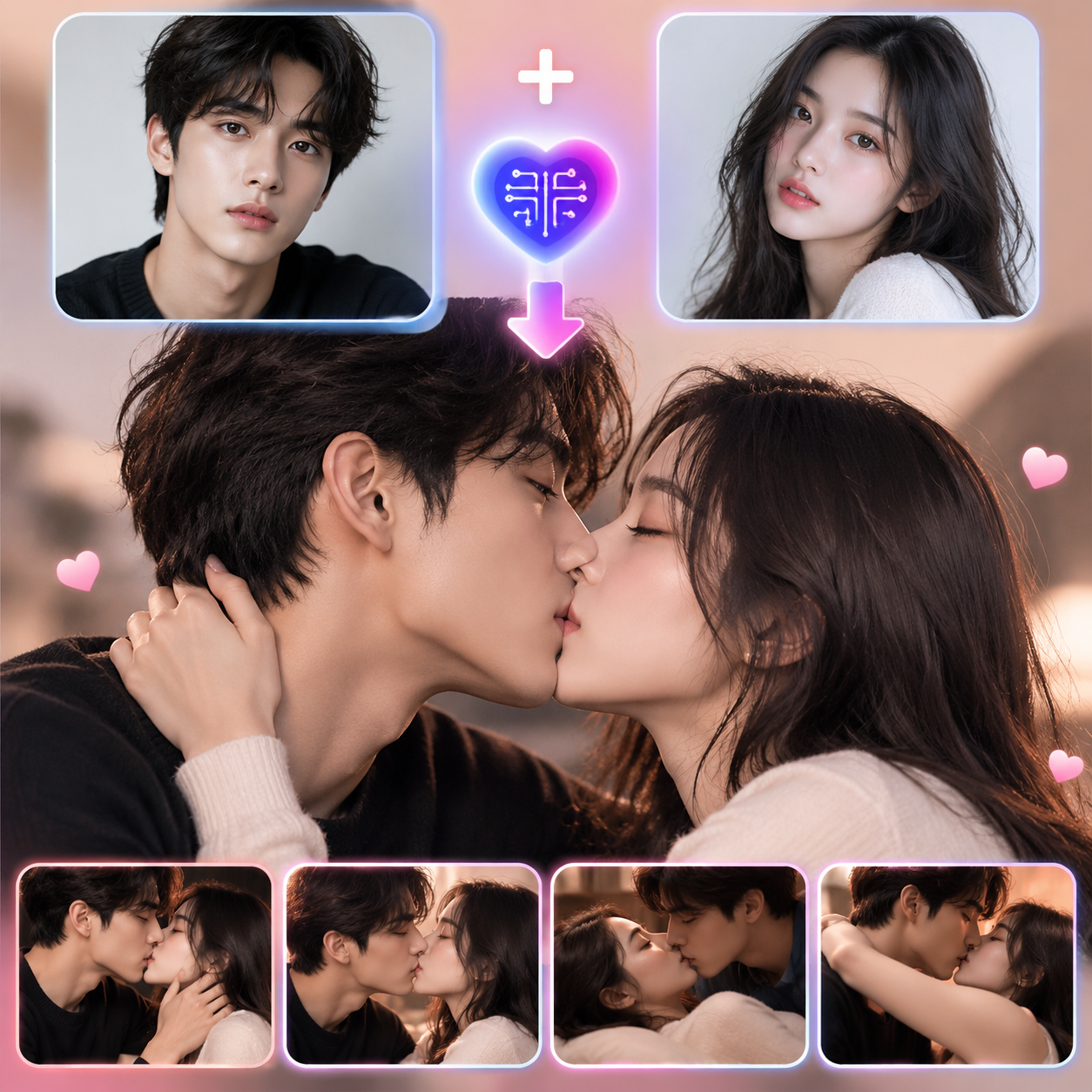
Most AI kiss generators differ in four practical areas:
- Photo input: Some work with one photo, while others can combine two separate portraits.
- Kiss types and control: Presets may include French kiss, forehead kiss, cheek kiss, or themed scenes, while some tools also support custom prompts.
- Free access: Free use may come through starter credits, daily generations, limited trials, lower-resolution exports, or watermarked videos.
- Retry allowance: Close facial interaction can sometimes cause identity changes, awkward motion, or distorted features, so multiple attempts may matter more than a single free generation.
For that reason, comparing free AI kiss generators is less about whether a tool has a Free label and more about what can actually be created before the limits start to matter.
8 Best Free AI Kiss Generators in 2026
These AI kiss generators differ mainly in how they handle the creation process. Some rely on ready-made kiss scenes, while others offer more control over prompts, models, photo inputs, or free generations.
Free AI Kiss Generators Comparison:
| AI Kiss Generator | One Photo | Two Photos | Kiss Control | Free Access |
|---|---|---|---|---|
| AIReel | Yes | Yes | Multiple kiss scenes | Free trial credits |
| Vidu AI | Yes | Yes | Kiss template | Monthly free credits |
| EaseMate AI | Yes | No | Prompt + models | Free credits |
| Vidnoz | Yes | No | Image or text input | 1 free video per day |
| DeeVid AI | Yes | Yes | Preset effect | Starter credits |
| Overchat AI | Yes | Yes | Presets + prompt | First generation free |
| MagicShot | No | Yes | Styles + prompt | Credit-based access |
| WaveSpeedAI | Yes | Yes | Styles + scene guidance | Starter credits |
1. AIReel — Best for a Wide Range of Ready-Made Kiss Scenes
AIReel takes a scene-first approach. Instead of offering only one generic kissing animation, the AI kissing generator includes different interactions and settings such as French kiss, forehead kiss, lip-to-lip kiss, cheek kiss, wedding scenes, snow scenes, and other variation.
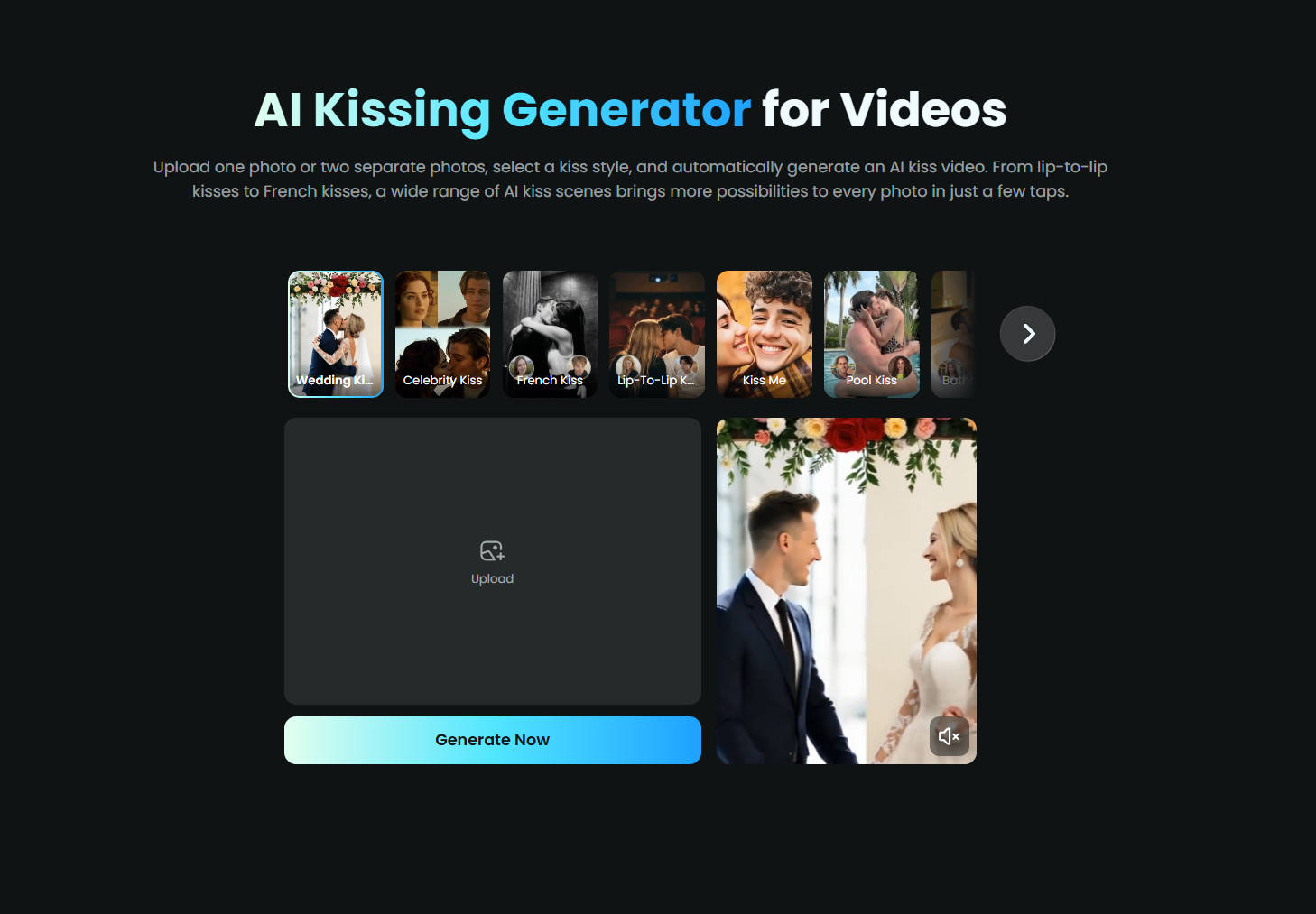
That makes it useful when the goal is not simply to make two people kiss once, but to see how the same source material works across different settings and interactions. Each preset comes ready to use, so there is no need to figure out a detailed prompt from scratch. Some kiss scenes work from a single photo, while others are designed for two separate photos, making each workflow straightforward to follow.
AIReel currently offers trial credits for testing the kiss AI before upgrading. Free access is credit-based, so trying multiple scenes or regenerating a result will use the available balance.
Main advantage: A broad selection of kiss scenes combined with one-photo and two-photo input.
Main limitation: Repeated generations eventually require more credits.
Verdict: Among the eight tools compared, AIReel stands out for its growing selection of ready-made kiss scenes, making it a strong choice for users who prefer scene-based creation over a prompt-first workflow.
2. Vidu AI — Best for a Straightforward Two-Photo Workflow
Vidu uses a template-based workflow for AI kissing videos. A source image containing two people can be uploaded, or two individual photos can be provided. Vidu recommends clear, front-facing upper-body images and similar aspect ratios when two separate photos are used.
This makes Vidu easy to understand on the first attempt: select the kissing template, add the photos, and generate. There is less emphasis on browsing a large collection of themed kiss scenes, which can actually be useful when the priority is getting from two photos to one finished clip quickly.
Vidu provides trial credits to new users and also uses bonus credits through activities such as daily logins. The exact amount available can change, so the practical value of the free tier depends on the current account balance and the generation cost of the selected template.
Main advantage: Clear template-based workflow for one couple image or two individual photos.
Main limitation: Two-photo inputs benefit from similar framing and aspect ratios.
Verdict: Vidu is a strong fit for users who want to move quickly from compatible source photos to a finished kissing video with minimal setup, especially when working with a couple photo or two well-matched portraits.
3. EaseMate AI — Best for Model and Prompt Control
EaseMate AI sits closer to a broader AI video workspace. Its kissing generator supports image-to-video and text-to-video creation, with kiss types such as general kissing, French kissing, and cheek kissing. Prompts can also be used to steer the environment, facial interaction, body language, or overall direction of the scene.
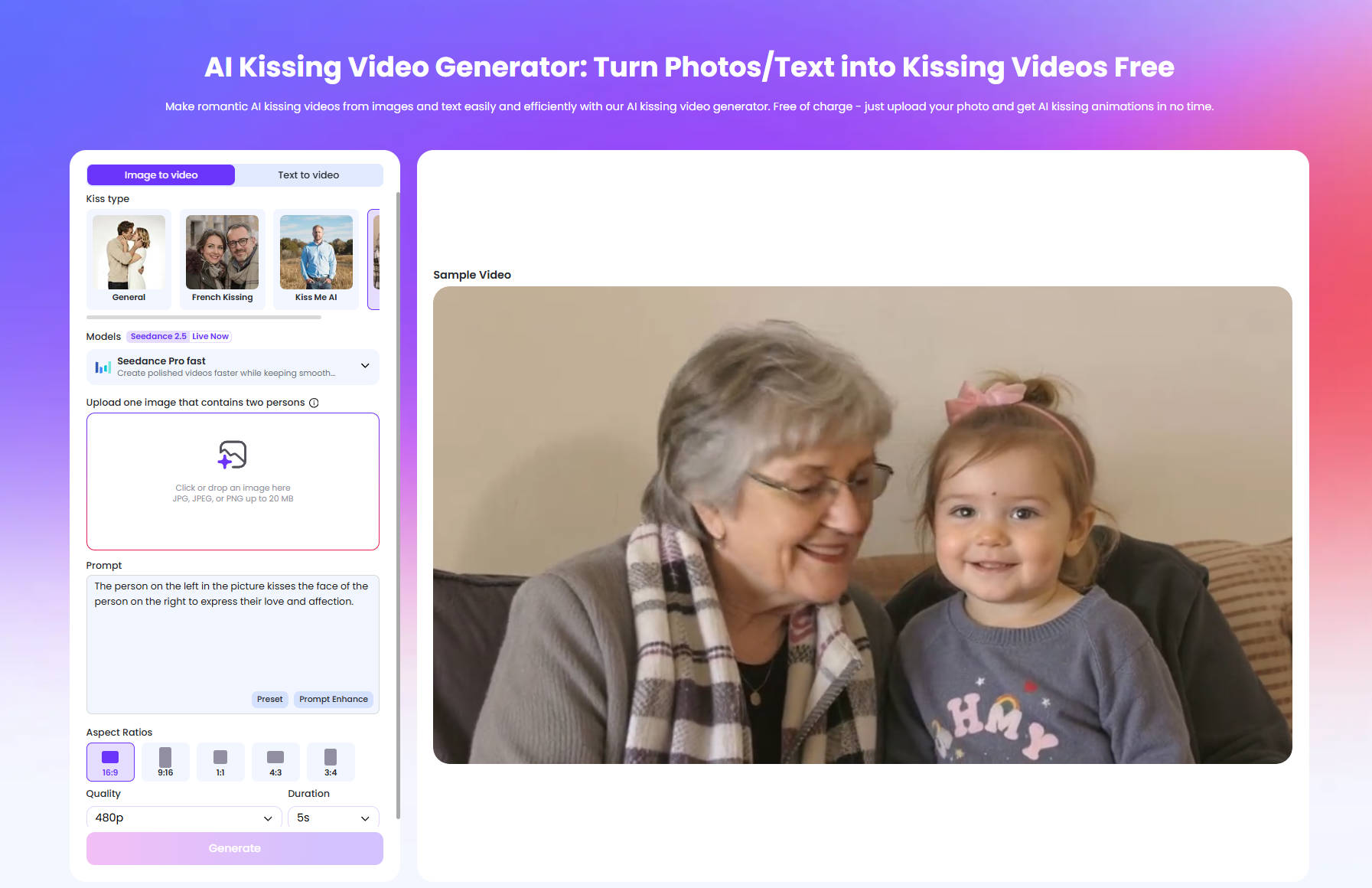
The biggest difference is model choice. Instead of hiding the video engine entirely behind one effect, EaseMate can expose different AI video models and generation settings. Aspect ratio, quality, duration, and other controls may also be available depending on the selected workflow.
EaseMate currently advertises 30 free credits after sign-up, with additional credits available through daily check-ins. That free access is more useful for experimentation than a one-time free generation because a failed attempt does not necessarily end the test.
Main advantage: Stronger prompt, model, and scene customization.
Main limitation: Less streamlined than a one-purpose kiss generator.
Verdict: More controls are the reason to pick EaseMate. Its prompts, kiss types, and model choices offer more room to shape the result, though the extra setup may not suit users looking for the quickest workflow.
4. Vidnoz — Best for One Free AI Kiss Video per Day
Vidnoz offers both image-to-kissing-video and text-to-kissing-video workflows. Its image mode is built around a source picture containing two people, while merged images can also be processed. This makes it more suitable for users who can prepare both subjects in the same source frame before generation.
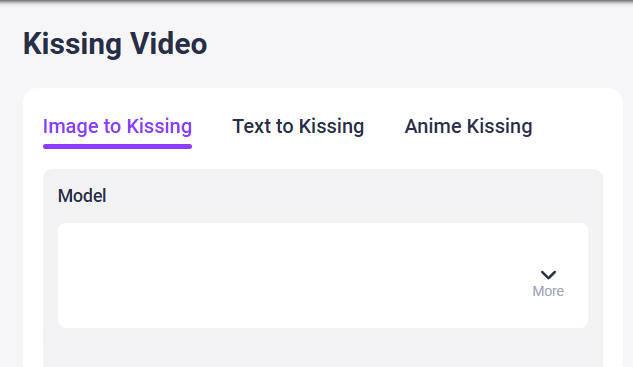
The strongest part of Vidnoz's free offer is its simplicity: the platform advertises one free AI kissing video generation each day, along with free download access. For someone who only wants an occasional clip, that recurring allowance can be more practical than a larger trial balance that disappears once it is used.
The weakness appears when the first result needs another attempt. One free generation per day does not leave much room for changing the photo, trying a different crop, or rerunning the effect immediately. That matters because close facial motion is one of the areas where AI video can benefit from multiple attempts.
Main advantage: A predictable daily free generation.
Main limitation: Limited room for same-day retries on the free tier.
Verdict: One free generation per day gives Vidnoz a clear edge for occasional use, but the limited retry window makes it less practical for testing multiple versions in one session.
5. DeeVid AI — Best for a Simple One- or Two-Image Setup
DeeVid AI keeps its AI Kissing effect intentionally simple. The generator accepts either one picture containing two people or two separate single-person images. The second image is optional, so the interface makes the available input paths immediately clear.
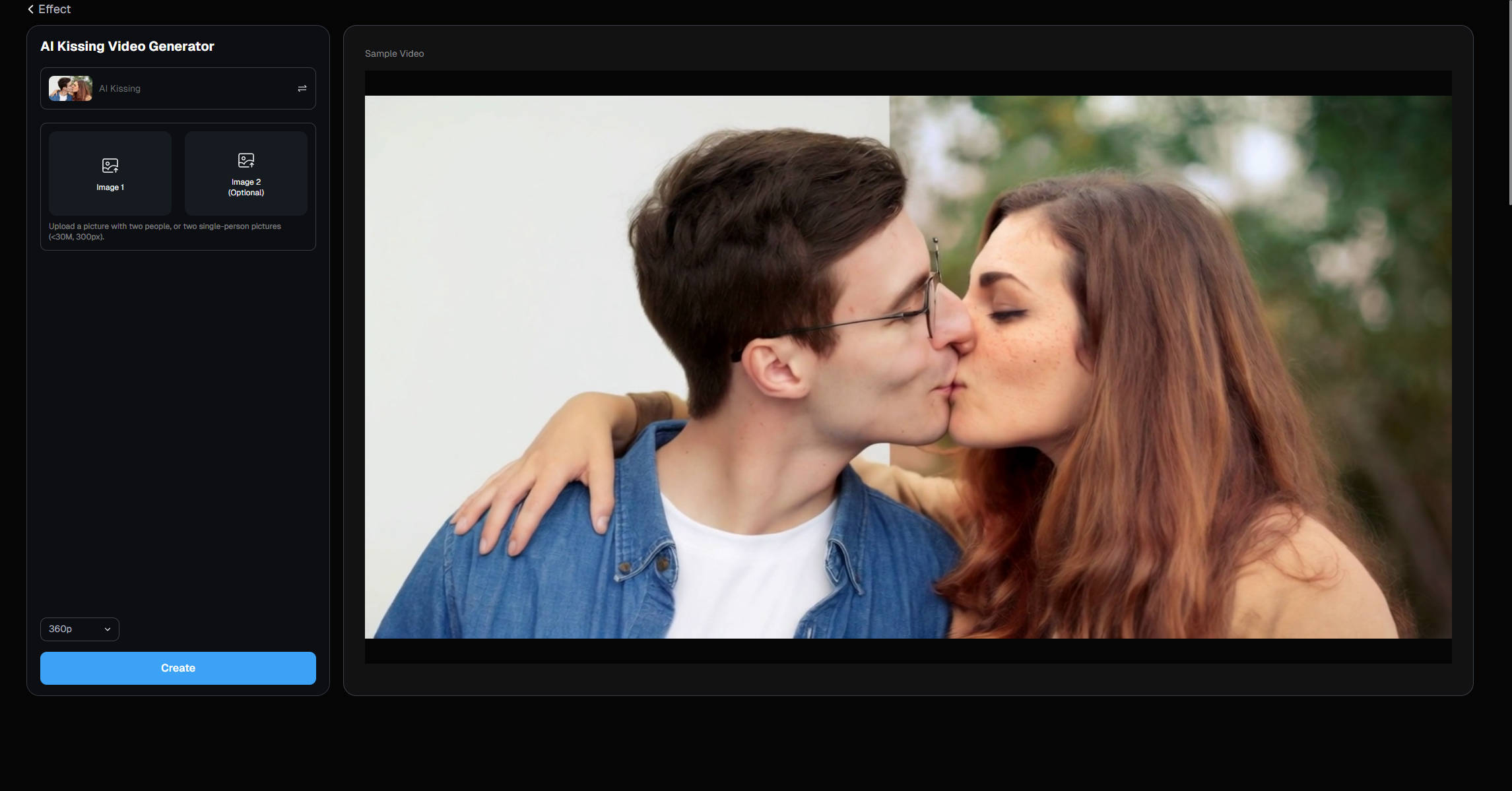
There is little setup beyond uploading the photos and creating the video. That reduces decision friction, but it also reduces the ability to steer a result when the first generation is not what was expected.
New DeeVid accounts currently receive 20 free credits, which the platform estimates can cover roughly four videos across its tools. That is enough to test more than one generation, but free video output carries a watermark. The AI Kissing interface also shows a 360p generation option, while higher-quality benefits are tied more closely to paid plans.
Main advantage: Very clear one-photo or two-photo input flow.
Main limitation: Less control, plus watermark limitations on free output.
Verdict: For quick, low-friction testing, DeeVid keeps the process simple with one- or two-photo input, though the limited controls and watermarked free output leave less room for refinement.
6. Overchat AI — Best for Creating Kiss Photos Before Video
Most AI kiss tools are built around turning photos into short videos. Overchat is a little different: it can generate a new kissing image from the uploaded photos before moving into video creation. For anyone who only needs a still result, this avoids generating a full video just to capture one convincing frame.
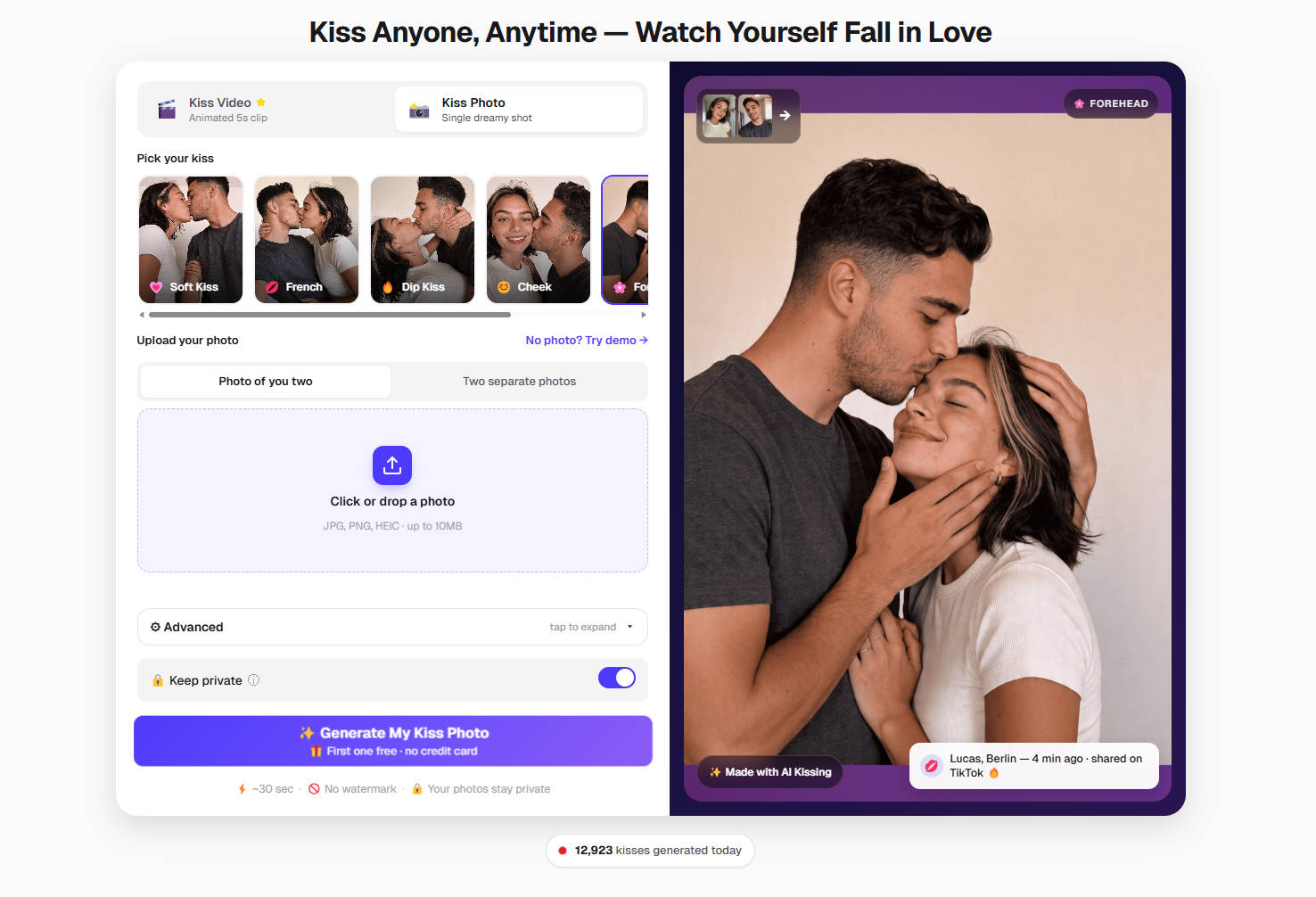
The tool works with a couple photo or two separate portraits and includes several kiss styles, such as cheek kiss, forehead kiss, soft kiss, and dip kiss. Prompts can also be added when more control over the setting or overall look is needed.
Overchat still supports short kissing videos, with options for aspect ratio and duration, but its free offer is more attractive on the image side. The first AI kiss photo can currently be generated for free, while video creation depends more on credits.
Main advantage: Generates AI kiss images directly instead of requiring a video first.
Main limitation: Free access is much more useful for images than for repeated video generation.
Verdict: Overchat makes the most sense when the desired result is a single AI-generated kissing photo, with video available when motion is actually needed.
7. MagicShot — Best for More Than Just Kiss Videos
MagicShot's AI Kissing Video Generator is centered on a two-photo workflow. Upload one image for each person and the tool creates the lean-in, contact, and short kissing sequence. Prompts and generation settings can be adjusted between attempts, and the finished clip can move into other MagicShot tools rather than ending the workflow at a single effect.
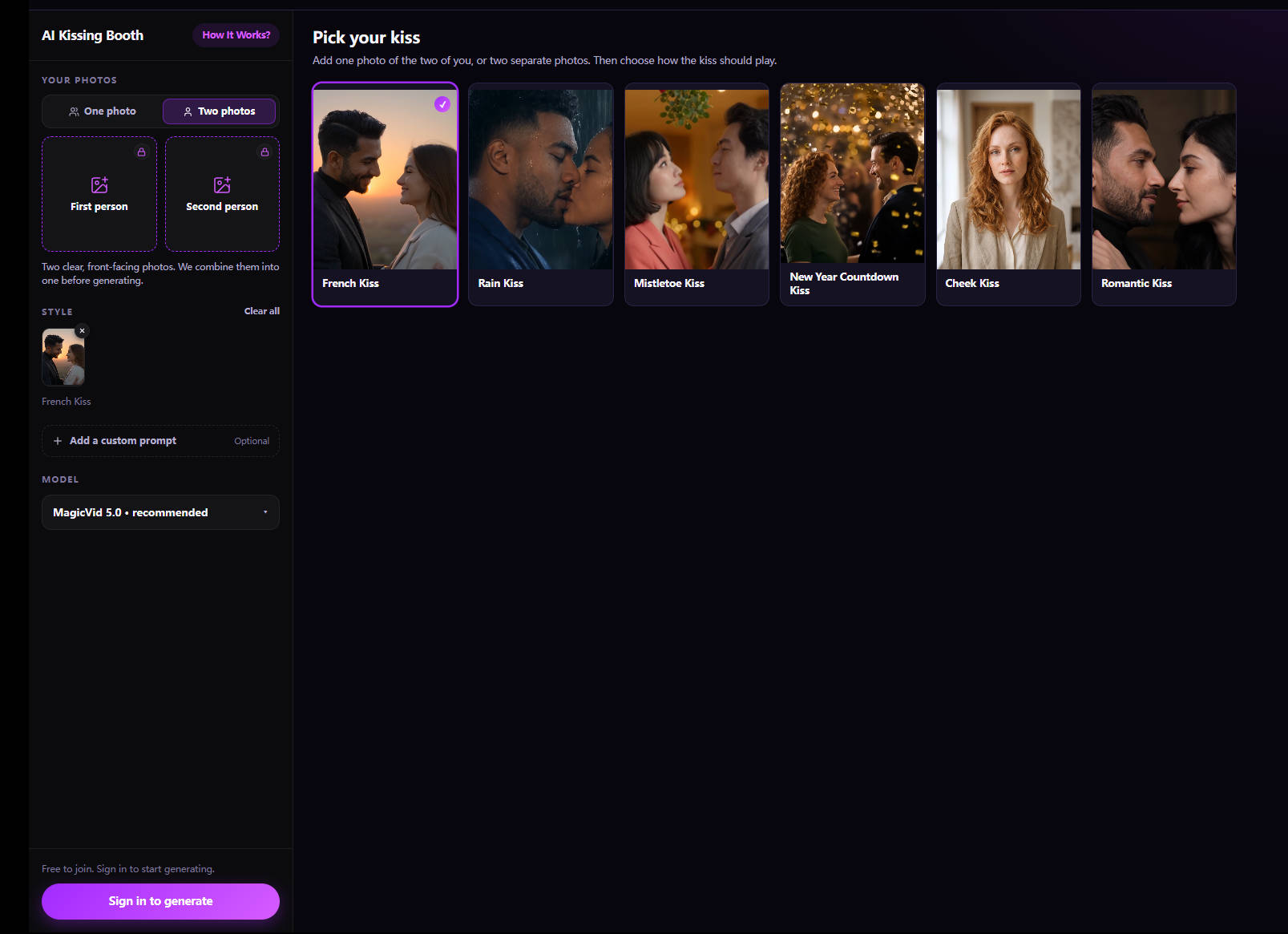
This is the main reason to choose MagicShot over a single-purpose generator. A source image can be created or edited elsewhere in the same platform, animated, and then refined without switching between multiple websites.
MagicShot operates primarily through a shared credit system across its creative tools. Starter access can make it possible to try the platform, but its public pricing is structured around paid credit plans.
Main advantage: AI kissing sits inside a broader image, video, and editing workflow.
Main limitation: Long-term use is more clearly paid than recurring-free.
Verdict: MagicShot earns its place here by extending the workflow beyond a single kiss effect, making it more useful when the generated video is only one step in a broader creative process.
8. WaveSpeedAI — Best for API-Based Kiss Video Generation
WaveSpeedAI supports both one-photo and two-photo AI kissing workflows. It also exposes different styles, including French kiss, cheek kiss, and softer kiss interactions, while prompts can be used to change the environment or creative direction.
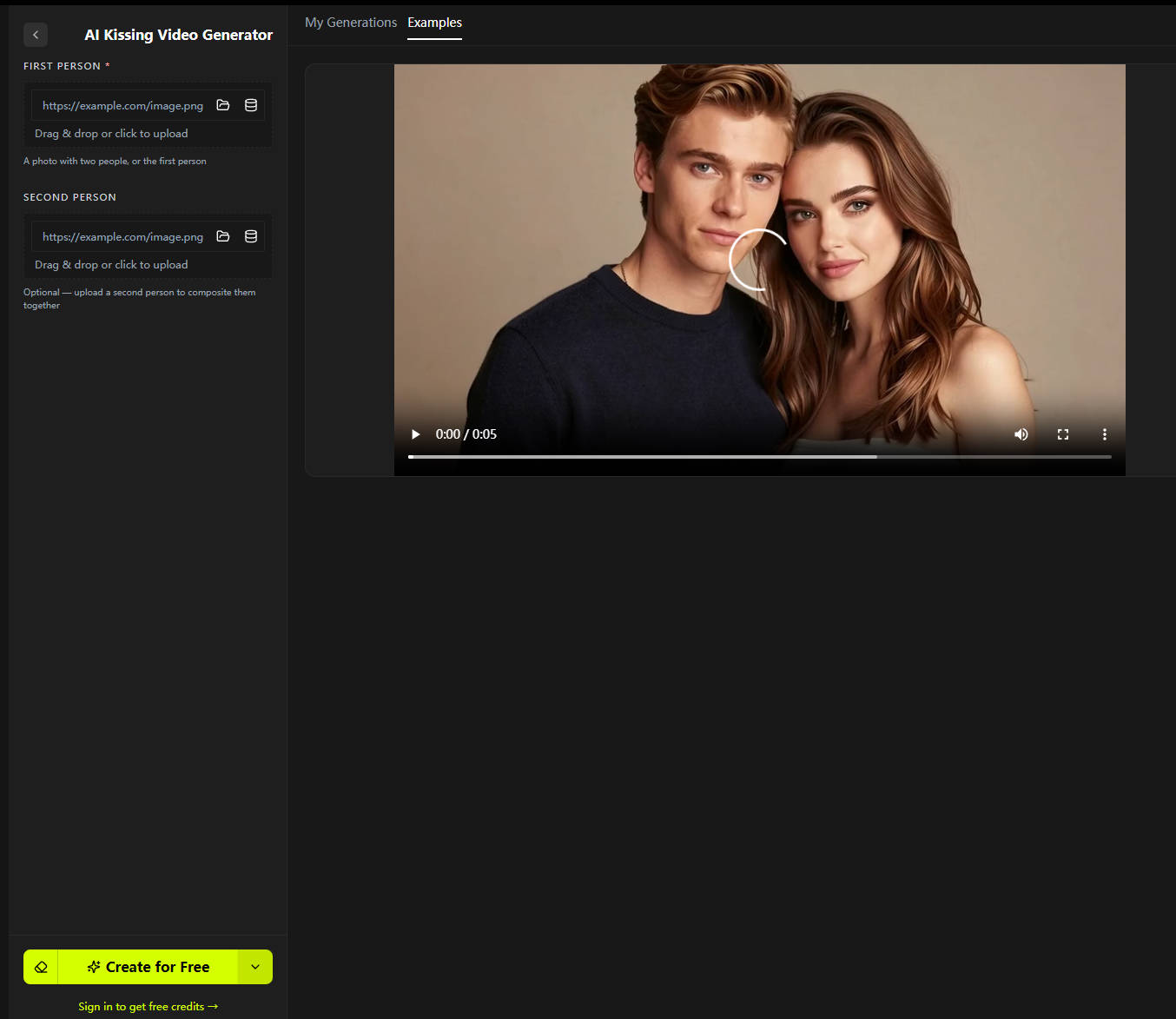
The biggest differentiator is what sits behind the effect. WaveSpeedAI provides access to a broader model marketplace and an API, making it possible to build AI kissing generation into another product or automate larger numbers of clips.
New accounts currently receive $1 in starter credits without requiring a credit card. After that, WaveSpeed uses a pay-as-you-go system rather than a traditional monthly free tier. Its AI kissing workflow also states that generated kissing videos do not receive a platform watermark.
Main advantage: Flexible one- or two-photo generation with model and API access.
Main limitation: More technical than most consumer-focused AI kiss generators.
Verdict: WaveSpeedAI makes more sense for advanced use, especially when API access and usage-based pricing matter. For a quick one-off kiss video, however, that extra flexibility may feel like unnecessary complexity compared with a dedicated preset tool.
Which AI Kiss Generator Should You Choose?
There is no useful universal winner here. A tool with more models is not automatically better for someone who wants one quick effect, and the largest free allowance is not automatically better if the workflow lacks the kiss scenes or input method needed for the project.
For a preset-driven workflow with one-photo and two-photo support plus a larger range of kissing scenes, AIReel is one of the more complete options. For recurring free attempts, Vidnoz and EaseMate are more interesting. For developers, WaveSpeedAI fits a different use case entirely.
How to Make an AI Kiss Video from Photos
AI kiss videos are usually created in one of two ways. One approach uses image-to-video generation, where the kissing motion is described through a prompt. The other uses a ready-made kiss effect, with the interaction already built into the preset.
Method 1: Customize a Kiss with Image-to-Video
Image-to-video generation is the more flexible approach for an AI kiss. Start with a source image, then describe how the subjects should move and interact in the prompt.
A simple instruction might ask the subjects to lean toward each other and kiss naturally while keeping the camera still. More detailed prompts can add camera movement, facial expressions, weather, lighting, or other scene changes.
Step 1: Upload the Source Photo
Choose the photo that will become the first frame of the video. For kissing scenes, images where both faces are clearly visible and positioned relatively close together usually require less dramatic movement from the model.
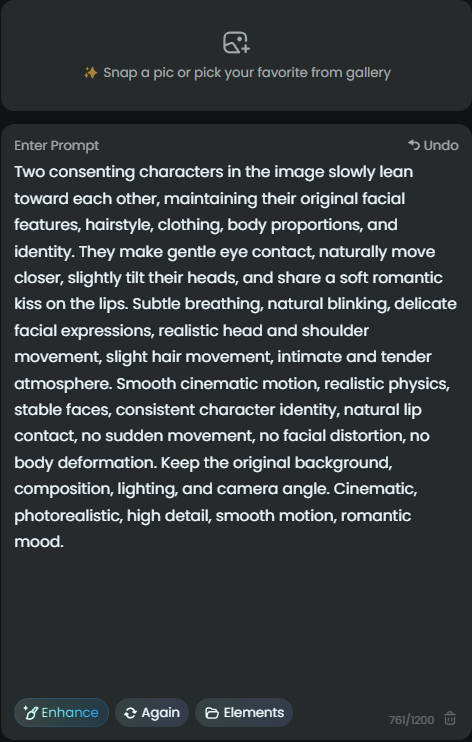
Step 2: Write the Kiss Prompt
Describe the movement rather than only the final result.
For example:
- slowly lean toward each other and share a gentle kiss
- move closer, make eye contact, and kiss naturally
- share a romantic kiss while keeping facial features consistent
Step 3: Generate the Kiss Video
Run the image-to-video generation and watch how the interaction develops from the source frame. The most important part to check is usually the transition into the kiss, where close facial movement can introduce distortion or identity changes.
This basic process gives more freedom over the result. The prompt can shape how the subjects approach each other, how long the kiss lasts, whether the camera moves, and what happens around them. It is especially useful when the intended scene is too specific to match an existing kiss preset.
Method 2: Turn Photos into Kiss Videos with Preset
A ready-made kiss effect works differently from image-to-video prompting. The kissing motion and overall direction are already built into the effect, so the main task is choosing a scene that fits the source photos.
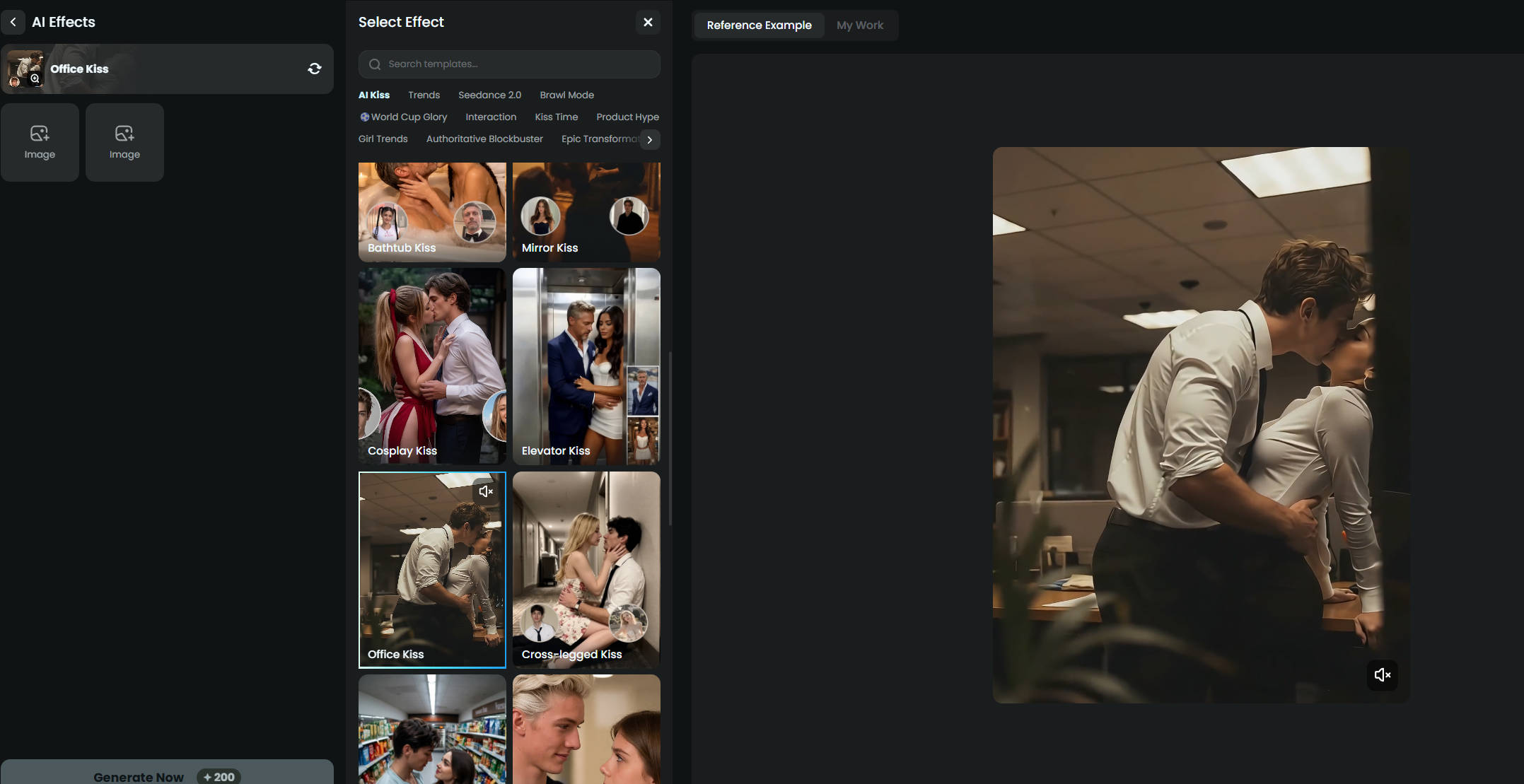
Step 1: Choose a Kiss Scene
Start with the interaction you want to create. AIReel, for example, offers ready-made scenes such as French kiss, Bathhub kiss, wedding kiss, office kiss and other themed kiss effects.
Choosing the scene first removes the need to describe the kissing motion from scratch.
Step 2: Upload the Required Photo
The photo input depends on the selected kiss effect. Some scenes work with one source photo, while others are designed for two separate photos.
Step 3: Generate and Compare the Result
Generate the video and review how well the selected kiss effect works with the photos. If the interaction does not suit the source, switching to another kiss scene can produce a noticeably different result without rewriting a prompt.
For a straightforward kiss video, presets remove much of the setup and make the process easier to repeat with different photos or scenes.
Ready to try different interactions? Create an AI kiss video with AIReel and compare how different scenes work with the same source photos.
FAQs about AI Kiss Generators
-
Is there a completely free AI kiss generator?
Yes, but "free" means different things across platforms. Vidnoz currently offers one free kissing video per day, EaseMate provides daily free credits, while AIReel, DeeVid, WaveSpeedAI, Vidu, and other tools use trial or starter credits. Free plans may also limit video length, resolution, downloads, retries, or watermark removal, so it is worth checking what is actually included before generating.
-
Can an AI kiss generator work with one photo?
Yes. Several AI kiss generators support a single-photo workflow, although the requirements differ. Some expect one image containing both subjects, while AIReel and certain other tools also provide workflows that can start from a single source or switch to two separate photos when needed.
-
Can AI turn two separate photos into a kissing video?
Yes. Some AI kiss generators can combine two separate photos and turn them into a single kissing video. The AI analyzes each subject, places them into the same generated scene, and creates the motion between them. Clear portraits with similar scale, camera angle, and lighting generally give the model an easier pair of inputs to combine.
-
Can an AI kiss generator create a French kiss?
Yes. French kiss is now a specific preset or supported scene in several AI kiss generators, including AIReel, EaseMate AI, and WaveSpeedAI. A dedicated preset is usually easier than trying to describe the entire interaction manually in an image-to-video prompt.
-
Is it safe to create AI kissing videos with real people?
Use photos of yourself or consenting adults and review the privacy rules of the generator before uploading identifiable images. Avoid creating deceptive or non-consensual intimate content, and do not use minors in sexualized or romantic deepfake scenarios.
Conclusion
The eight AI kiss generators compared here take noticeably different approaches to the same idea. Some focus on ready-made kiss scenes, while others offer more control through prompts or models, and support for one photo, two separate photos, and free generation varies from tool to tool. That makes the right choice less about finding a universal winner and more about matching the generator to the available photos, the desired kiss scene, and the level of control needed. A preset-based generator can remove much of the setup when a quick result is the priority, while image-to-video generation offers more freedom for specific motion, styling, or direction. Free credits are useful for testing either approach, but input compatibility, retry limits, face consistency, and the quality of the final interaction matter just as much once generation begins.