How to Generate Unlimited Nano Banana 2 Images for Free
Creating one image with Nano Banana 2 is rarely the end of the process. You try a different angle, adjust the lighting, change the background, and generate another version until it feels right. A few free generations may be enough to get started, but they're not always enough to finish what you had in mind. That's where unlimited Nano Banana 2 generation makes a difference, giving you more room to experiment without counting every image.

Table of Content
So, Is Nano Banana 2 Actually Free?
Yes, Nano Banana 2 can be used for free, although what you get depends on the platform. A free account might be enough to test a few ideas, but that doesn't necessarily mean you can generate images all afternoon without interruption.
There are three common ways to access Nano Banana 2:
- Free access: Generate images without an upfront payment, usually within an allowance set by the platform.
- Pay-as-you-go generation: Each image or generation request uses a certain amount of credits or incurs a charge.
- Unlimited generation: Eligible generations are included under a plan or promotion rather than charged individually, subject to its terms.
The difference may not matter when you're testing a single prompt. It becomes much more noticeable when you need several versions of the same image, especially if the first result is close to what you want but not quite there.
One thing worth checking before signing up: does "unlimited" mean unlimited generations throughout your subscription, or only during a limited promotional period? The label alone won't tell you.
Where Can You Generate Nano Banana 2 Images without Limits?
Finding a free Nano Banana 2 generator isn't difficult. Finding one that lets you keep creating is another matter. Google Gemini offers a free starting point, while platforms like AIReel, Higgsfield, and Mage provide different ways to access unlimited generation. Here's what each option offers and where the limits still apply.
Google Gemini: Try Nano Banana 2 for Free
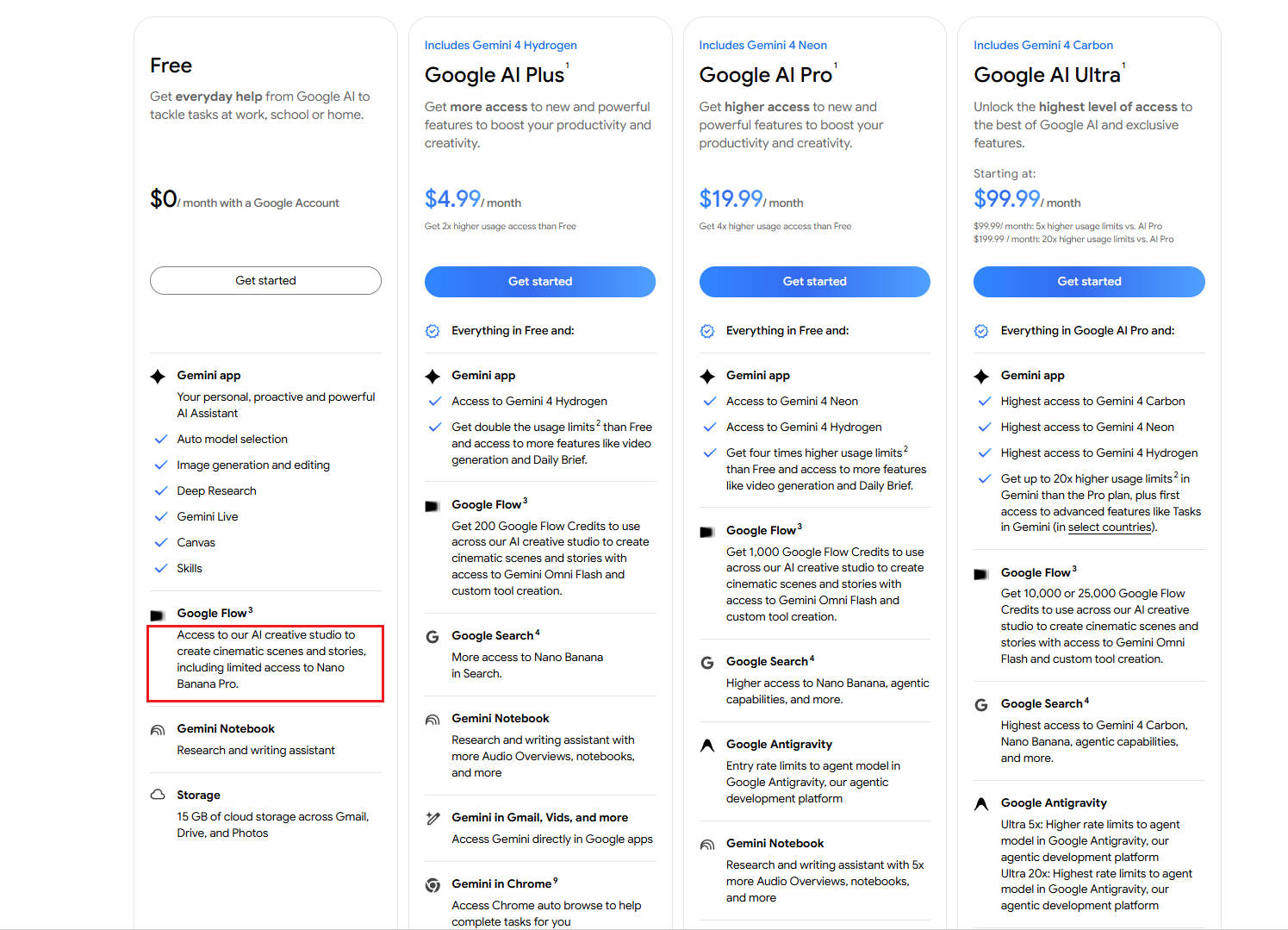
Google Gemini is a natural place to start if you want to use Nano Banana 2 without paying upfront. Sign in with your Google account, open the image generation feature, and describe what you want to create. You can also upload images to make edits or guide a new generation.
It's convenient for quick experiments, especially if you're already familiar with Gemini. The main drawback is the usage allowance. Free image generation isn't unlimited, and available capacity can vary. If you only need a few images occasionally, though, there may be little reason to look elsewhere.
AIReel: Unlimited Nano Banana 2 Generation
AIReel is worth considering if you tend to make several versions of an image before settling on one. You can start with a prompt or reference image, review the result, and keep adjusting the composition, background, or smaller details without switching between different tools.
What's particularly interesting is how its unlimited generation works. The Ultra plan includes Nano Banana 2 Unlimited, and even when your regular monthly credits run out, you can still continue generating with the model under the unlimited benefit. That gives frequent creators more room to experiment without having to purchase additional credits for every eligible generation.
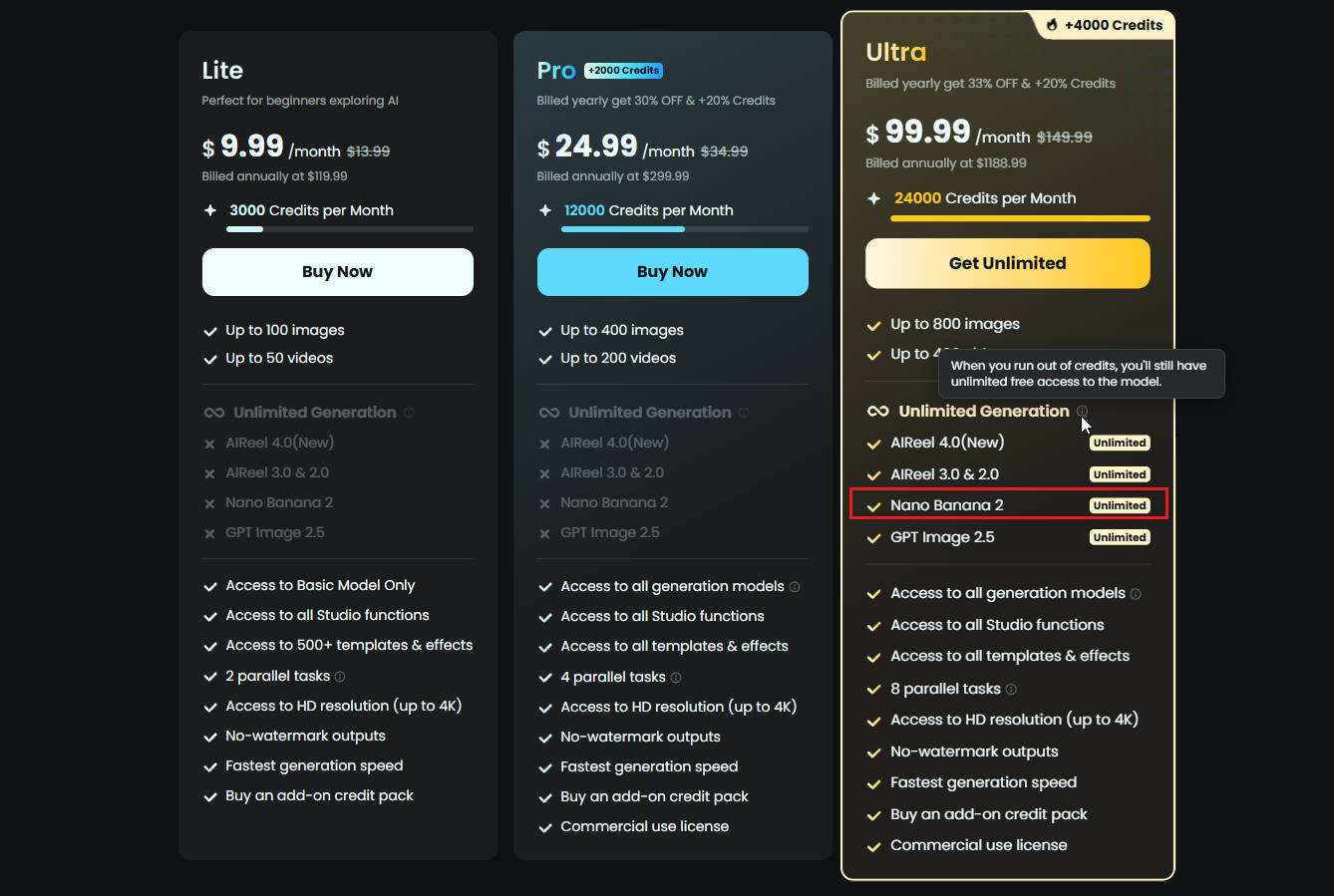
It's not a completely free unlimited service, since the benefit is tied to a subscription. But if you're regularly creating product images, testing visual concepts, or making multiple revisions, it's an option worth looking at.
Higgsfield: A Week of Unlimited Nano Banana 2
Higgsfield offers another approach: a seven-day unlimited generation window for Nano Banana 2 under eligible plans. During that period, supported 1K and 2K generations can be made without individual credit deductions, provided the unlimited option is enabled.
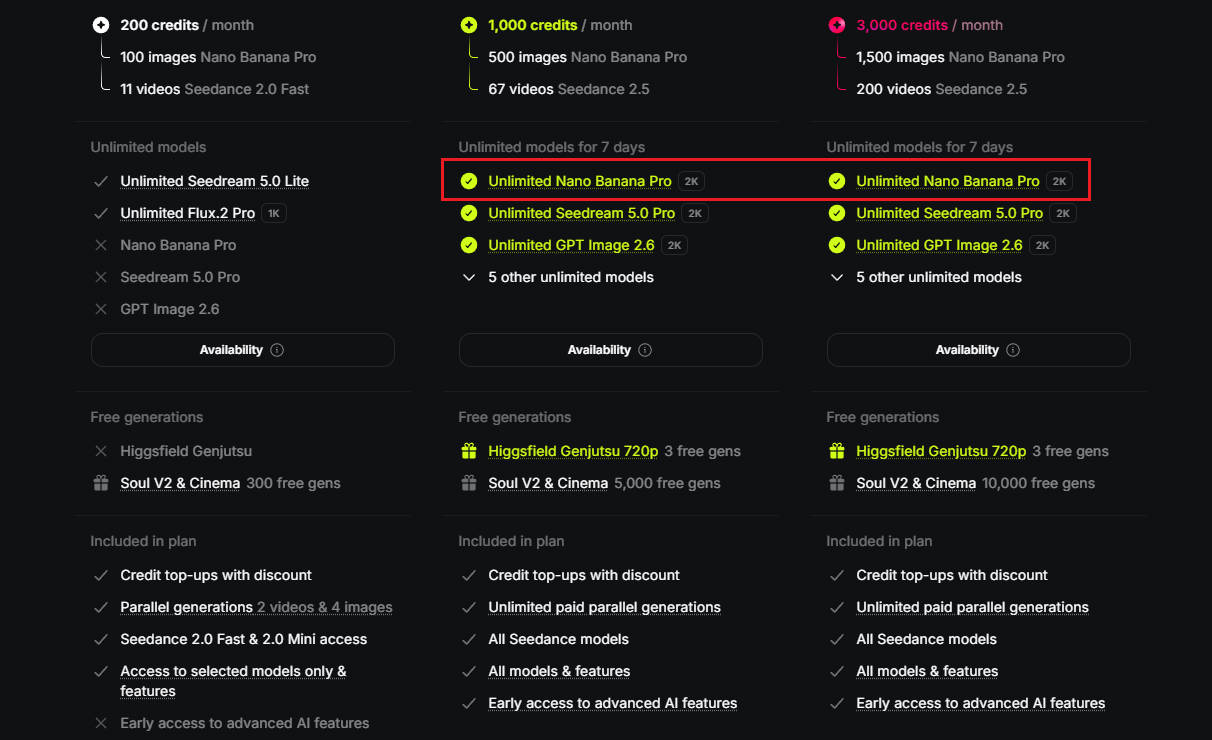
The seven-day window is the detail to pay attention to. It could work well if you have a specific project to finish, such as preparing campaign images or refreshing a product catalog. You can concentrate your image creation into that period rather than spreading it across several weeks.
Once the window ends, regular generation charges apply unless you have another eligible offer. Higher-resolution outputs and certain editing workflows may also follow different rules, so the unlimited label doesn't cover every possible use of Nano Banana 2.
Mage: Another Take on Unlimited Generation
Mage offers unlimited Nano Banana 2 generation through its Pro Plus and Max subscriptions, but the resolution you choose makes a difference. Pro Plus includes unlimited generations at 512 pixels, while Max extends that benefit to 1K. Higher resolutions, including 2K and 4K, are available through Gems rather than the unlimited allowance.
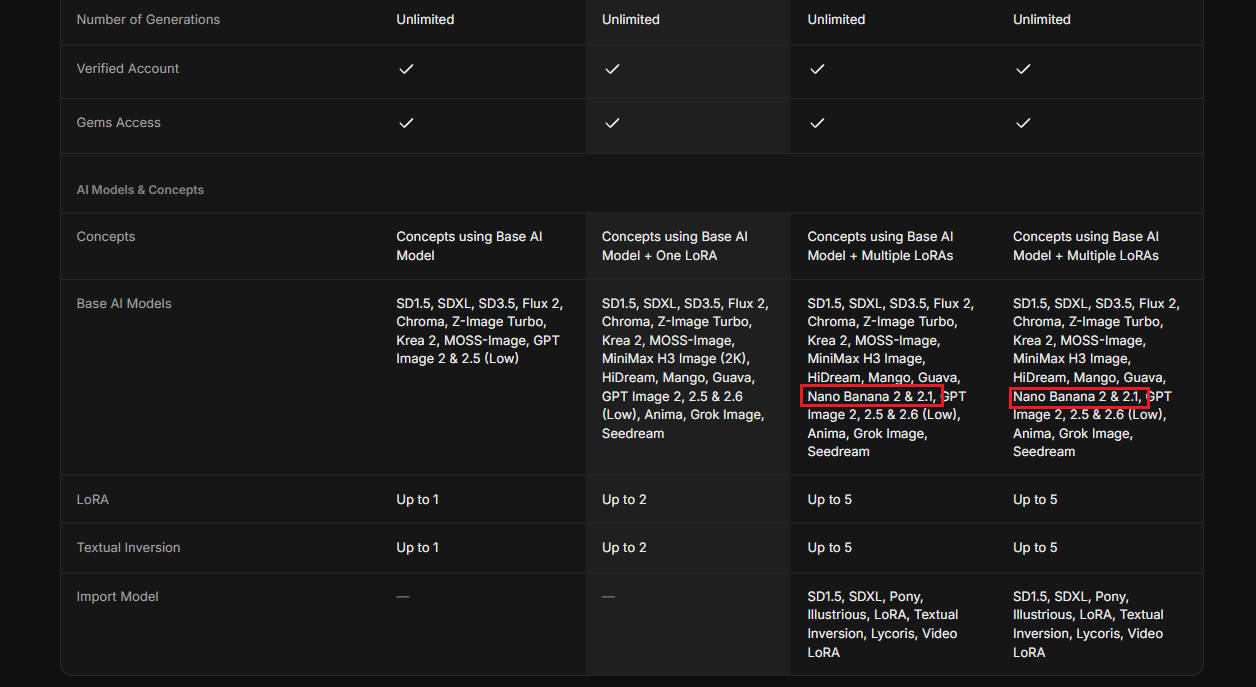
Beyond generation volume, Mage gives you more control over the images themselves. You can work with multiple reference images, adjust the model's thinking level, and experiment with different creative directions. There's also a newer Nano Banana 2.1 version, with its own unlimited options.
Mage is an interesting choice if you enjoy fine-tuning how images are generated. Just keep an eye on the resolution setting: switching to a higher-quality output can mean paying per generation, even with an unlimited subscription.
How to Generate Unlimited Nano Banana 2 Images
Once you've found a platform that offers Nano Banana 2 unlimited generation, getting started is fairly straightforward. We'll use AIReel as an example, but the basic process is similar across most AI image generators.
Step 1: Get Access to Unlimited Nano Banana 2
Head to AIReel and sign in to your account. New users receive free credits to try Nano Banana 2 before subscribing. You can explore the generation options available to you, but unlimited access is tied to an eligible subscription. The Ultra plan includes Nano Banana 2 Unlimited, so check that your plan has this benefit before expecting continuous generation.
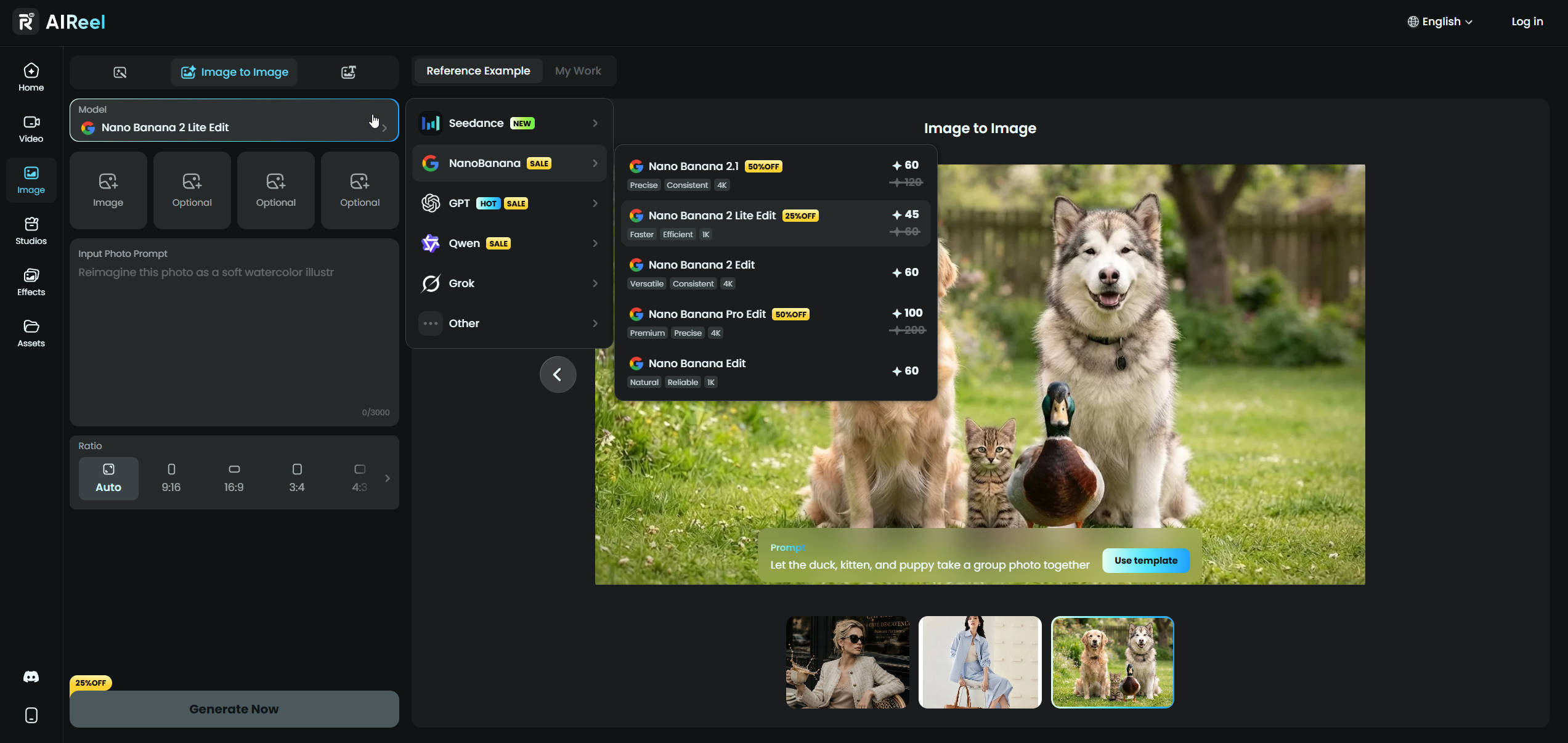
It's worth checking this first, particularly if you intend to create a large batch of images. The model may be available on a platform even when the unlimited benefit isn't active on your account.
Step 2: Give Nano Banana 2 Something to Work With
Open the AI image generator and select Nano Banana 2. You can start from scratch with a text prompt or upload a reference image if you already have something in mind.
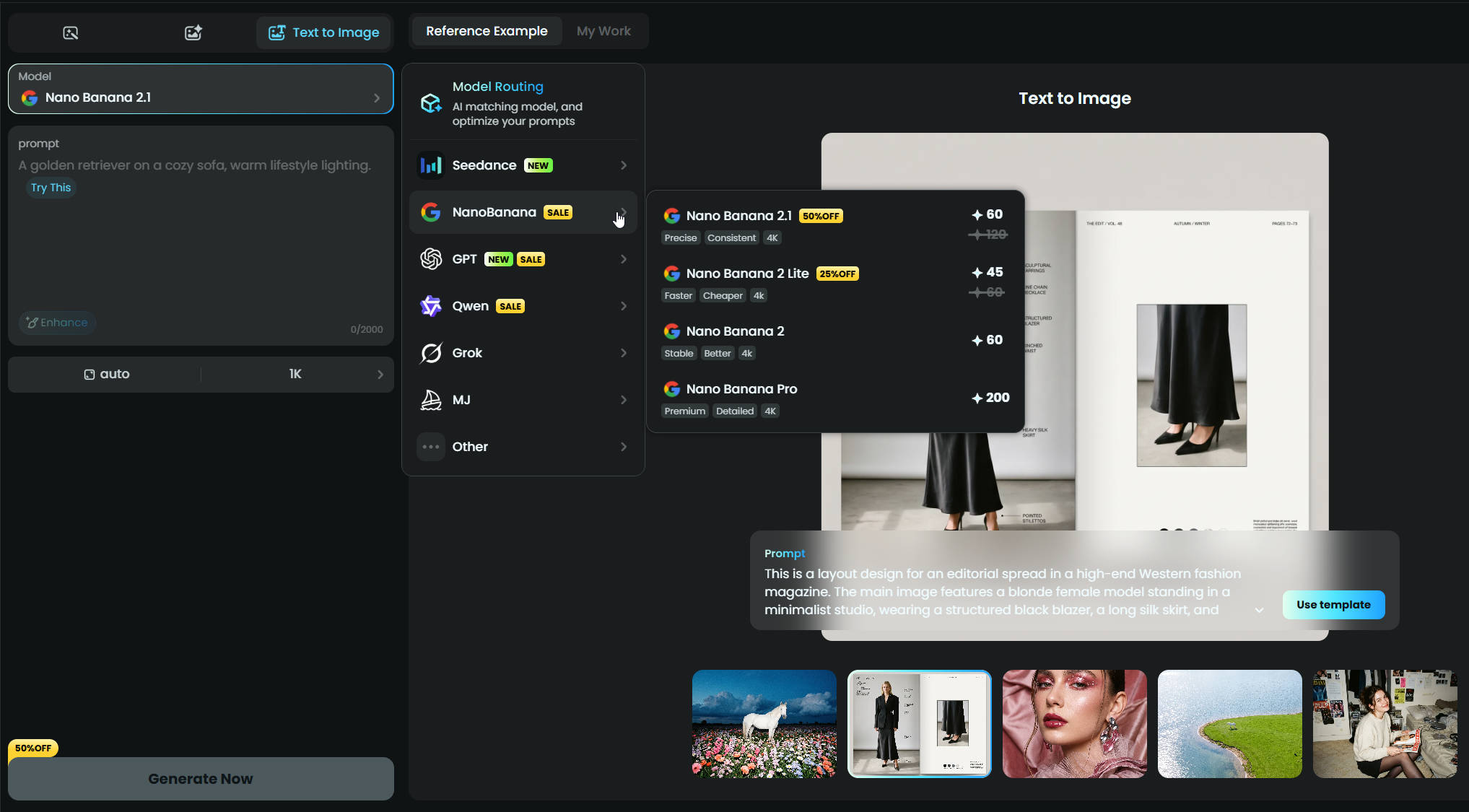
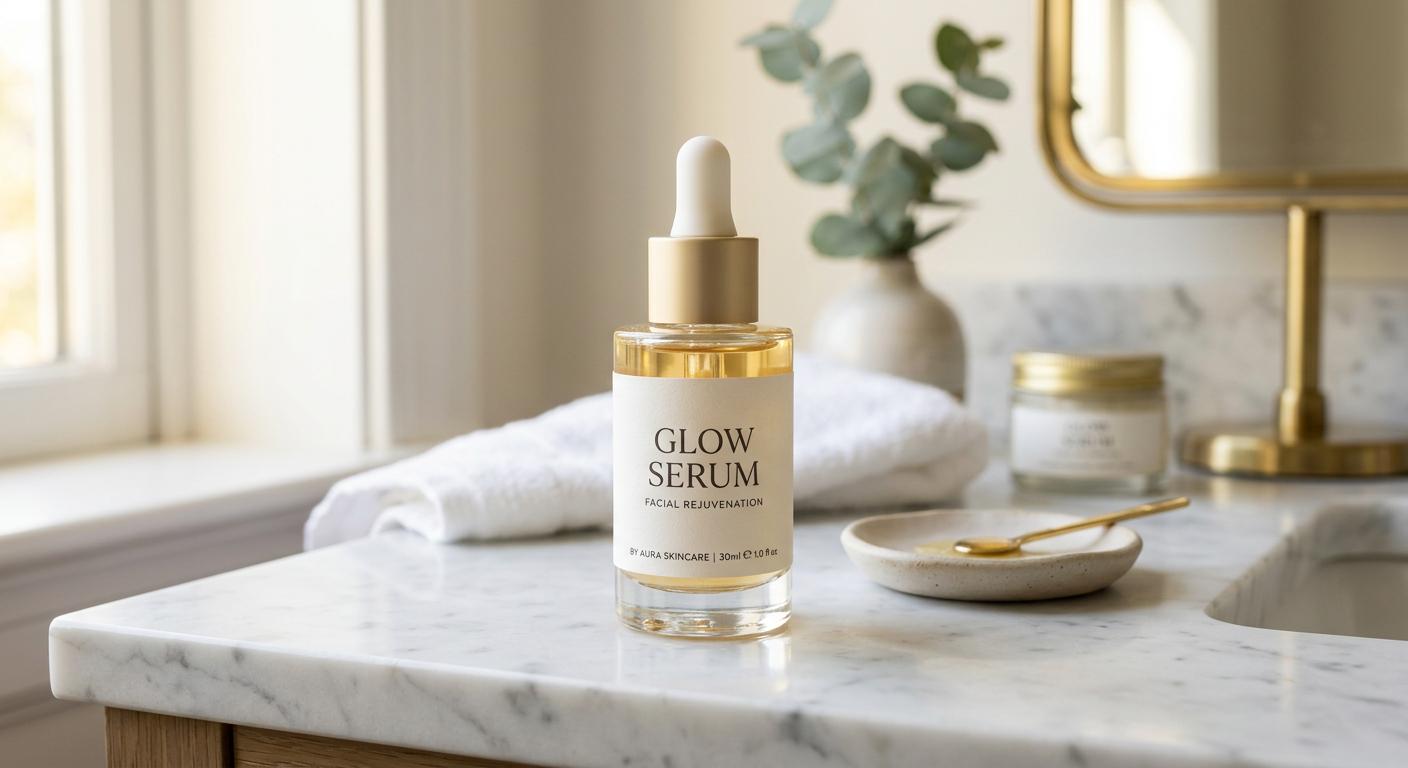
Let's say you're working on a skincare ad. You have the product, but you're still figuring out how to present it. A clean studio shot? Something warmer and more natural? For a first attempt, you could go with:
"A premium skincare bottle on a sunlit bathroom counter, soft natural shadows, warm neutral tones, realistic product photography, with the label clearly visible."
If you're using an actual product photo, make sure the prompt tells Nano Banana 2 to preserve the packaging and label. Otherwise, you may end up with a beautiful image of a bottle that no longer looks like the product you're trying to sell.
Choose your preferred settings, keeping in mind that resolution and generation mode may affect unlimited access. Then generate your first image.
Step 3: Generate Images Until You Find the Right One
Now comes the interesting part. Hit Generate and see what Nano Banana 2 makes of your idea. You might get exactly what you wanted, or something you hadn't considered at all. Either way, you're not stuck with that first result.
Try a different prompt, bring in another reference, or take the same idea in a completely new direction. You can keep experimenting with new images and variations within your platform's unlimited generation allowance. And when you find an image worth keeping, download it without a watermark.
The Catch with Unlimited AI Image Generation
"Unlimited" sounds simple enough. You choose a plan, pick Nano Banana 2, and generate as many images as you like. But the details aren't always as straightforward as the name suggests. Two platforms might both advertise unlimited generation while offering quite different experiences.
Before choosing a platform, here are a few things we'd check:
- How long does it last? Seven days of unlimited access is very different from a benefit that stays with your subscription. The former gives you a window to work in; the latter lets you return whenever you need to.
- What counts as a generation? Starting from a text prompt may be covered, but what about editing an existing photo or working with multiple references? We'd check those separately rather than assume they're included.
- Which output settings are included? An unlimited 1K option is fine if that's what you need. It becomes less appealing if you're regularly switching to 2K or 4K and paying extra each time.
- What happens when you're generating a lot? There's a difference between having no fixed image limit and being able to submit ten requests at once. Queues, concurrency limits, and fair-use conditions are worth checking, particularly if speed matters to your work.
The answers don't all carry the same weight. Someone making quick images for social media may never need 4K. Someone preparing a product catalog might care far more about consistent output quality and how quickly a batch can be finished. The unlimited generation count is only one part of that decision.
When Is Unlimited Nano Banana 2 Worth It?
Here's something worth checking before paying for unlimited Nano Banana 2: how much would you actually spend if you didn't have it?
If you're already buying credits to keep generating, take a look at how quickly you use them. A subscription might work out cheaper than several separate purchases, but not necessarily. It depends on the price of each generation, how many you typically make, and whether the unlimited plan covers the settings you use. If you've never needed to buy extra credits, there's probably no rush to subscribe.
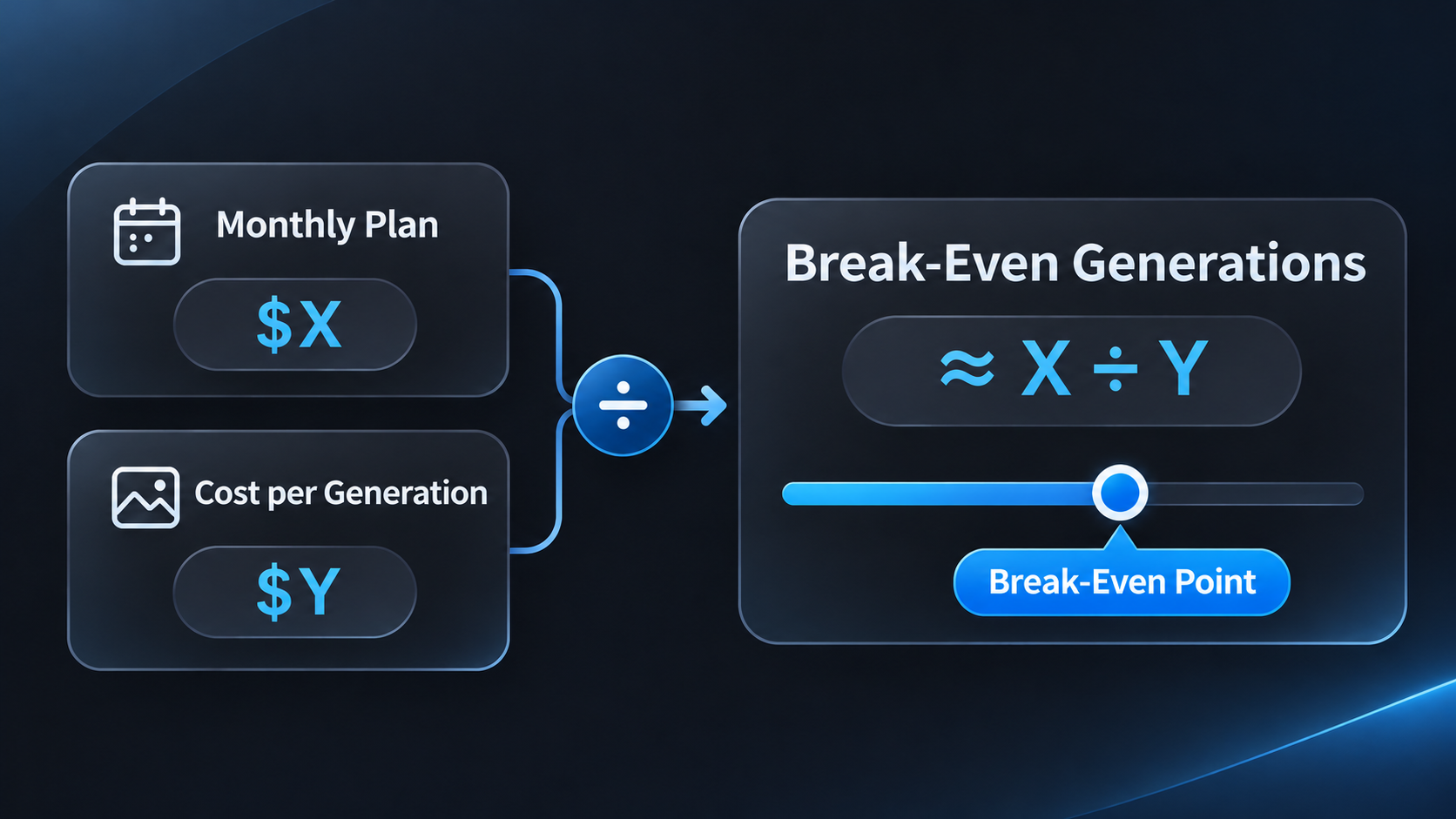
A quick way to compare them is to divide the monthly subscription price by the usual cost per generation. Say a plan costs $30 and each generation would normally cost $0.20. You'd need around 150 generations in a month for the costs to match. That's not a universal Nano Banana 2 price, of course, just an example of how to compare the two.
There's one detail that can easily change the calculation: not every month looks the same. You might have a particularly busy week followed by very little image generation. In that case, a short unlimited offer or occasional credit purchase could make more sense than keeping a subscription active all year.
Unlimited Nano Banana 2 becomes more attractive when you're already spending regularly on generations that the plan would cover. If the numbers don't work in your favor, free access and occasional paid generations are perfectly reasonable alternatives.
Nano Banana 2: Frequently Asked Questions
Can I use Nano Banana 2 for free without limits?
Not usually. You can try Nano Banana 2 for free on platforms such as Google Gemini, but free access generally comes with generation limits. If you're looking for unlimited Nano Banana 2, you'll typically need an eligible subscription or a limited-time promotional offer.
How many Nano Banana 2 images can I generate for free?
That depends on where you're using the model. Some platforms offer a limited number of free generations, while others use credits that you can spend on different AI models. There's no universal free image allowance for Nano Banana 2, so the number available to you may vary.
Does Nano Banana 2 have a daily limit?
It can. Google Gemini applies usage limits to free image generation, while third-party platforms may set their own daily limits or credit allowances. These limits can also change, so it's worth checking your account's current allowance rather than relying on a fixed number.
How can I get unlimited Nano Banana 2?
You can get unlimited Nano Banana 2 through services that include it in their subscription plans or special offers. AIReel, for example, offers unlimited Nano Banana 2 generation with its Ultra plan, while Higgsfield and Mage have different unlimited options. Check what's included before subscribing, as the duration and eligible generation settings can vary.
Is Nano Banana 2 censored?
Yes. Nano Banana 2 has safety restrictions and may refuse to generate certain images, including content that violates its safety policies. Third-party platforms can also apply additional moderation rules. Unlimited generation doesn't remove these restrictions, so some prompts may still be rejected even with a paid plan.
Final Thoughts
There's a difference between generating more images and getting more images you can actually use. You could spend twenty attempts adjusting a single detail, or find what you're looking for after three. That's why having more generations available isn't always as valuable as it sounds. The interesting part is that you can't really predict which attempts will be worth keeping and which you'll happily discard. And that's perhaps the strongest argument for unlimited Nano Banana 2: having enough room for the images that don't work out, not just the ones that do.