AIReel Model Routing: An AI Video Assistant for Automatic Model Selection
AIReel has launched Model Routing, a new AI video assistant feature for AI video creation. It helps users automatically match an uploaded image with a suitable AI video model before generation begins. In this article, we’ll explain what Model Routing is, how it works, how to use it, and why it can make AI video creation easier for both new and experienced creators.
Table of Content
What Is Model Routing?
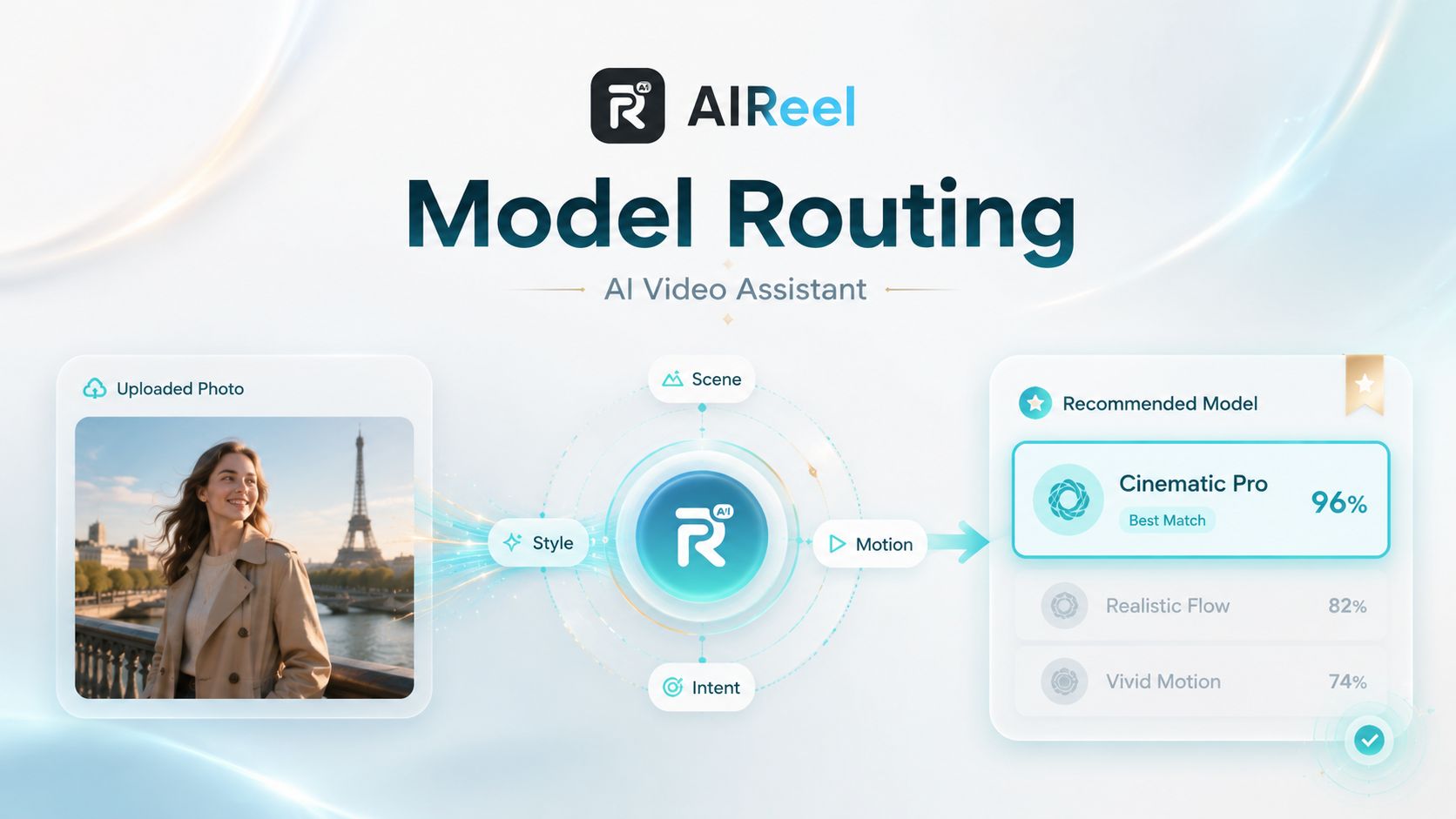
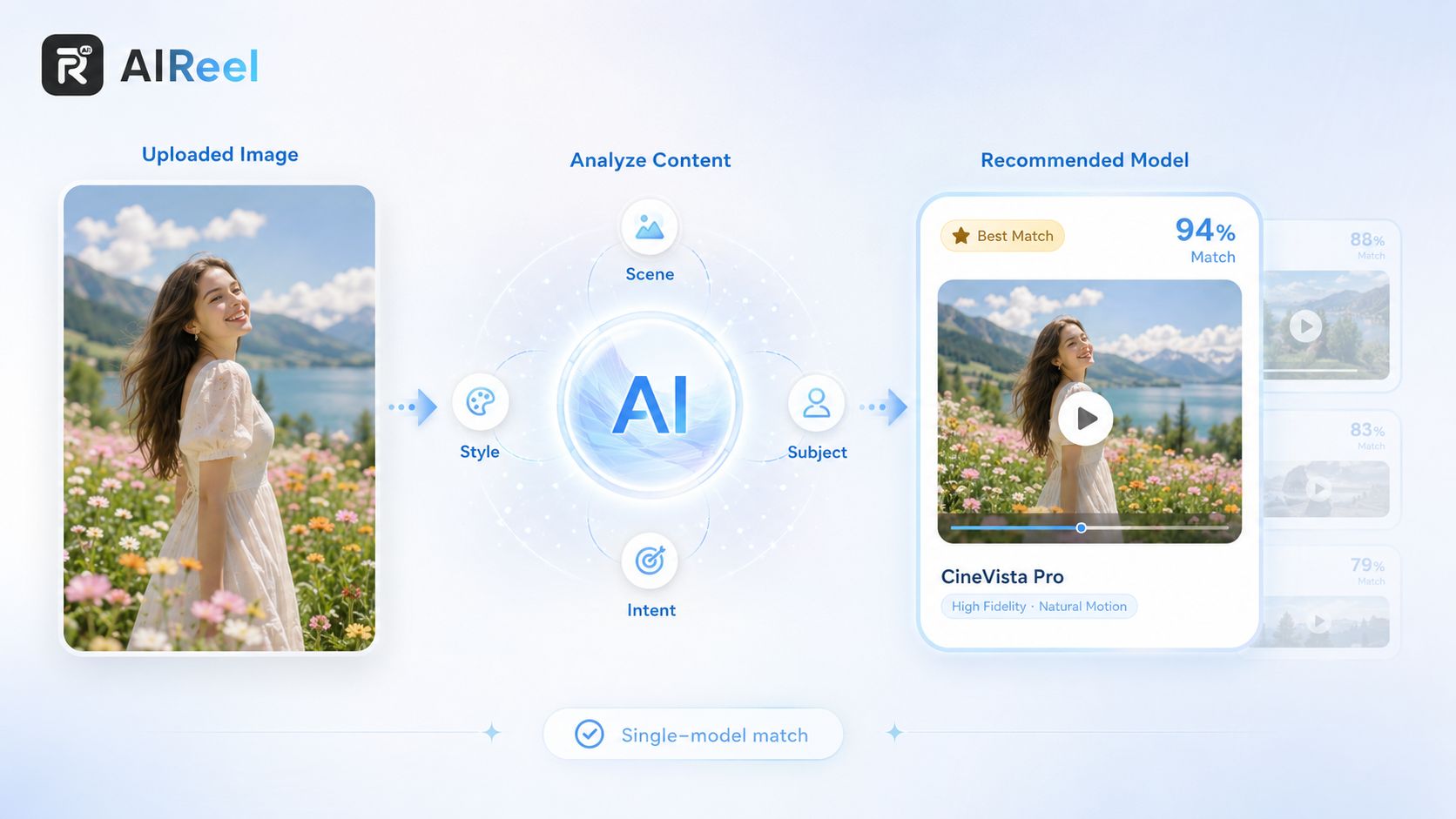
Model Routing is AIReel’s new AI video assistant for image-to-video creation. When users upload an image, the system analyzes the image content and automatically matches it with one suitable video generation model.
In simple words:
You upload an image, and AIReel helps choose the right model for you.
This means users do not need to study every AI video model or compare model features manually before starting. Model Routing helps reduce the first big question many users face: “Which model should I use?”
It is important to understand that Model Routing is not a multi-model recommendation list. Instead, it is designed for single-model matching. The system analyzes the uploaded image and gives users one recommended model based on the image content and model suitability.
Model Routing also does not change the quality limit of a model. A model will still have its own strengths and limitations. What Model Routing improves is the decision before generation begins. It helps users start with a model that is more likely to fit their image and creative goal.
Why Model Routing Matters
AI video platforms now offer more models than ever before. This gives creators more possibilities, but it also creates a new problem: too many choices.
For new users, the questions are usually simple but important:
-
How do I start creating my first AI video?
-
Which AI video model should I choose?
-
I only have limited credits, so how can I get a better first result?
For experienced creators, the problem can be different:
-
If the result is not good, is it because of the model or the prompt?
-
Which model should I switch to?
-
How can I create a specific visual style without wasting credits on repeated testing?
In many cases, the model itself is not weak. The problem is that the model may not be the best fit for the uploaded image or the user’s creative goal. When users choose the wrong model, the result may not meet expectations, even if the model is capable in the right scenario.
Model Routing is designed to reduce this friction. The goal is not to make every model stronger, but to help each model work on the type of content it handles best.
For users, this means less confusion, fewer unnecessary tests, and a smoother way to begin AI video creation.
How to Use Model Routing
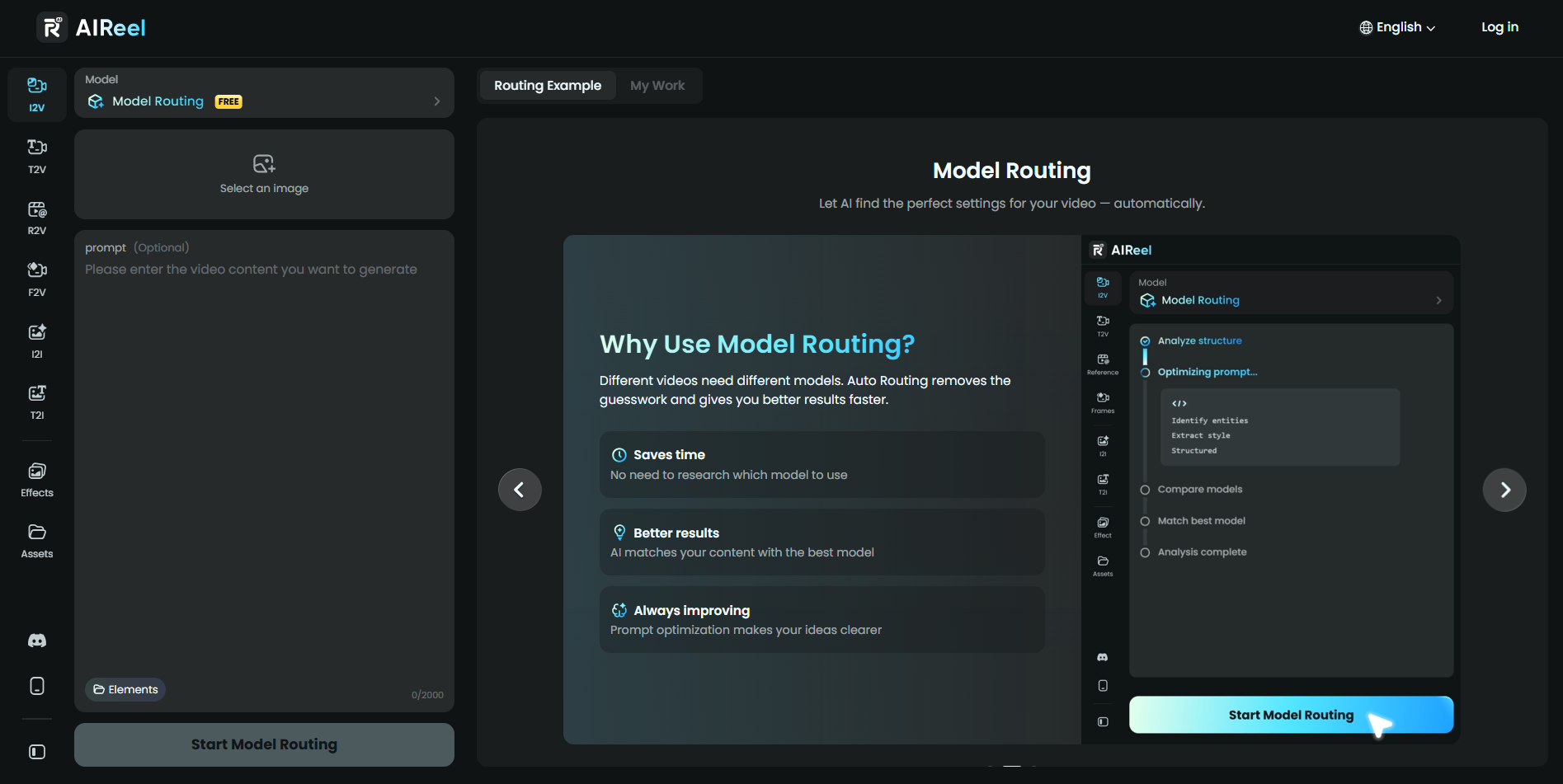
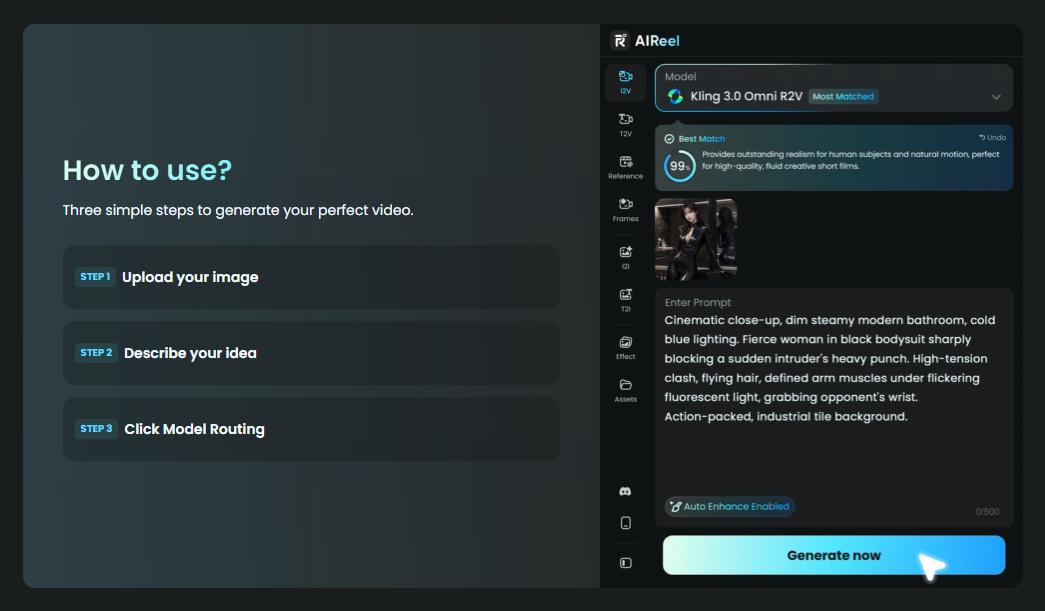
Using Model Routing is simple. It works directly inside AIReel’s image-to-video creation workflow.
Step 1: Enter Model Routing Mode
For new users, Model Routing is selected by default when entering the image-to-video creation page. This helps beginners start without needing to understand model differences first.
Existing users can also choose Model Routing manually if they want AIReel to help with model selection before generation.
Step 2: Upload an Image
Next, users upload an image they want to turn into a video. A prompt can also be added, but it is optional.
After uploading the image, users can start the Model Routing process. AIReel will begin analyzing the image before any actual video generation happens.
Step 3: Review the Routing Result
After the routing process, AIReel shows the recommended model result. Users can see:
-
The recommended AI video model
-
A matching score
-
The option to switch models manually
-
The next step to start video generation
This gives users a clearer reference before spending credits on generation. If they trust the routing result, they can continue directly. If they prefer another model, they still have full control to switch manually.
How Model Routing Works
Behind the scenes, Model Routing works before the video is generated. It is a prediction and matching process, not the generation process itself.
The basic logic includes three layers.
First, AIReel analyzes the uploaded image. The system looks at elements such as the scene, main subject, visual style, and content type.
Then, the routing engine compares those image features with AIReel’s model capability matrix. Different models have different strengths, so the system calculates which model is more suitable for the uploaded image.
Finally, AIReel shows the result to the user, including the recommended model and a matching score.
The matching score is an important part of the experience. It gives users a visible trust signal, so they are not simply asked to accept a recommendation without context. They can see why the system is guiding them toward a certain model and decide whether to follow it.
Another key point is that Model Routing does not consume credits. Since routing happens before generation, users can get a model recommendation without triggering the actual video creation process.
Model Routing also keeps the manual model selection option available. If users already know which model they want, or if they want to try another style, they can still switch models by themselves.
What Users Get From Model Routing
Model Routing is built around one simple idea:
Upload your image, and let AIReel prepare the right model for your video.
For users, the value is not only about automation. It is about making AI video creation easier to start and easier to trust.
-
Zero Learning Cost
Users do not need to understand every AI video model before creating. Model Routing helps beginners start faster by turning model selection into an assisted process.
-
Less Trial and Error
Instead of testing multiple models one by one, users can begin with a model that is already matched to their image. This can reduce repeated attempts and help users make better use of their credits.
-
More Confidence Before Generation
The matching score gives users a clearer reference before they generate. They can understand the recommendation, decide whether to accept it, and continue with more confidence.
-
More Control When Needed
Model Routing is designed to assist, not replace user choice. Users can follow the recommended model or switch manually whenever they want.
For anyone creating their first AI video, Model Routing makes the process less intimidating. For frequent creators, it helps reduce unnecessary decision-making and speeds up the workflow.
In short, Model Routing turns AIReel into a smarter AI video assistant: you upload the image, and AIReel helps handle the model selection before creation begins.
FAQs
1. Does Model Routing consume credits?
No. Model Routing happens before video generation, so the routing process itself does not consume credits.
2. Can Model Routing choose the wrong model?
Model Routing is designed to choose a suitable model based on the uploaded image and model capability matching. However, it may not be perfect every time. Users can check the matching score and manually switch models if they prefer another option.
3. Does Model Routing improve video generation quality?
Model Routing does not change the quality limit of each AI video model. Instead, it improves the model selection process, helping users start with a model that better fits their image and creation needs.
4. Is Model Routing only for beginners?
No. It is useful for both new and experienced users. Beginners can use it to avoid confusion, while experienced creators can use it to reduce model testing and speed up their workflow.
5. Will AIReel support custom routing rules in the future?
Custom routing is part of the future direction for Model Routing. AIReel may continue improving the feature to support more flexible and personalized model selection.