Halloween AI Photo Prompts: Trending and Classical Prompts for Costumes, Couples, Pets and Spooky Portraits
Halloween is a great excuse to try a look you might never wear in real life. Even with an ordinary selfie, you can create a dramatic costume, a spooky portrait, or a playful photo with your partner or pet. This guide covers four popular Halloween photo styles. You’ll find prompts you can use immediately, editable prompt formulas, and practical tips for keeping the person or pet recognizable. If you want a faster result.

Table of Content
Halloween Costume Photo
If you do not have a specific costume in mind, start with AIReel’s AI Halloween photo generator and describe the look you want.
Keep your reference photo clear and make sure your face is visible. The prompts below focus on the costume itself, while the original pose, framing, and background stay largely unchanged.
Pop Culture and Trending Costumes
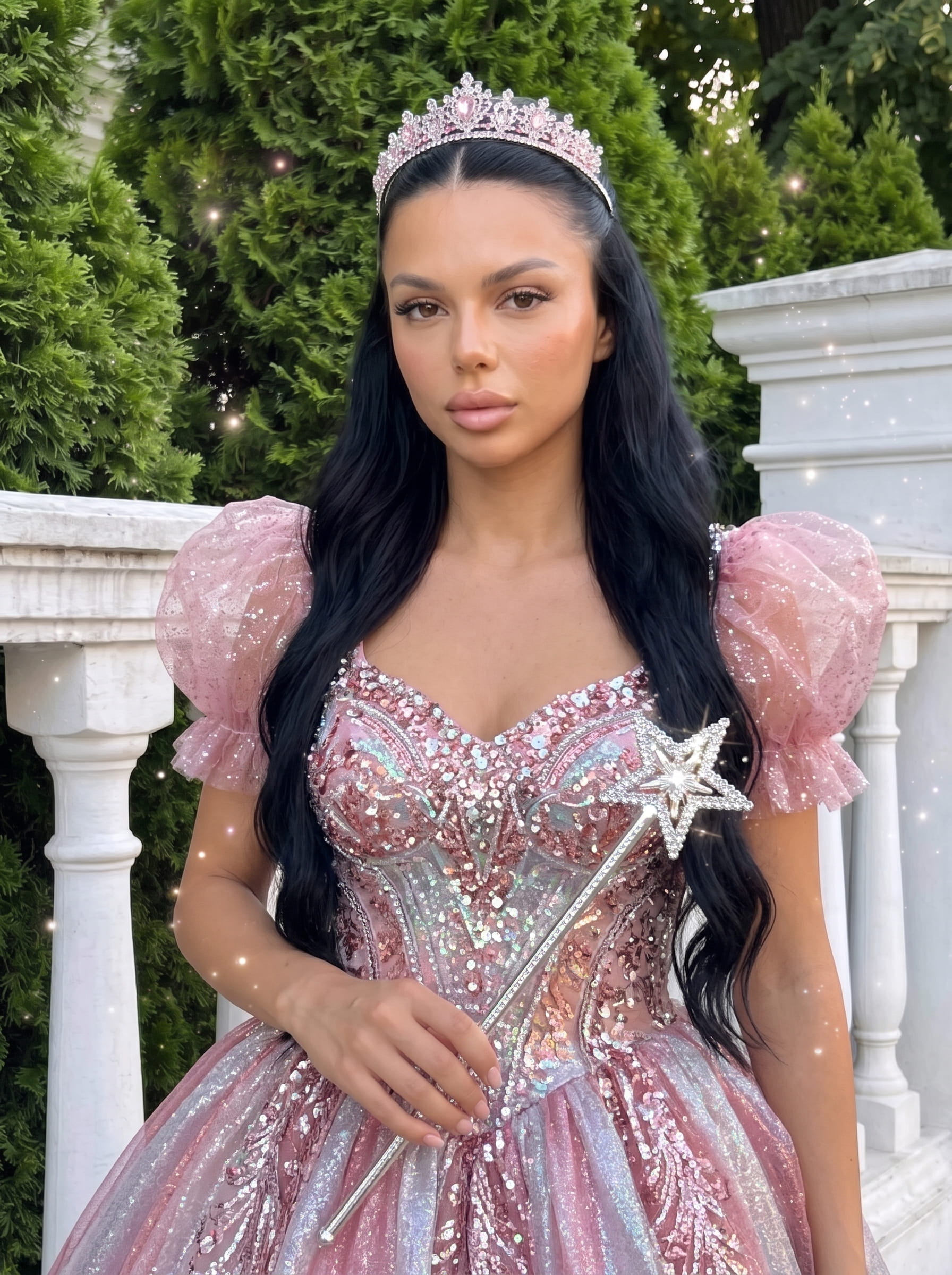
Glinda from Wicked
Dress me as Glinda from Wicked in a sparkling pink ball gown with a fitted bodice. Include a crown and a star-tipped wand. Keep me recognizable and preserve my original pose, framing, and background. Add only stardust to the scene. Make it look like me wearing the costume, not a face replacement.
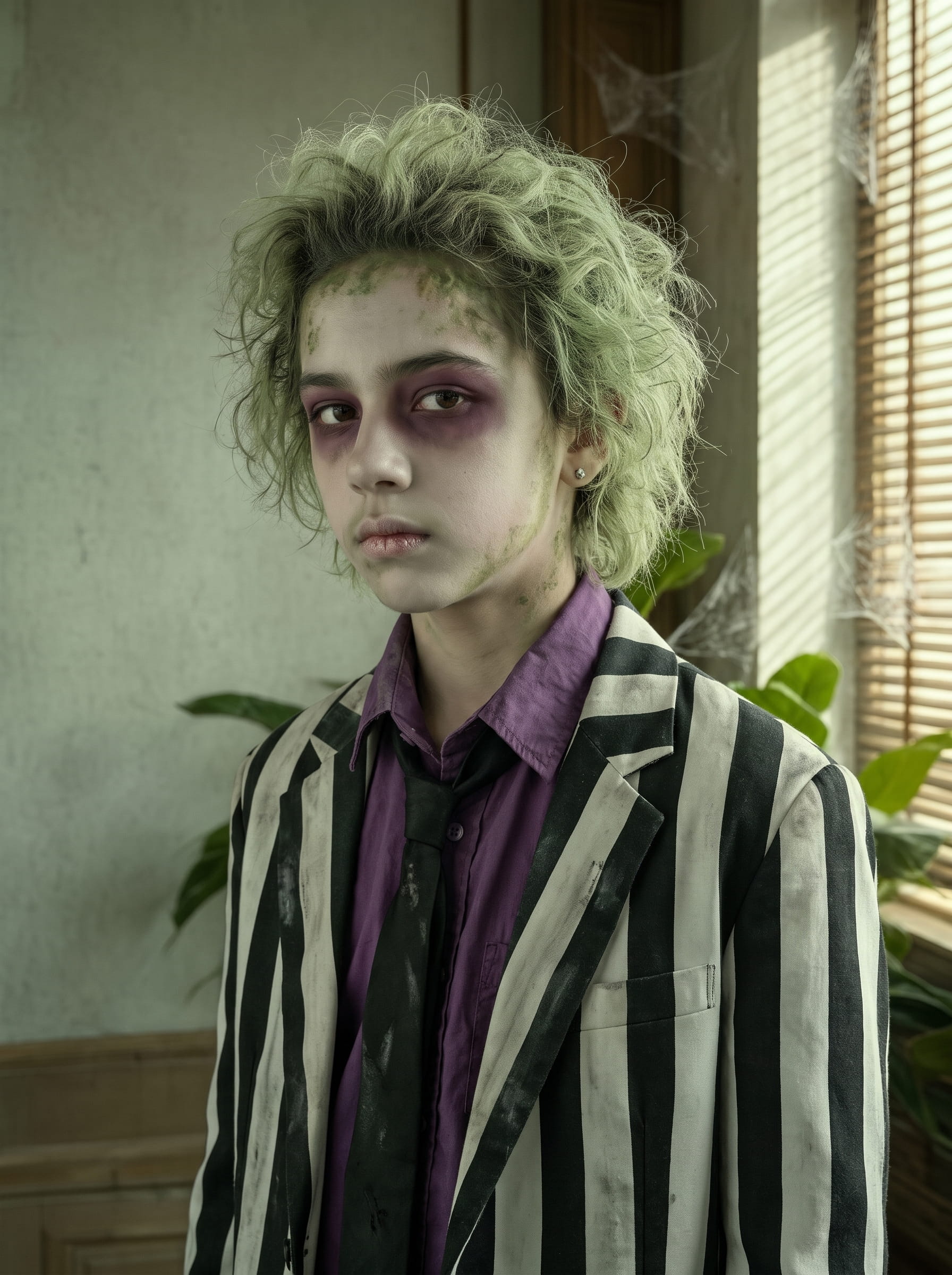
Beetlejuice-Inspired Costume
Dress me in a Beetlejuice-inspired costume with a black-and-white striped suit, purple shirt, messy pale-green hair, and subtle theatrical makeup. Keep me recognizable and preserve my original pose, framing, and background. Add only a few small cobwebs and a faint green tint to the existing scene. Keep the costume realistic and the makeup controlled.
| Glinda from Wicked | Beetlejuice-Inspired Costume |
 |
 |
Classic & Timeless Types
Witch
Turn the person into an elegant forest witch. Deep-green velvet coat, layered black clothing, leather boots, and a wide-brimmed hat decorated with dried flowers. Beside an old stone well surrounded by autumn leaves and soft fog. Warm light on the face, cool moonlight in the background. Calm, confident expression.
Skeleton
Dress me in a fitted black skeleton costume with an ivory bone print that follows the body naturally. Add natural, delicate skull makeup. Keep my face, hair, hands, and pose unchanged. Leave the original background and lighting in place, adding only a small jack-o’-lantern nearby. Do not turn my face or body into an actual skeleton.
| Witch | Skeleton |
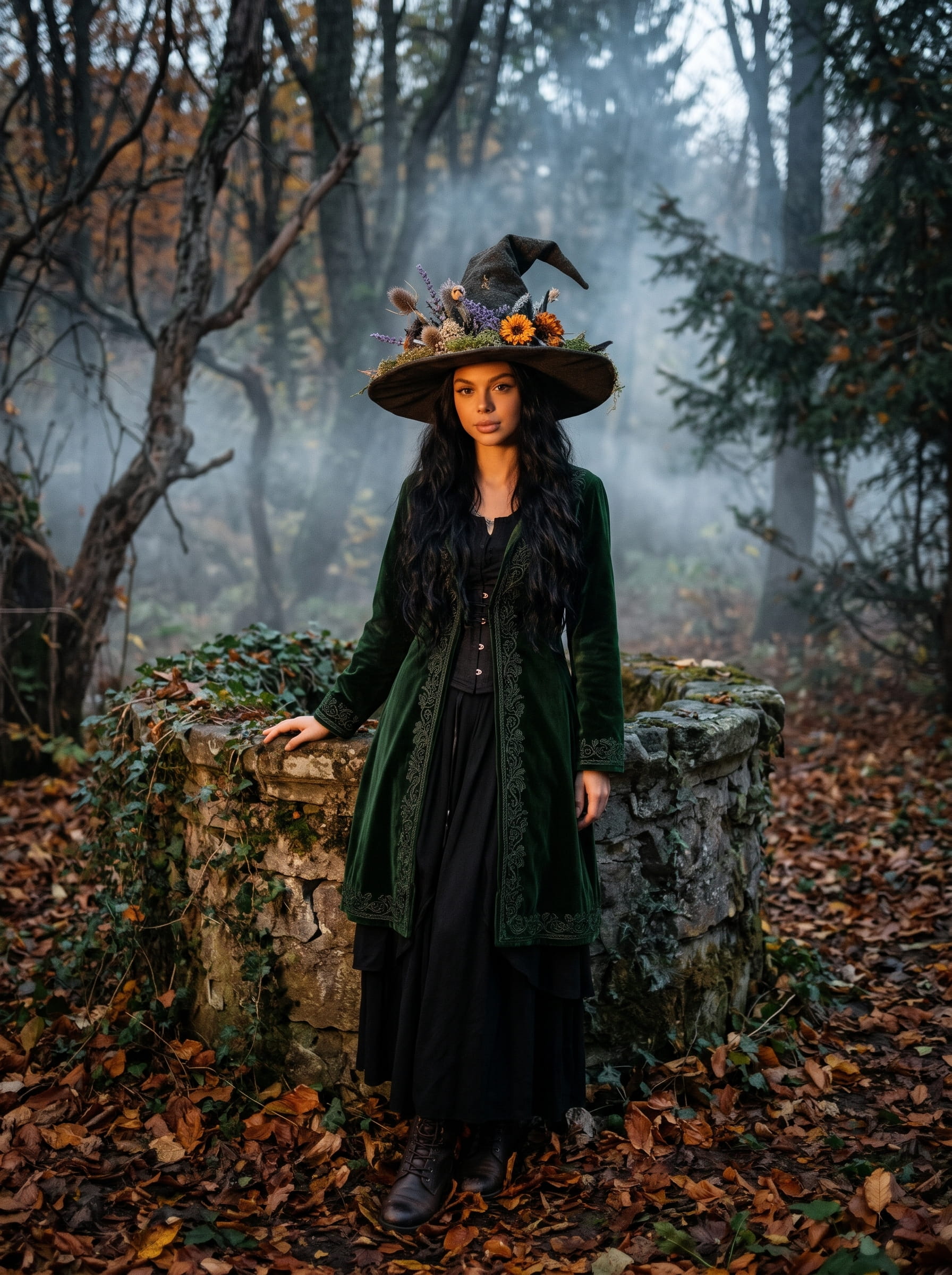 |
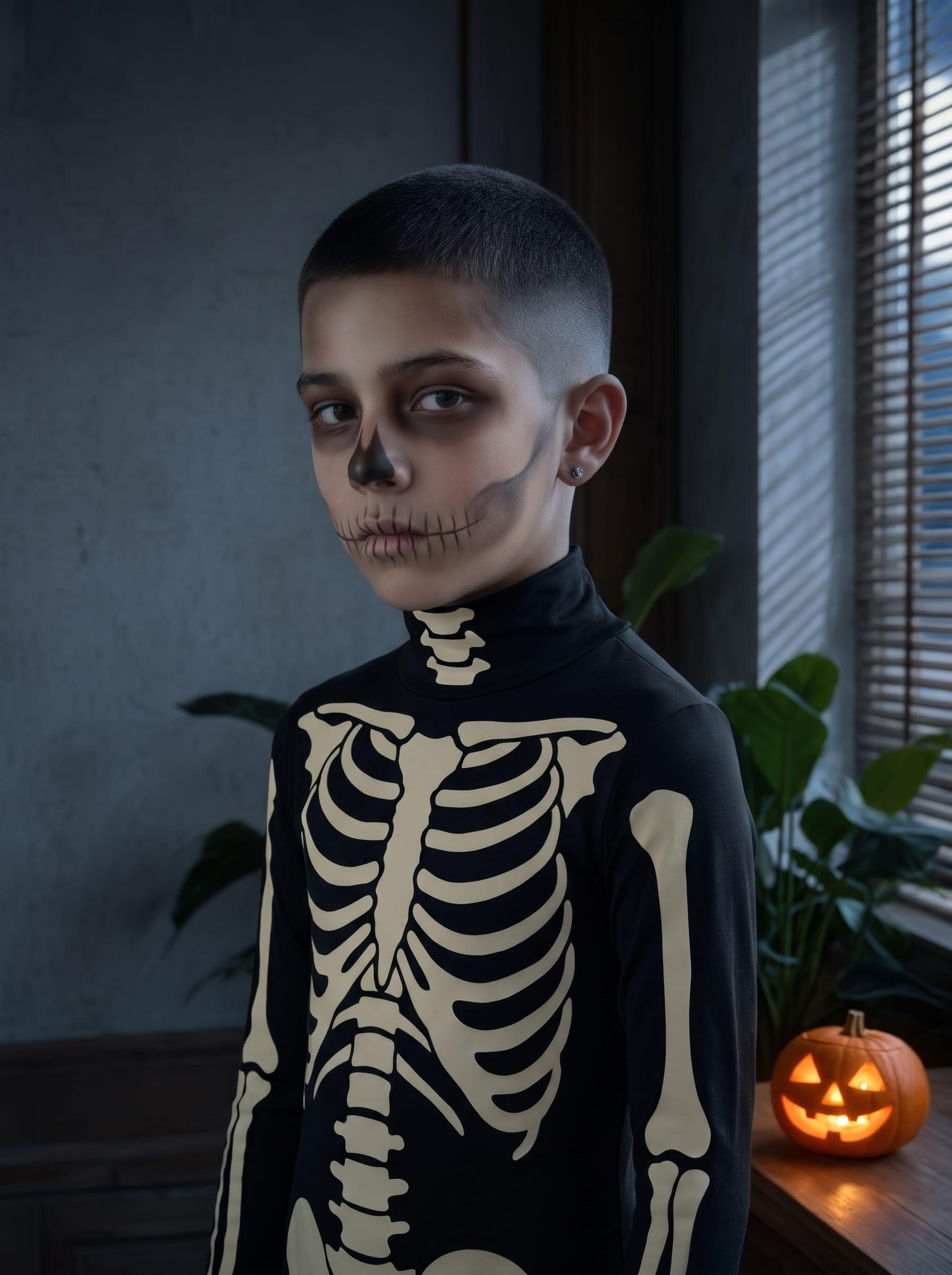 |
Reusable Costume Prompts
This template works for classic Halloween costumes, pop culture-inspired looks, and mythological characters. Replace the bracketed details with your own ideas.
Keep the Original Background
Dress me as [costume, character, or mythological figure] in [clothing details], using [colors/materials] and [accessories]. Keep me recognizable and preserve my original pose, framing, and background. Add only [small themed details]. Make the outfit fit naturally with subtle makeup. No face replacement, distorted anatomy, extra fingers, text, or watermark.
For example, you can replace the brackets with:
|
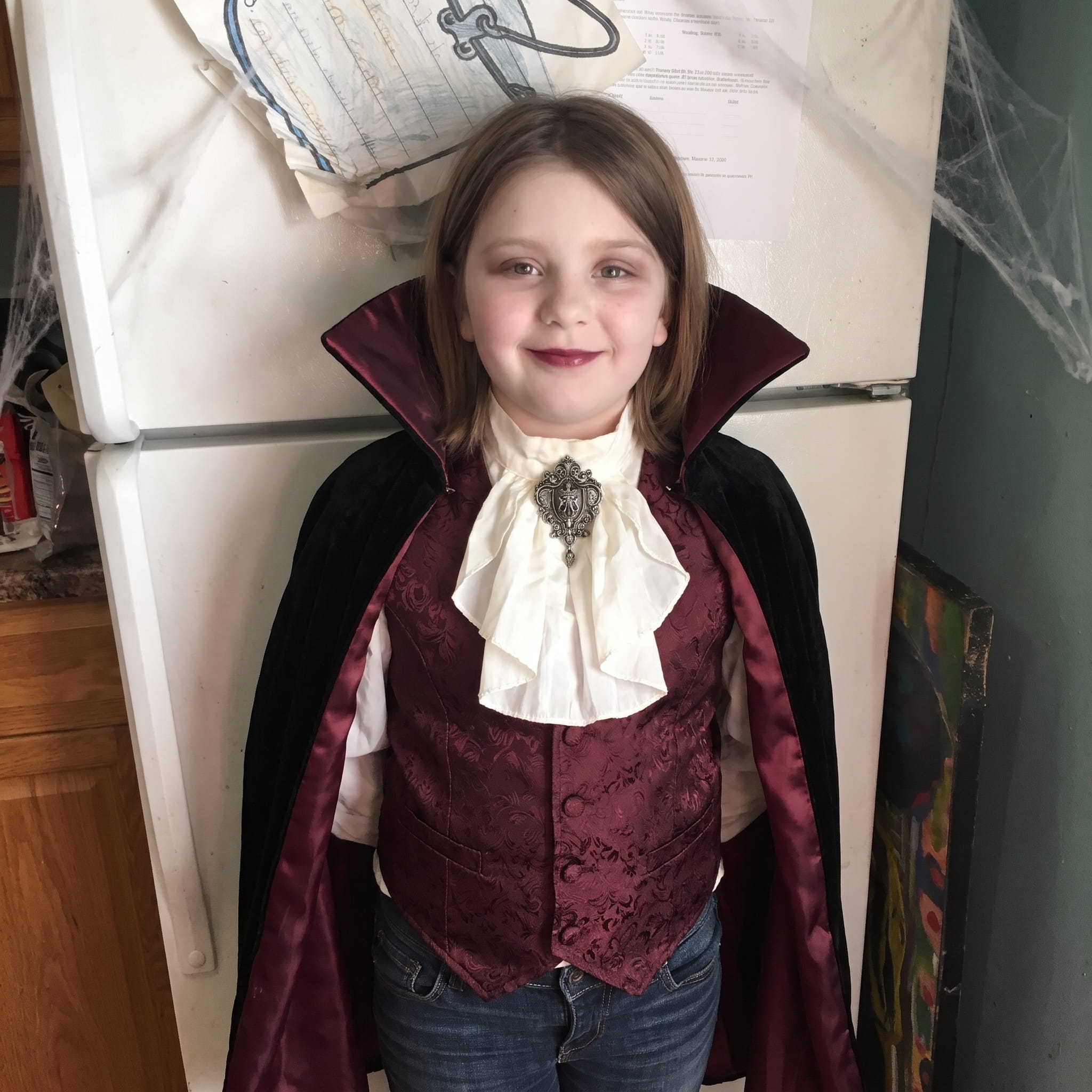 |
Change the Background
Dress me as [costume, character, or mythological figure] in [clothing details]. Place me in [setting] with [lighting] for a [mood] atmosphere. Keep my face, hairstyle, skin tone, and body proportions recognizable. Make the costume fit naturally. No face replacement, distorted anatomy, extra fingers, text, or watermark.
For example, replace the brackets with:
|
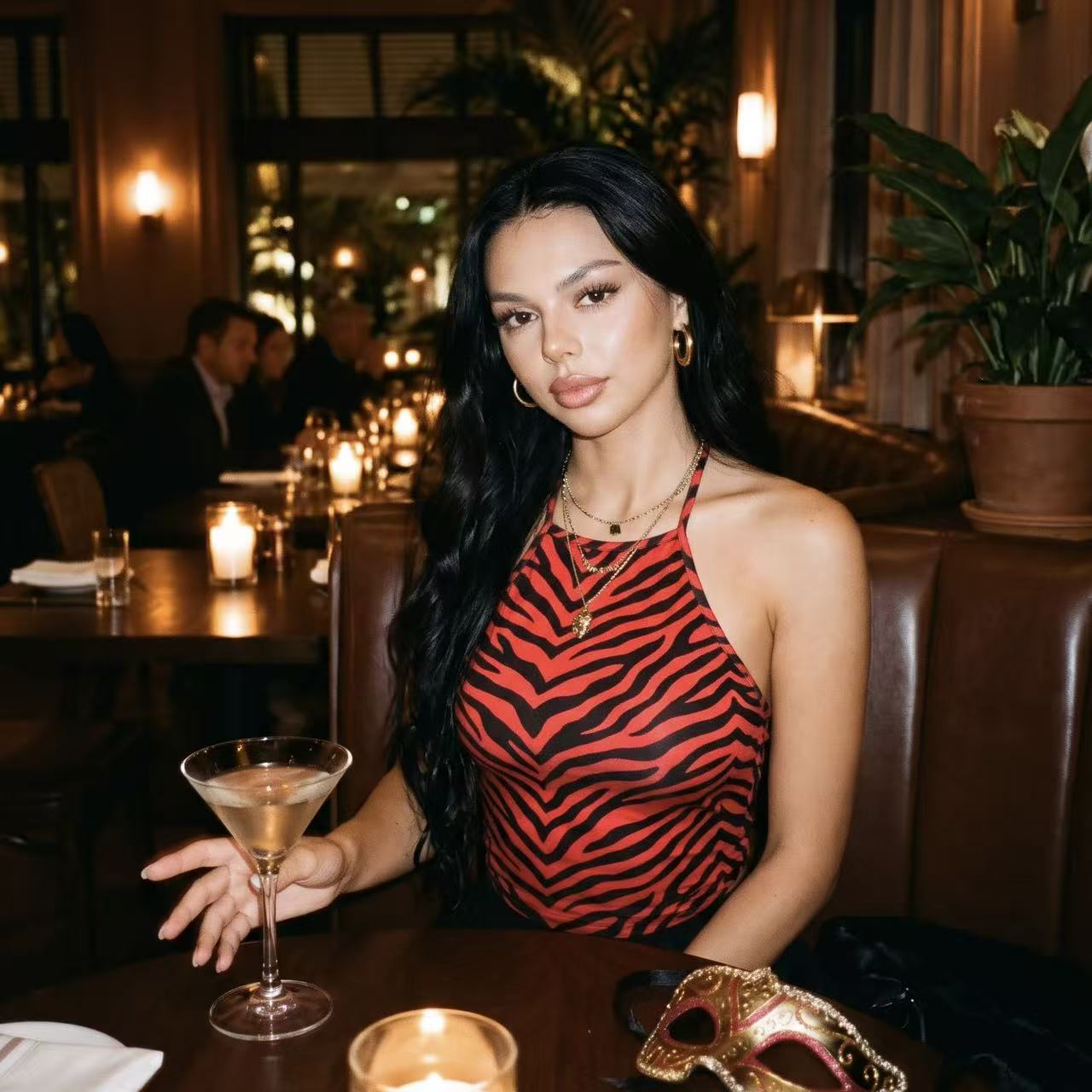 |
If You Have a Costume Reference Image
When you already have a costume photo and you prefer to check how you look with different outfits, a Halloween costume maker is the more focused option. Simply upload your own photo and the outfit reference to see how the costume looks on you.
Halloween Couple Photos
Couple photos work best when the prompt clearly identifies each person. Mention who is standing on the left and who is standing on the right, then keep those positions consistent.
Upload an Existing Couple Photo
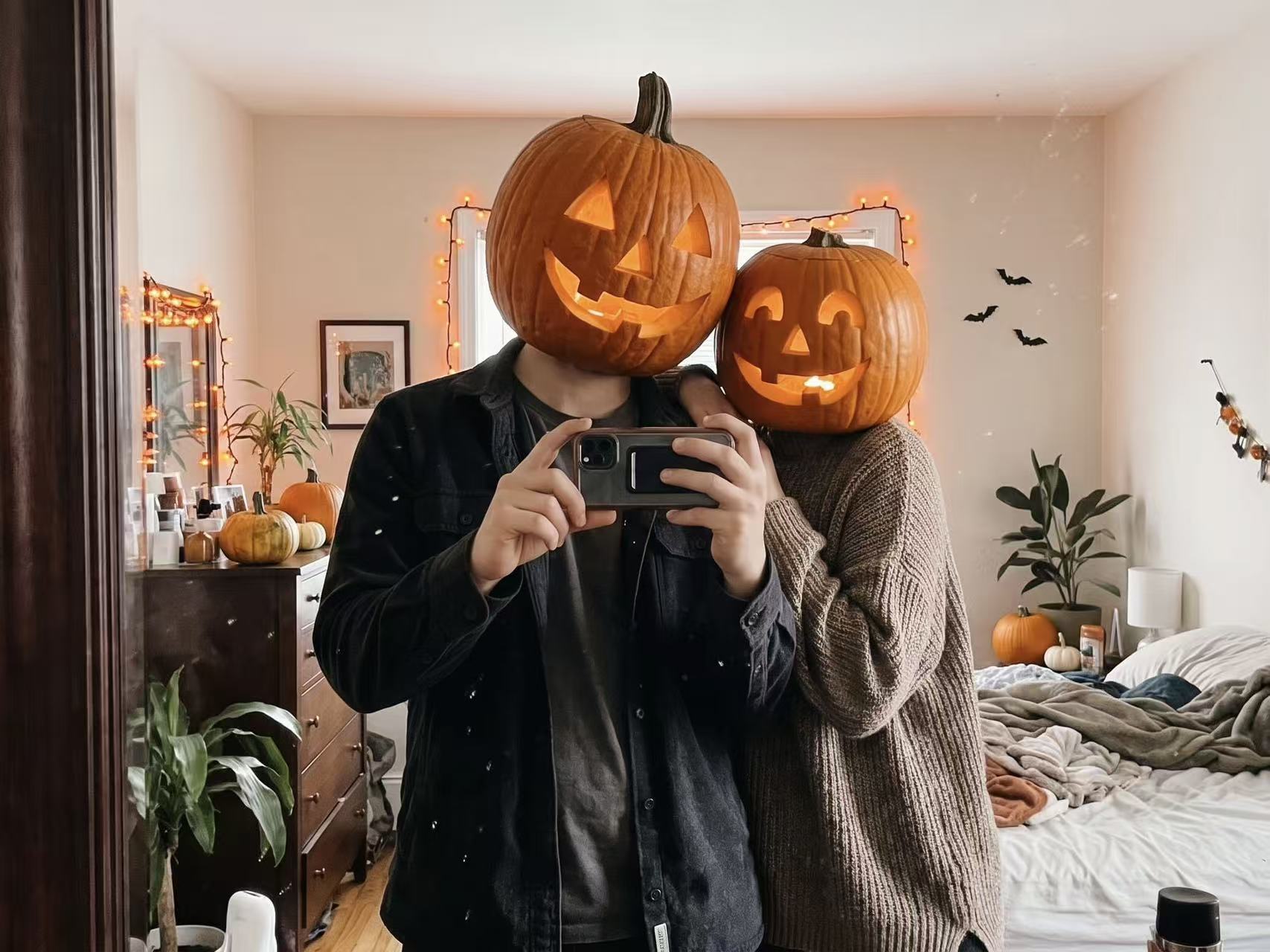
Pumpkin-Head Couple
Turn this couple photo into a playful Halloween portrait. Replace their heads with carved jack-o’-lanterns that fit naturally over their bodies. Keep their original positions, clothing, and pose. Add a few pumpkins and warm string lights to the background. Make the mood quirky and romantic, with natural body proportions.
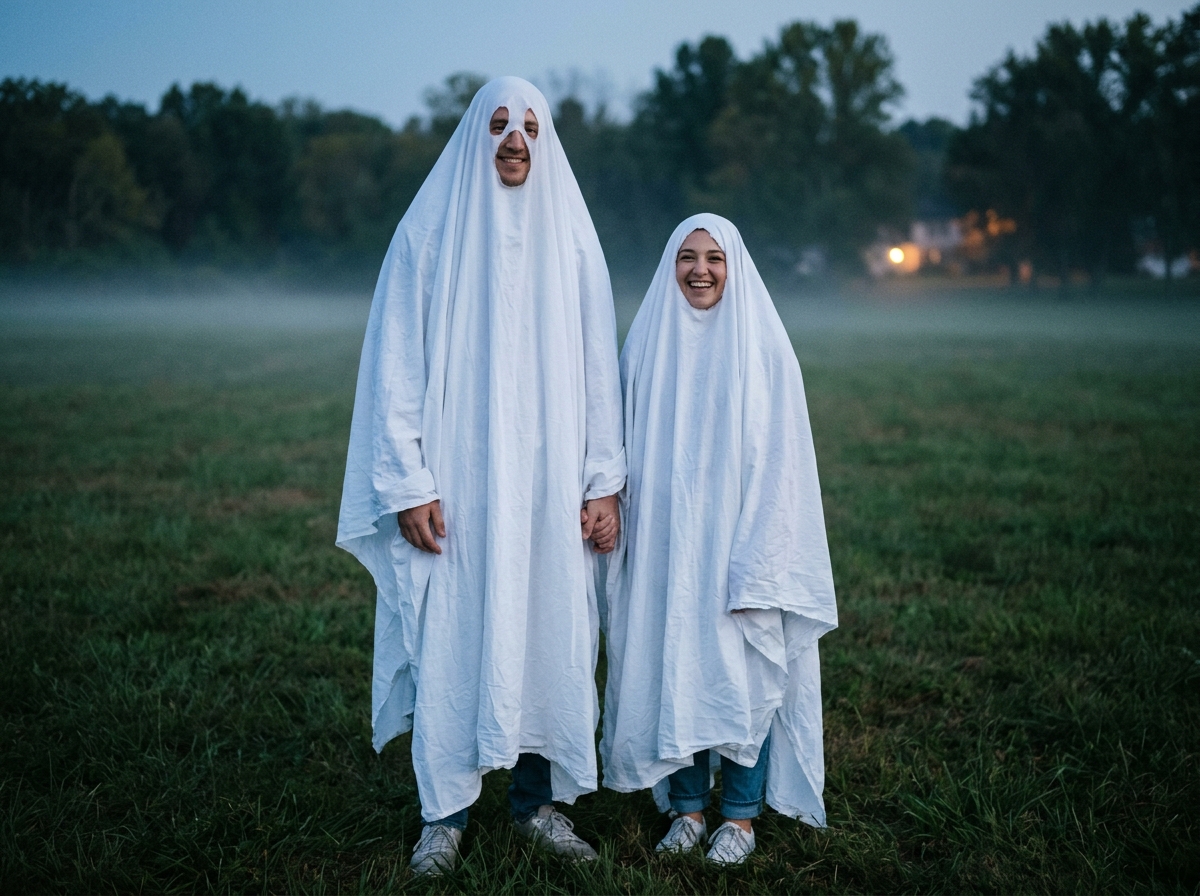
Ghost Couple
Give this couple a soft ghost-themed look with flowing white sheets and small openings around their faces. Keep both faces visible, along with their original pose and height difference. Add light mist and cool evening tones to the existing background. Keep the mood whimsical rather than frightening.
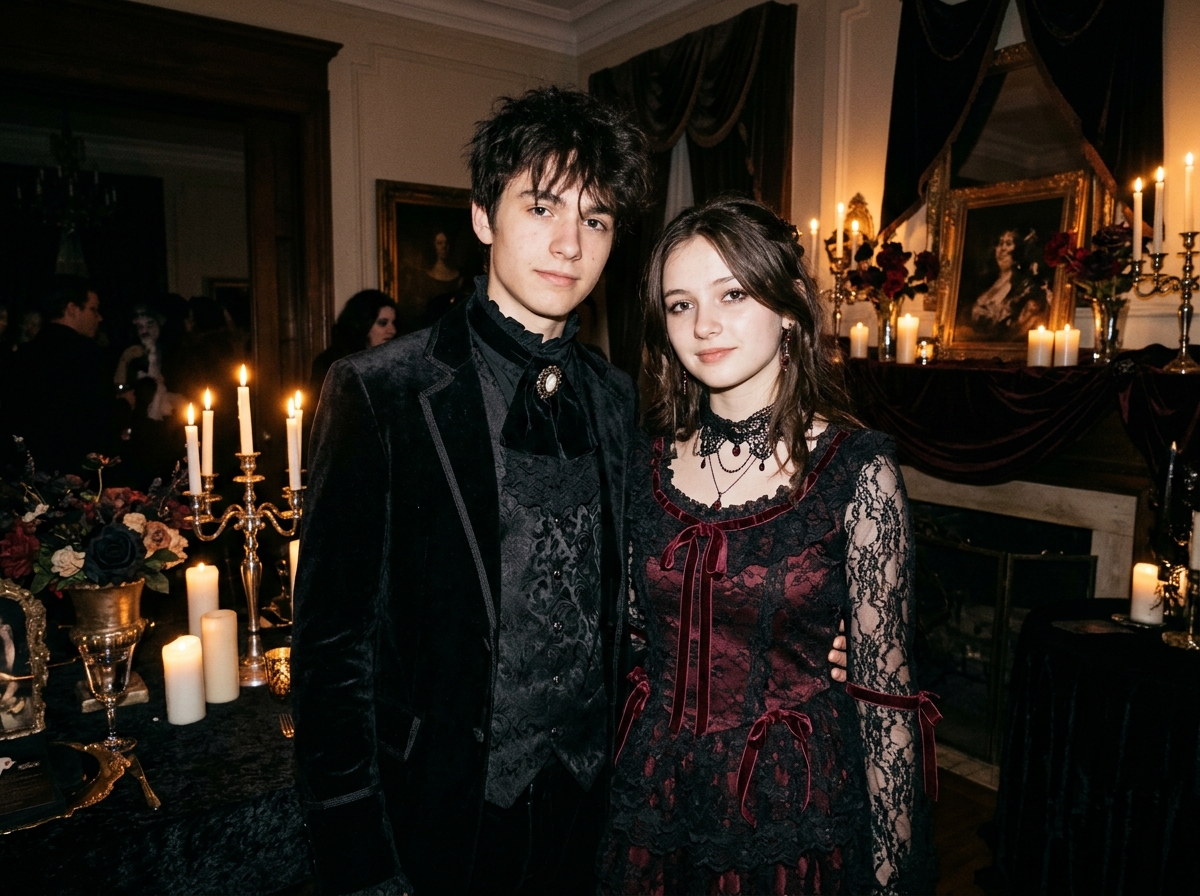
Gothic Romance
Dress the person on the left in a black vintage suit and the person on the right in a dark lace outfit with burgundy details. Keep their original pose and background, adding only candles and subtle shadows. Create an elegant Gothic Halloween mood while keeping both faces recognizable.
| Pumpkin-Head Couple | Ghost Couple | Gothic Romance |
 |
 |
 |
A Reusable Couple Photo Prompt
Another method is to search online for “Halloween couple costume,” browse the results, and find the style you like. Once you have an idea, let your imagination run free and describe the outfits you want in detail through text.
Turn this couple photo into a Halloween portrait. Dress the person on the left in [costume A] and the person on the right in [costume B]. Keep their positions and height difference, then add [Halloween props or details] with [lighting or environment setting]. Keep both faces recognizable. No face swapping, merged bodies, extra people, text, or watermark.
Fill the brackets with:
|
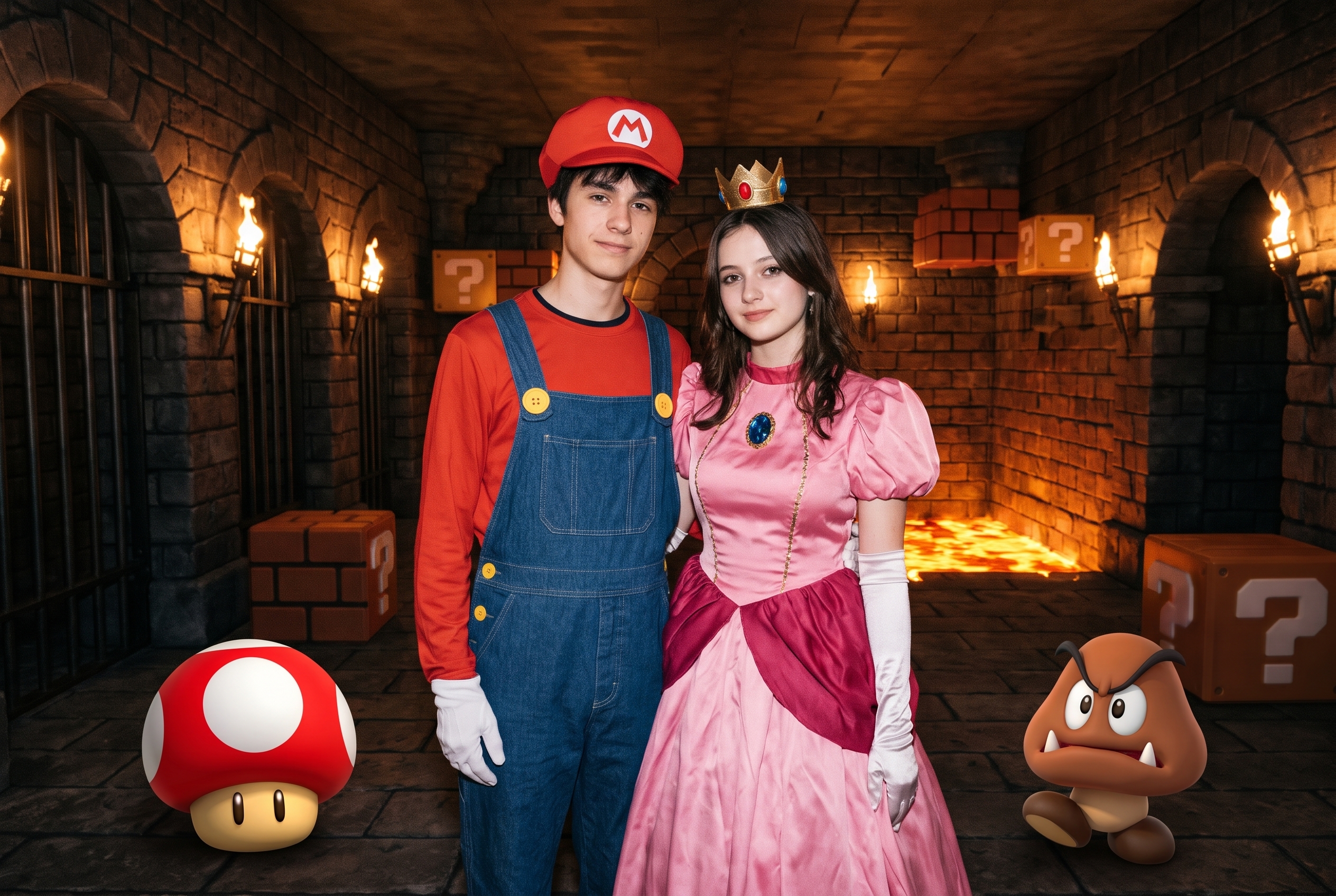 |
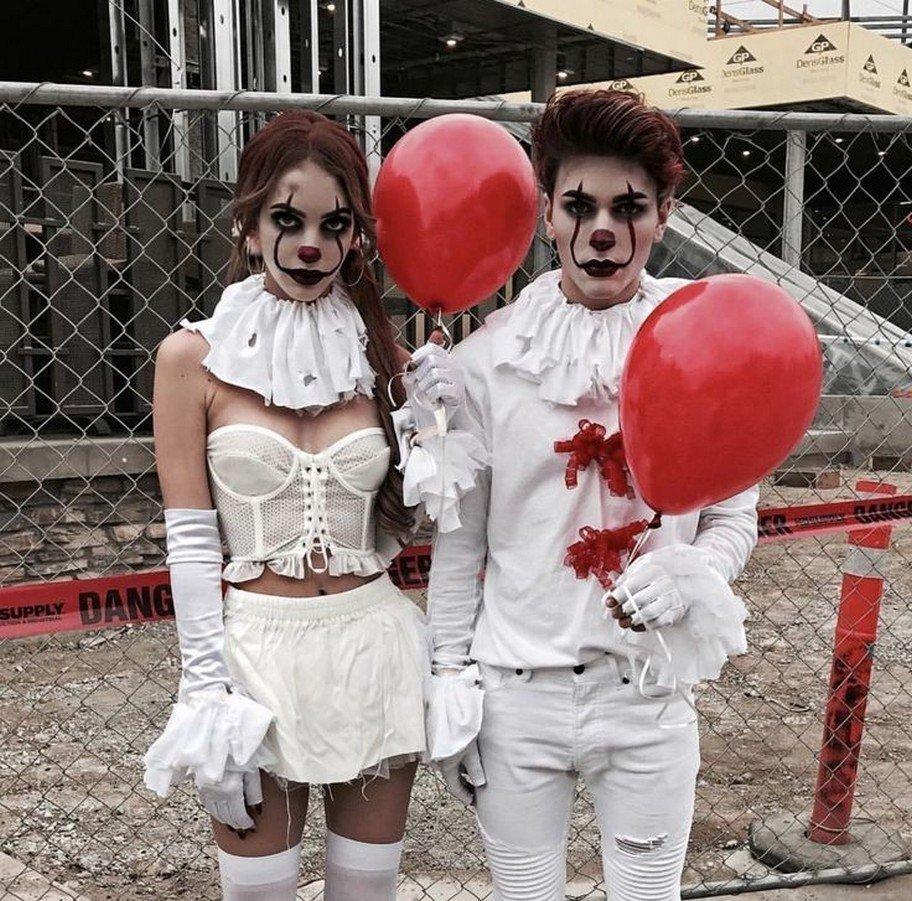
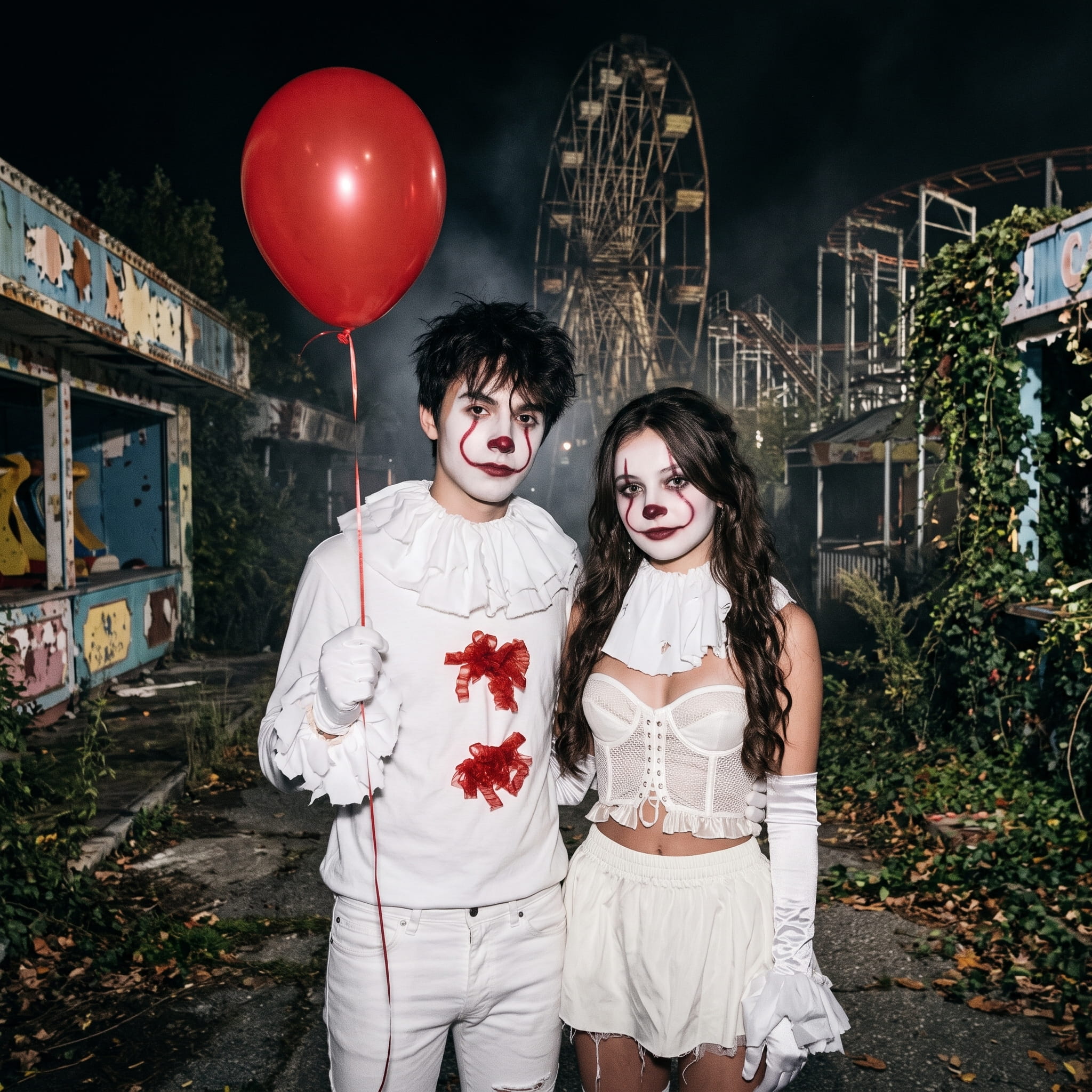
If you’d prefer to generate the image using your own favorite clothing reference photos, simply add the reference images and specify in brackets which reference image’s outfit you want them to wear.
| Reference Costume Image | Brackets Hints | Result Image |
 |
|
 |
Upload Two Separate Photos
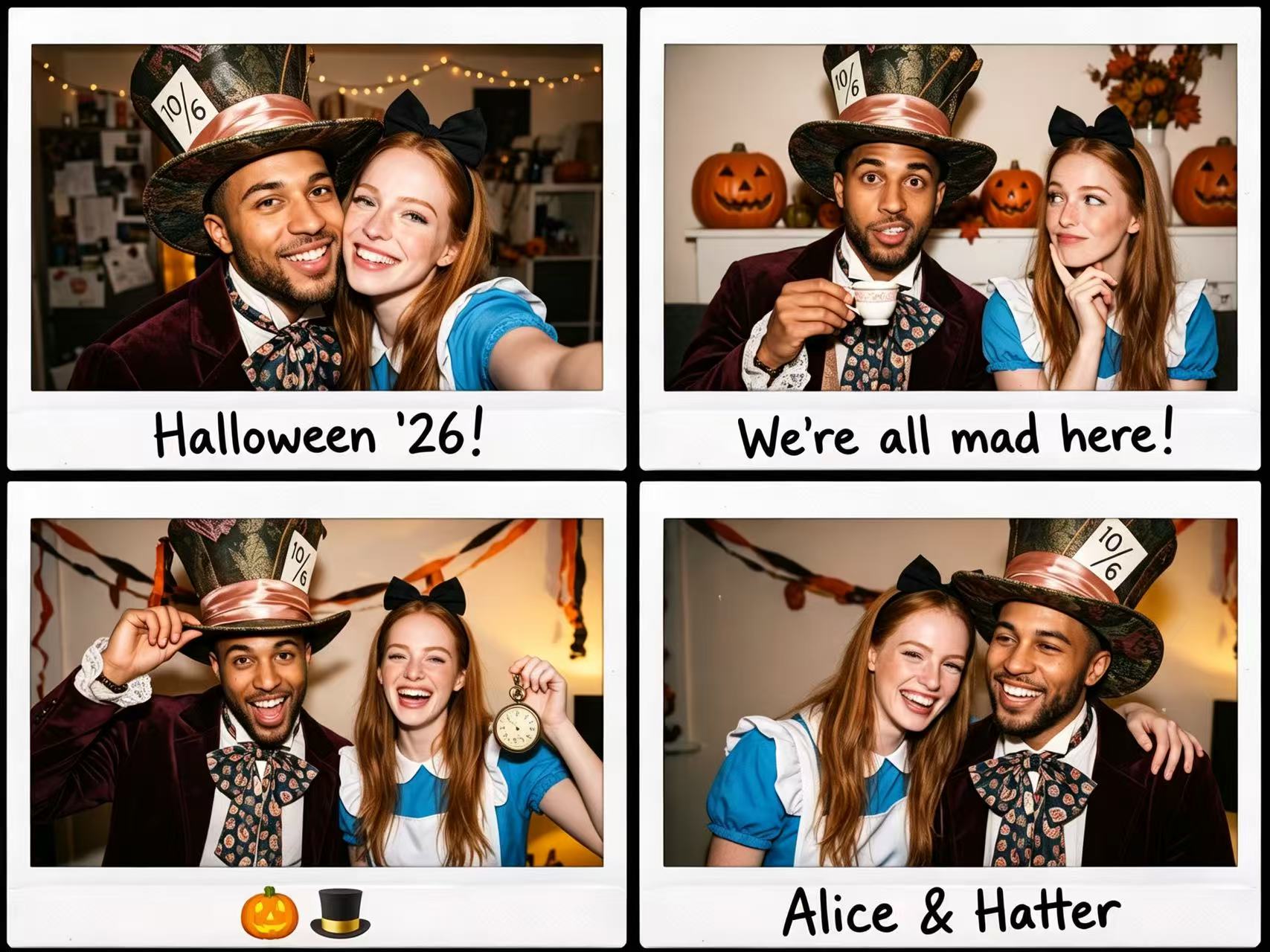
Polaroid Halloween Couple
Combine the two people from the uploaded photos into a four-frame Polaroid-style Halloween contact sheet. Show them together in different playful poses, wearing coordinated Halloween costumes: [costume A] and [costume B]. Use flash photography, warm autumn colors, slight film grain, and a white instant-photo border. Keep both faces recognizable and consistent across the frames.
Instant-Camera Ghost Couple
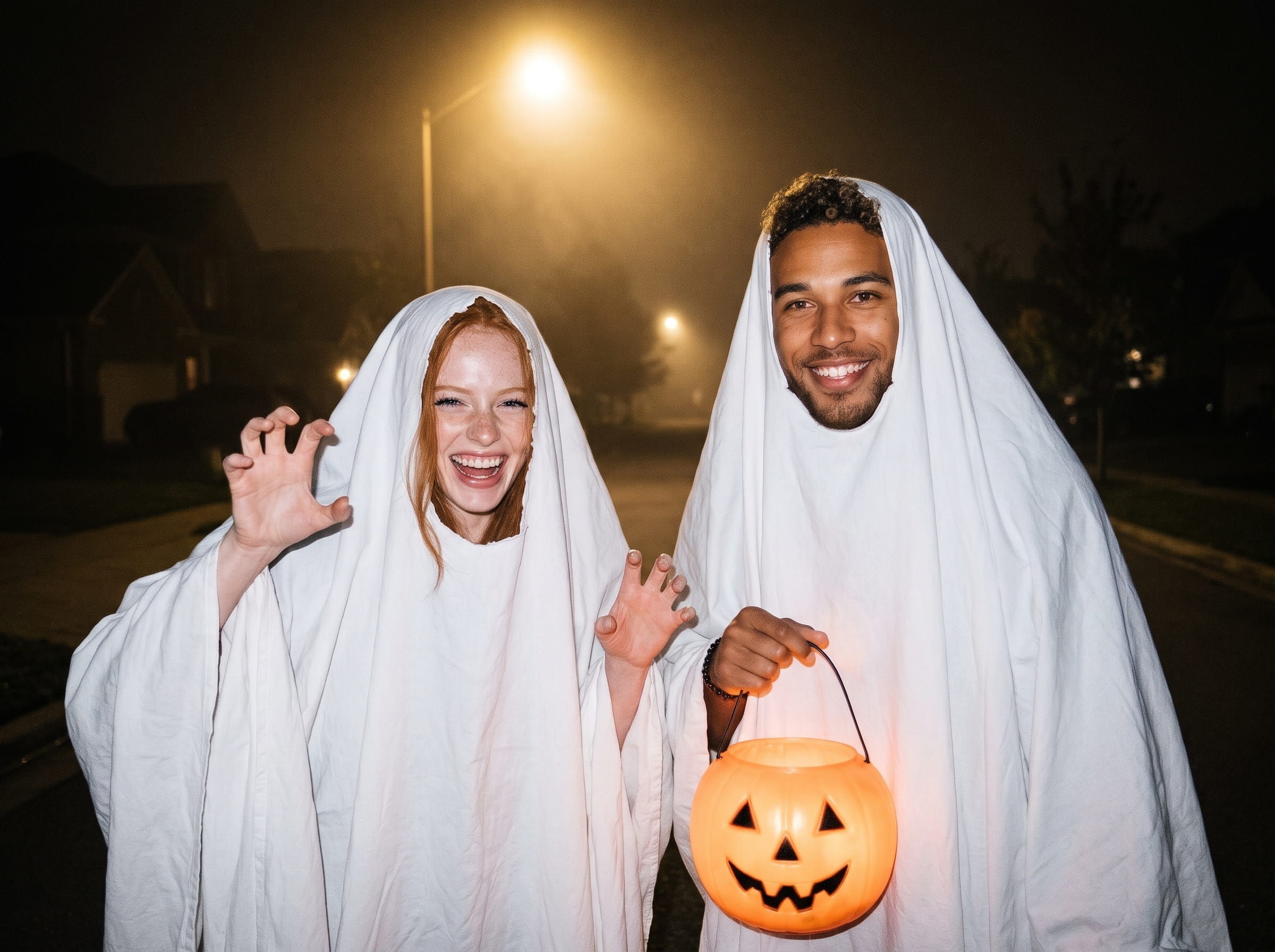
Combine the two people from the uploaded photos into one instant-camera Halloween snapshot. Dress them in simple white ghost costumes with their faces visible, standing close together under a streetlight with light fog behind them. Use direct flash, soft grain, and a slightly imperfect candid composition. Keep both faces recognizable and the body proportions natural.
| Polaroid Halloween Couple | Instant-Camera Ghost Couple |
 |
 |
A Reusable Prompt for Two Individual Photos
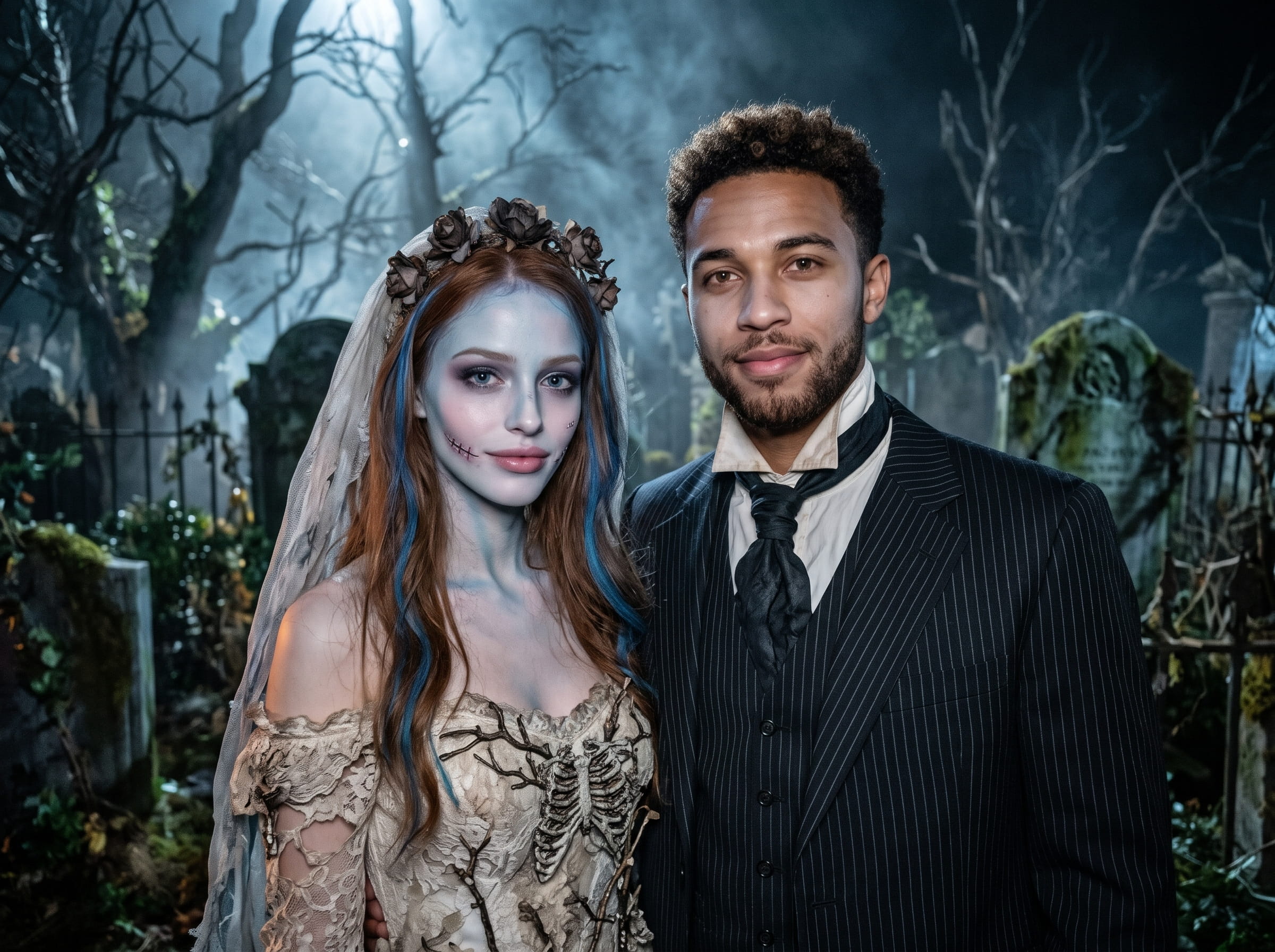
Combine the person from the first photo and the person from the second photo into an authentic Halloween couple portrait. Place the first person on the left and the second person on the right, wearing [costume A] and [costume B]. Use [setting] with [lighting or mood]. Keep both faces recognizable and match their scale and lighting.
|
 |
Halloween Pet Photos
A Halloween photo generator is still a good choice when you want to combine your pet photo with a particular costume, setting, or reference image.
Before generating, mention the markings that make your pet easy to identify. A white chest patch, one dark ear, a striped tail, or different-colored eyes can be more useful than simply naming the breed.
Some Popular Halloween Pet Photo Prompts
Sheet Ghost
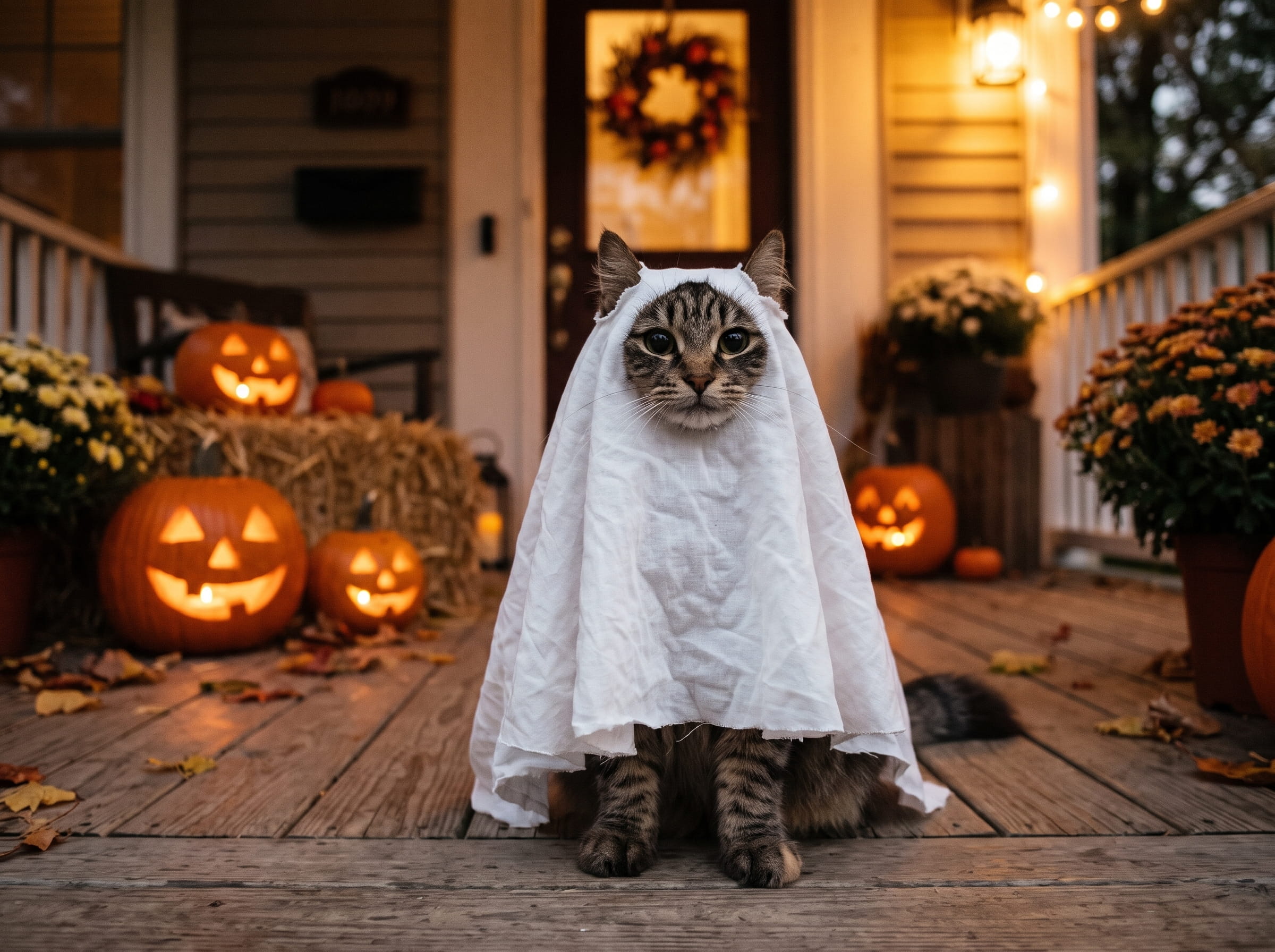
Turn my pet into a playful Halloween ghost wearing a lightweight white sheet with small openings for the eyes and nose. Keep the pet’s face, fur pattern, and expression recognizable. Place it on a cozy porch with pumpkins and warm evening light. Give it a relaxed, natural pose with all paws positioned correctly. Keep the sheet safely away from the mouth and paws, with realistic fabric folds.
Cauldron and Witch Setup
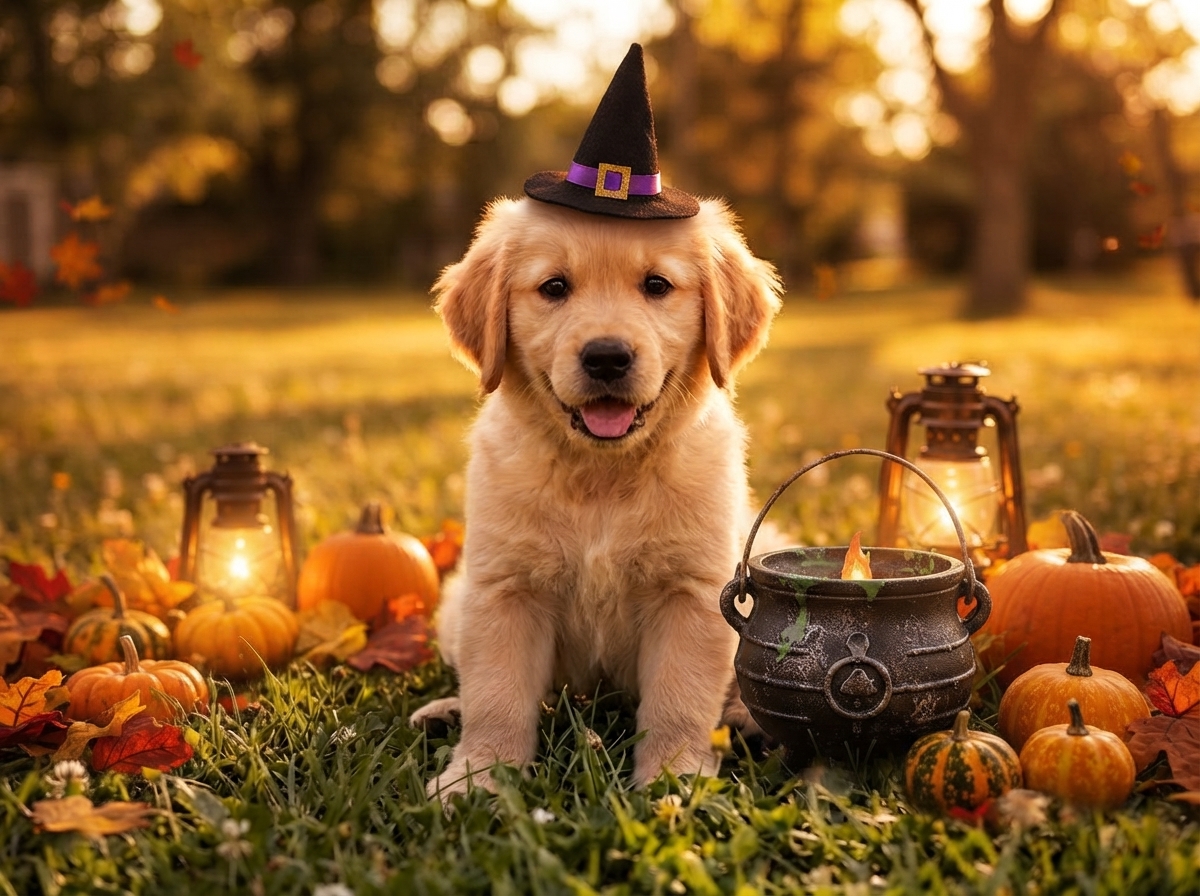
Place my pet beside a decorative black cauldron, wearing a small witch hat. Keep its face, paws, fur markings, and body shape unchanged. Add pumpkins, autumn leaves, and two glowing lanterns around the original setting. Make the pet look naturally seated on the ground, with realistic fur and no human-like posture.
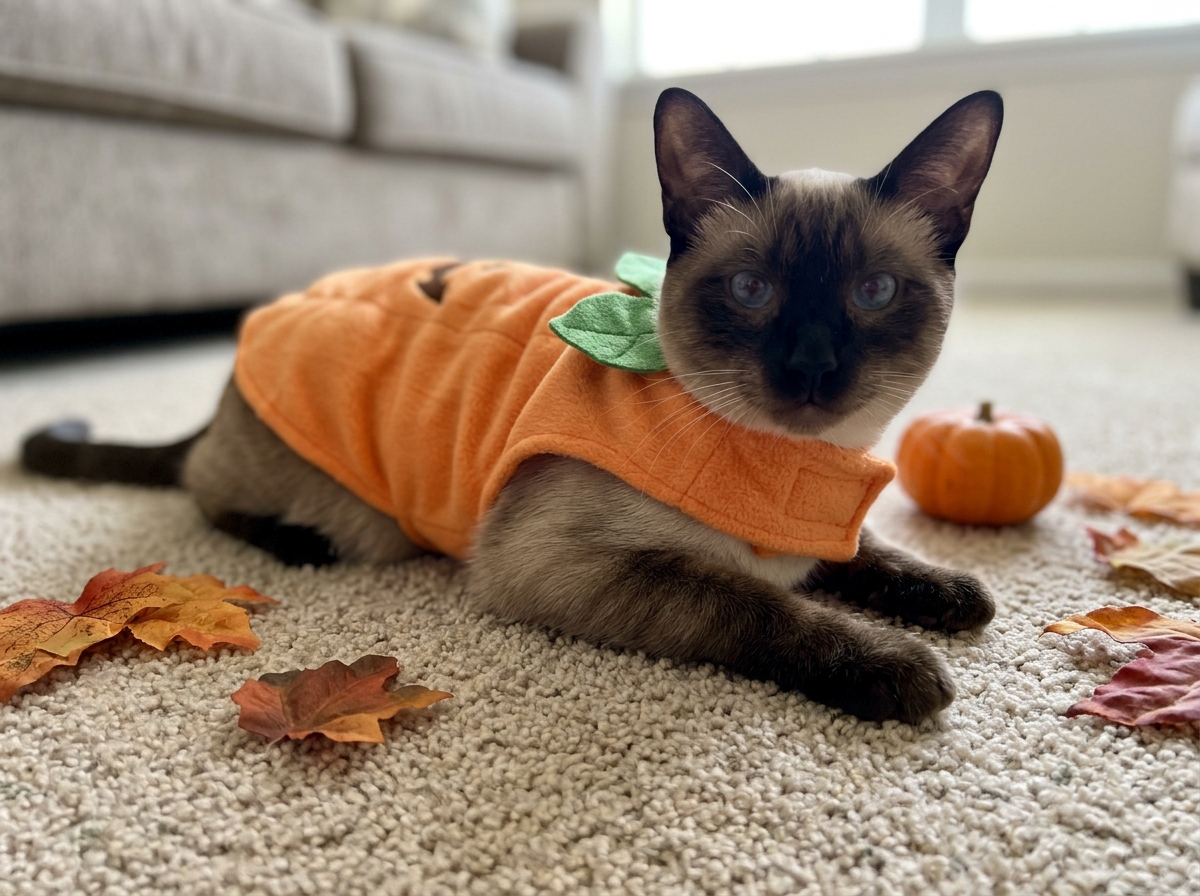
Pumpkin Costume
Dress my pet in a soft orange pumpkin costume that leaves the face, ears, and paws uncovered. Keep the original background and pose, adding only a few autumn leaves and one small pumpkin nearby. Preserve the pet’s natural expression, fur pattern, eye color, and body proportions. Keep the costume comfortable-looking and lightweight.
| Sheet Ghost | Cauldron and Witch Setup | Pumpkin Costume |
 |
 |
 |
Other Popular Pet Costumes
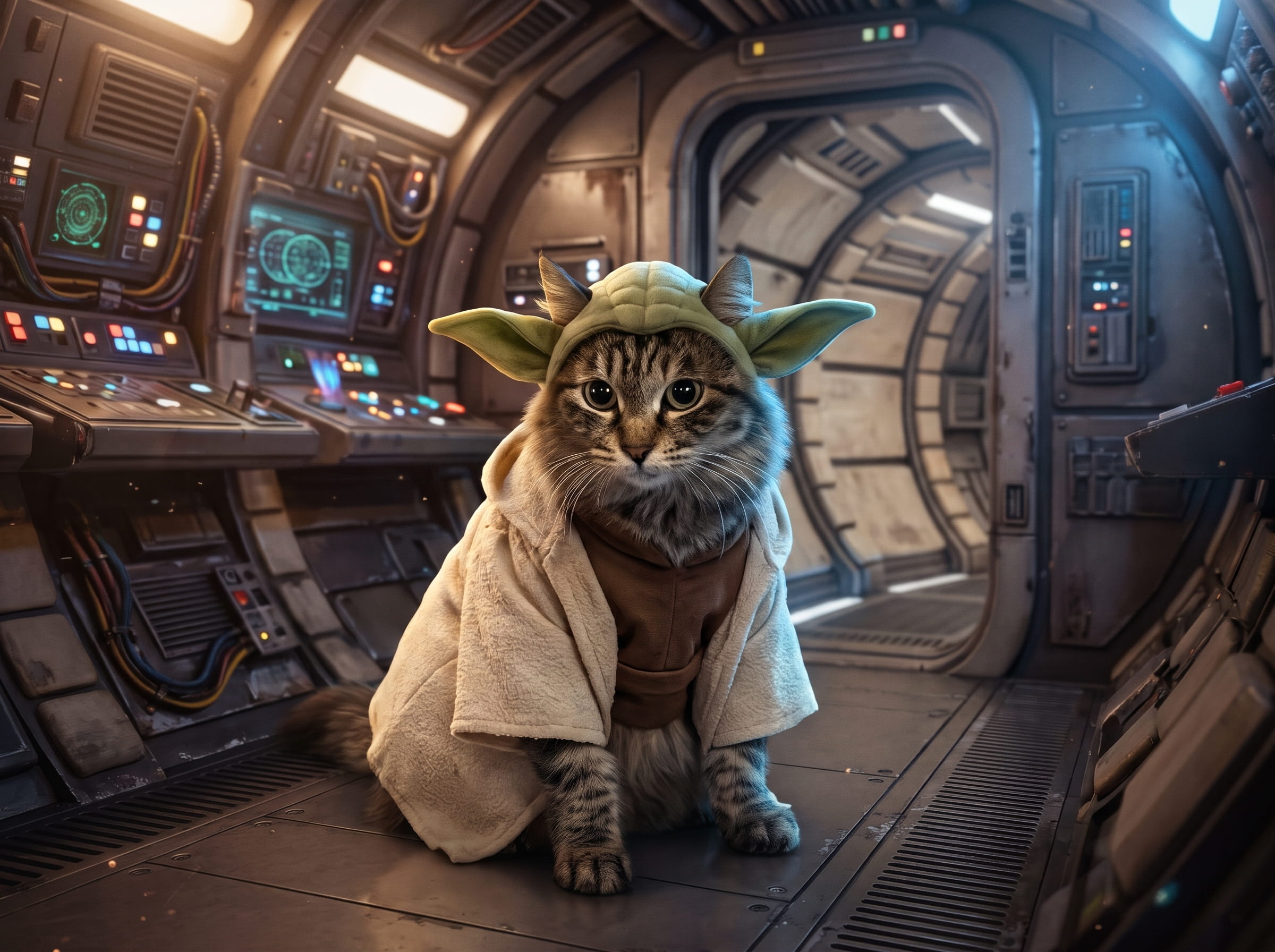
You can use the same structure for a hot-dog costume, shark outfit, ghost cape, or a small horror-inspired costume. Keep the design simple enough that the pet’s face and markings remain visible.
Dress the pet in [costume]. Make the outfit fit naturally and keep the pet’s expression calm. In [setting] with [lighting or mood]. Keep my pet recognizable, with the original fur pattern, markings, face, and body shape. Give it a natural pose with all paws and limbs positioned correctly.
|
 |
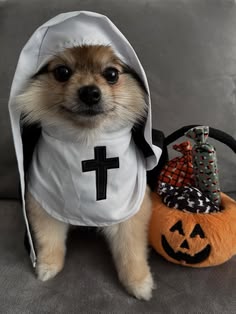
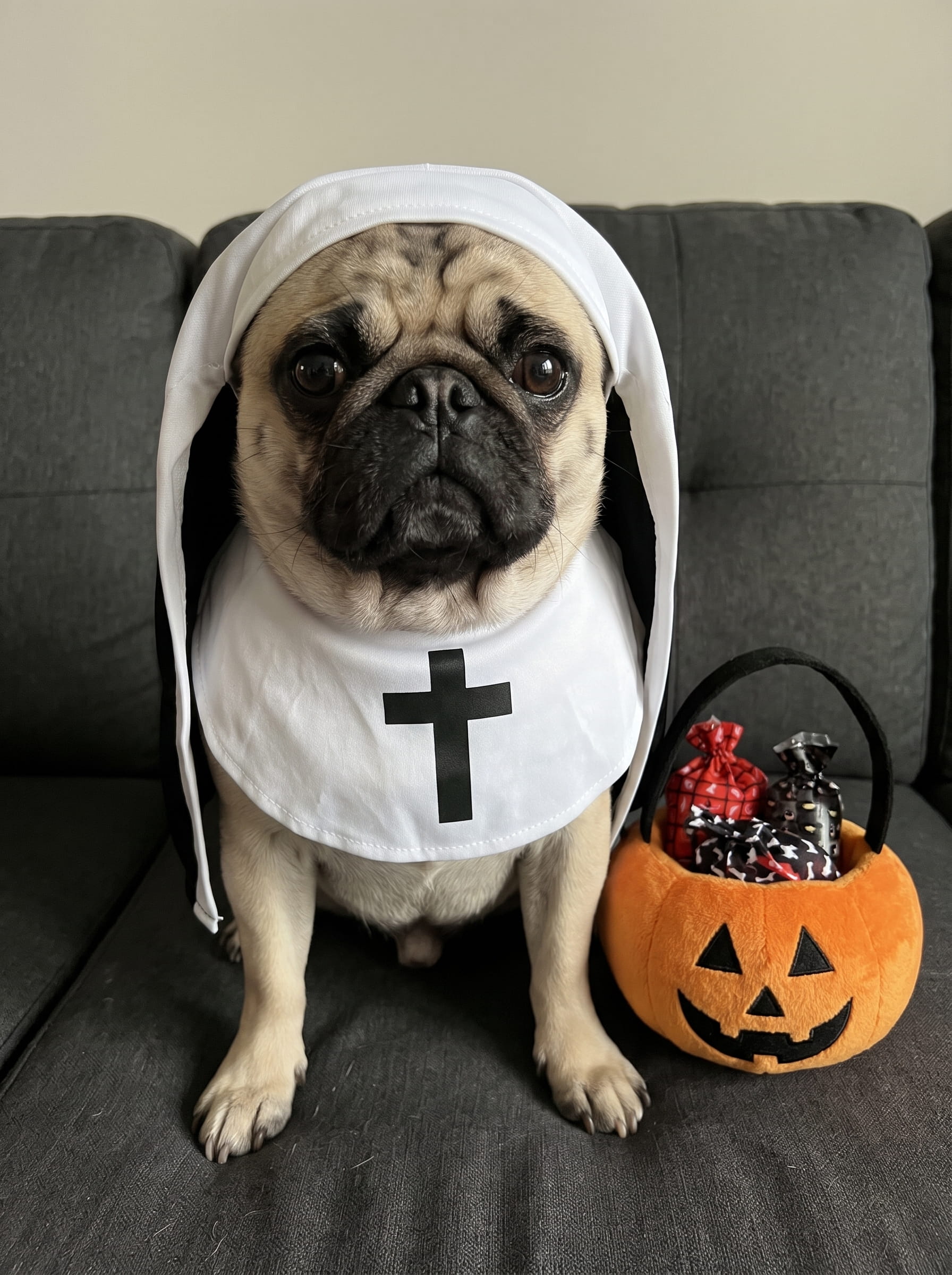
If You Have a Reference Pet Costume Image
Use the first image as the reference for the pet and the second image as the style reference. Keep the pet’s original fur, markings, face, and body shape. Borrow only the second image’s [costume/background/lighting/composition] and adapt those elements naturally. Keep the entire face visible and the anatomy realistic.
| Reference Pet Costume Image | Result Halloween Pet Image |
 |
 |
Spooky Halloween Portraits
A spooky portrait does not need a completely different face or an elaborate costume. Fog, flash photography, an old mirror, or a shadow in the doorway can create a strong Halloween mood while keeping the person recognizable.
Use AIReel’s Halloween portrait generator when you want to combine your portrait with a reference image or a particular horror-inspired style.
Some Ready-to-Use Trending Prompts
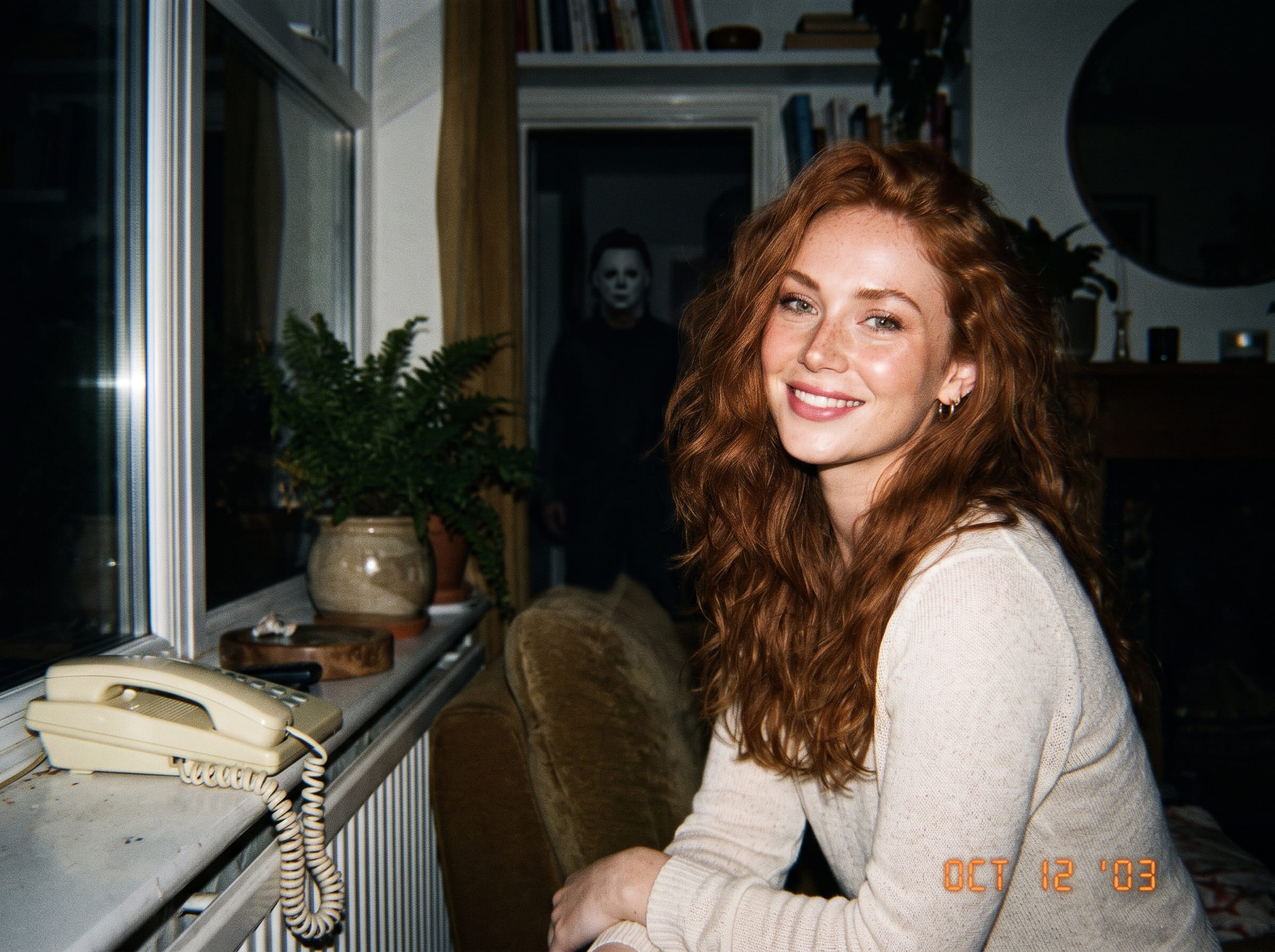
Y2K Horror Snapshot
Recreate this portrait as a grainy early-2000s horror snapshot. Keep the person’s face, pose, and clothing recognizable. Add a corded telephone, direct camera flash, slight motion blur, and a masked figure standing in the doorway behind them. Keep the figure distant and out of focus, with the original room still visible.
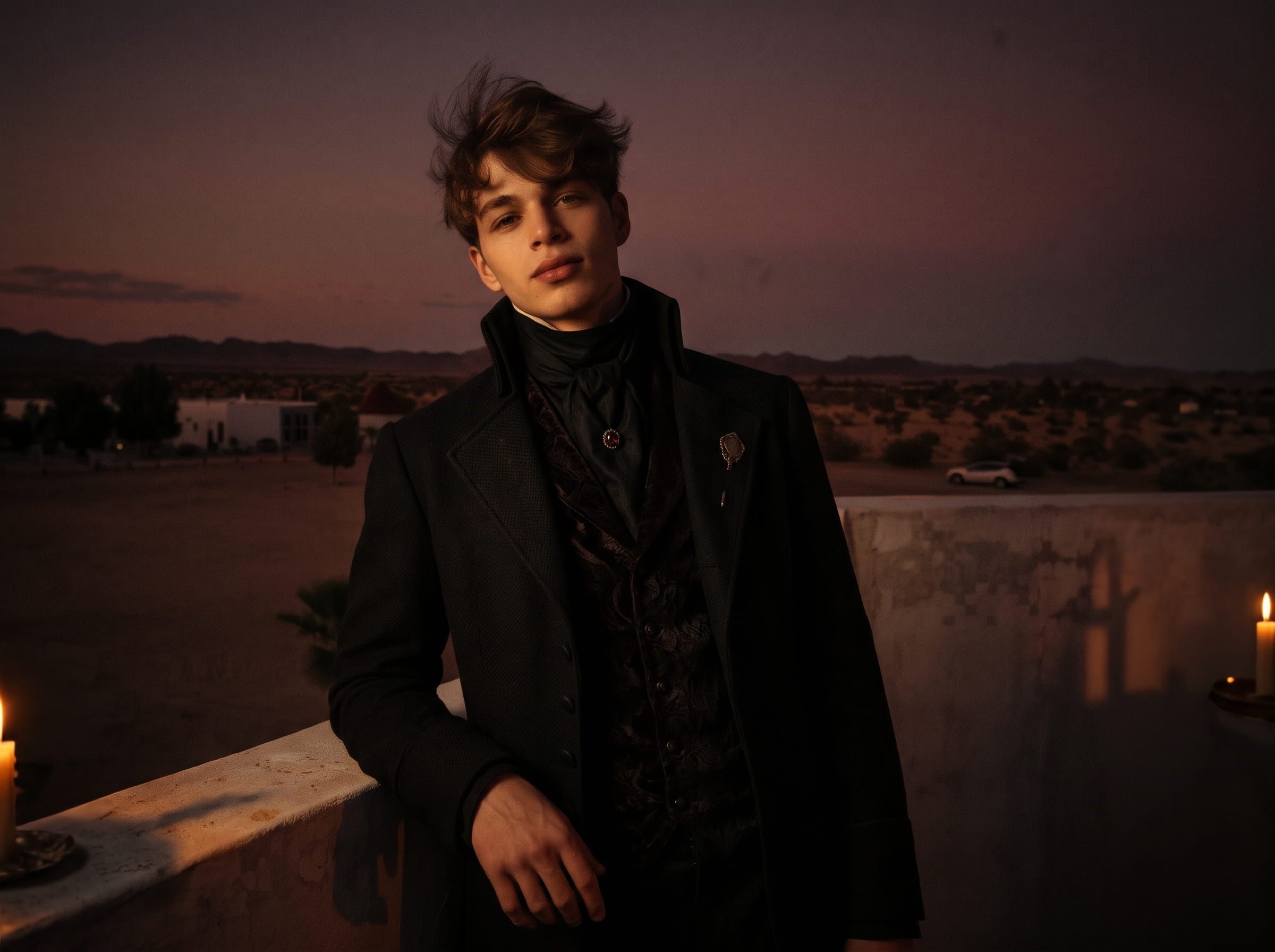
Gothic Victorian Portrait
Give this portrait a dark Victorian mood with a high-collared black outfit, subtle antique jewelry, and candlelight from one side. Keep the original face, pose, and background mostly unchanged, adding only a faint shadow and muted burgundy tones. Keep the look elegant and mysterious rather than gory.
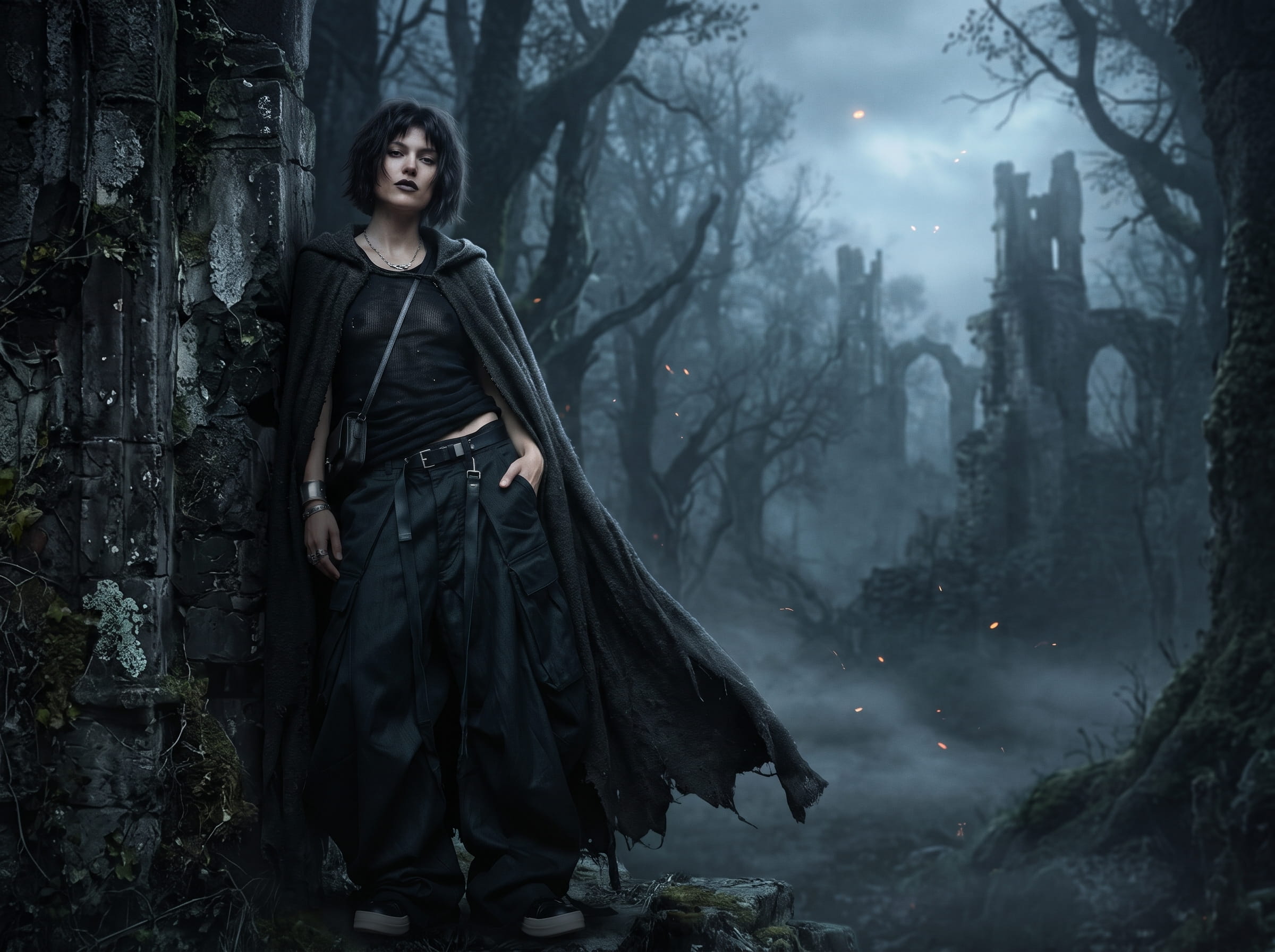
Dark Fantasy Portrait
Turn this portrait into a dark fantasy image by adding a misty forest, distant ruins, and a few floating embers behind the subject. Keep the person’s face, hairstyle, pose, and body proportions unchanged. Add a simple dark cloak and a soft supernatural glow in the background, without changing the facial features.
| Y2K Horror Snapshot | Gothic Victorian Portrait | Dark Fantasy Portrait |
 |
 |
 |
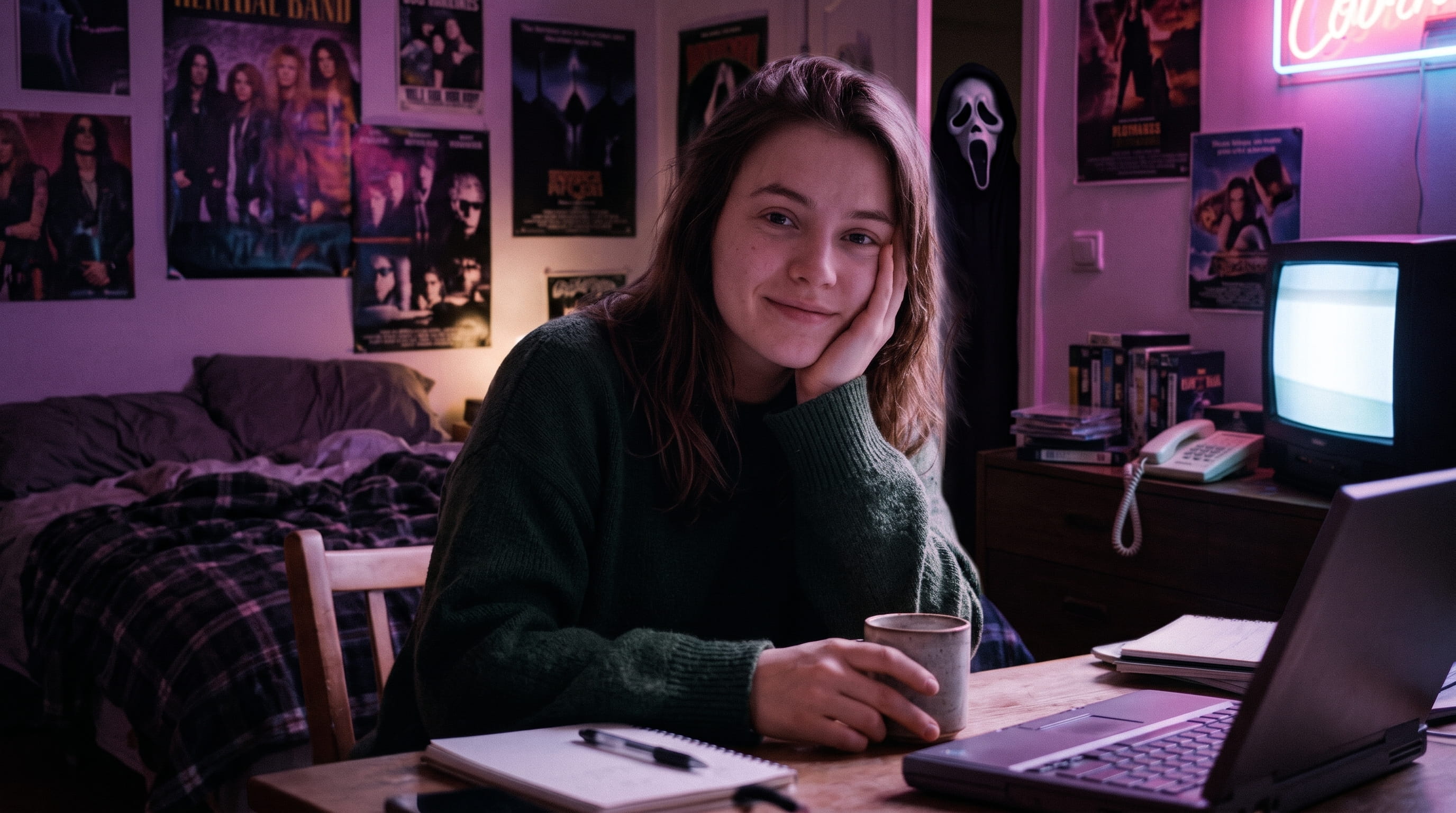
A Reusable Spooky Portrait Prompt
Use the uploaded photo as the reference. Set [the original background or a specific new setting] as the background, then add [spooky detail]. Use [lighting style] with a [color palette] mood. Keep the person recognizable and preserve the original pose and framing. Limit supernatural effects to the background, clothing, and atmosphere.
|
 |
Using a Reference Image
If you find a Halloween style you want to recreate, upload your portrait together with the reference image and describe which visual elements you want to borrow.
Use the first image as the portrait reference and the second image as the style reference. Recreate the second image’s [costume/lighting/background/color palette/camera angle/atmosphere] while keeping the person from the first image recognizable. Preserve the original pose and framing where possible, and keep the main face natural and clearly visible.
| Reference Image | Prompt Hints | Result Image |
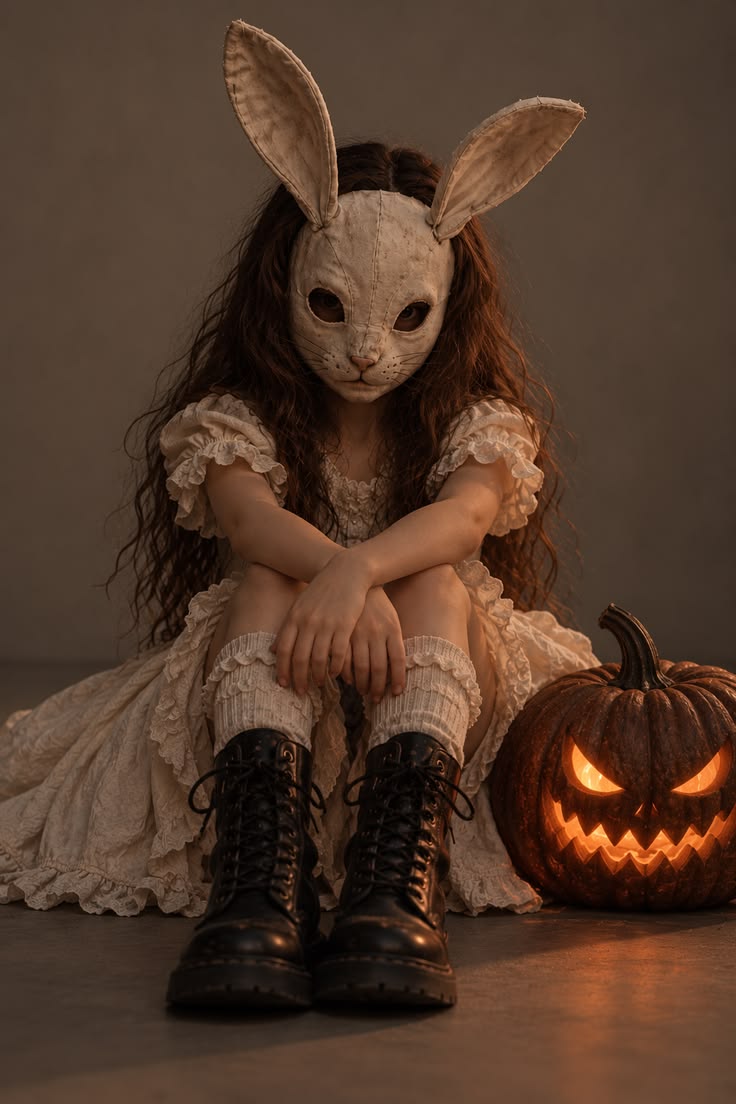 |
Use the first image as the portrait reference and the second image as the style reference. Recreate the second image’s costume, lighting, background, camera angle, and atmosphere while the second image's subject takes off the rabbit mask, keeping the person from the first image recognizable. Preserve the original pose and framing where possible, and keep the main face natural and clearly visible. | 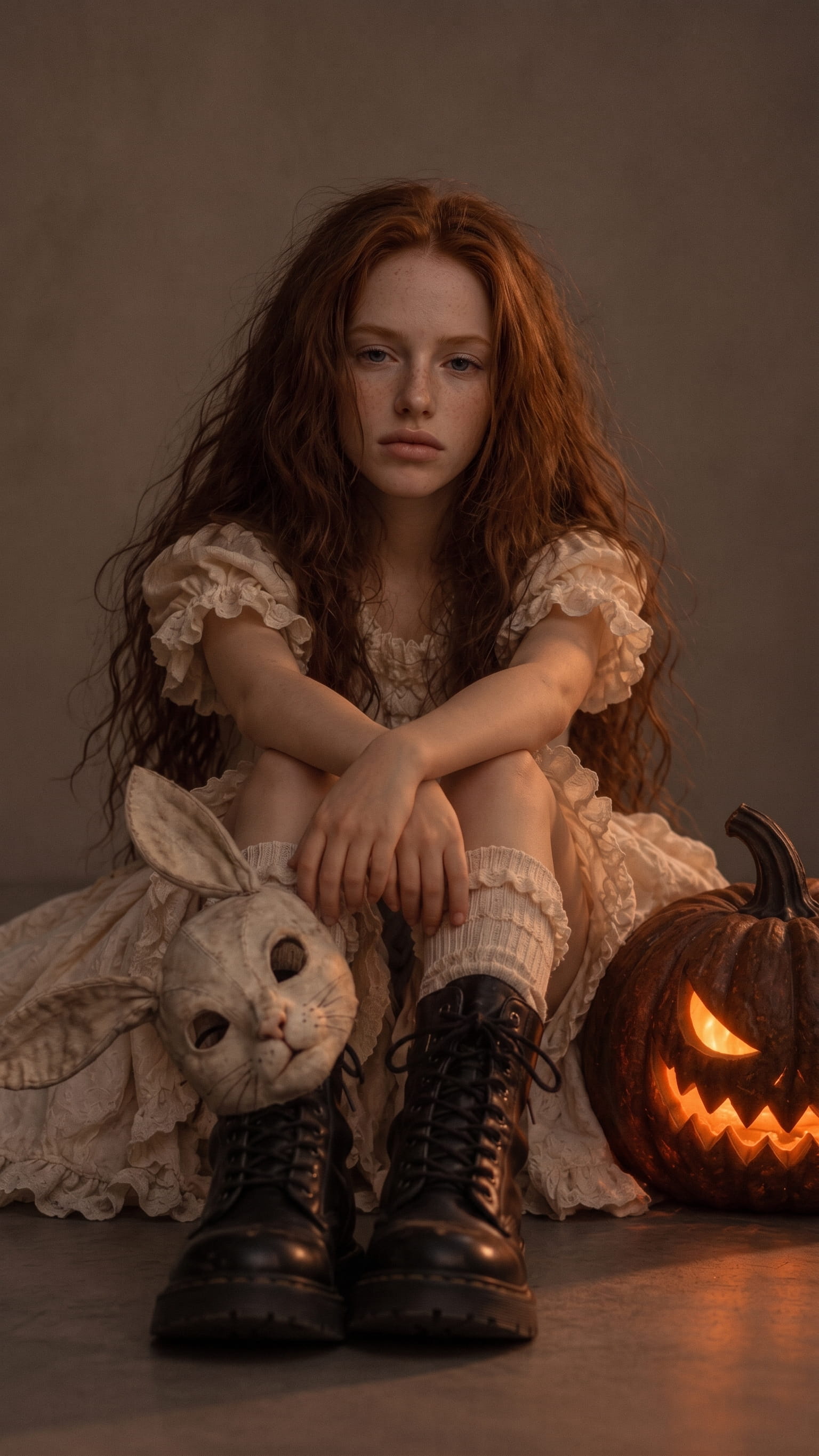 |
If you want the result to match the reference image more closely, you can also try AIReel’s head swap tool. This is useful when you want to place the face from your own photo into a specific Halloween portrait, costume image, or horror-style scene. Choose a reference image with a similar face angle and lighting for a more natural result, then check the final image for facial edges, skin tone, and proportions.
Create Halloween Photos Faster with AI Templates
There are plenty of ways to experiment with Halloween images, from trying on a new costume to adding a spooky scene or turning a regular portrait into a playful trend. If you want a quicker option, browse the AIReel Effects page, which has recently added a large selection of Halloween templates. Choose a style you like, upload your photo, and generate the result without writing a prompt from scratch.
Photos are not the only way to share your Halloween look. Short videos can be even more eye-catching on TikTok and Instagram Reels, especially when the effect includes movement, transitions, or animated spooky details. For this kind of content, try our Halloween video generator to turn your idea into a shareable Halloween clip.
Whether you prefer a classic witch or vampire look, a trendy pop-culture style, a funny pet effect, or a dramatic horror video, choose the format that suits your mood—and have fun creating something that feels uniquely yours this Halloween.