Top 5 Online AI Video Generators in 2026: Tested and Reviewed
With so many online AI video generators available in 2026, choosing the right one can feel overwhelming. After testing almost every major AI video generator I could find, I narrowed the list down to five standout tools: Seedance 2.0, Kling 3.0, Gemini Omni, Google Veo 3.1, and Grok Imagine. In this review, I’ll compare their pros and cons, pricing, free trial options, and key features to help you find the best AI video generator for your needs.

Table of Content
Part 1: Quick Comparison of the Best AI Video Generators in 2026
Before getting into the detailed reviews, here’s a quick side-by-side comparison of the five online AI video generators I tested. I focused on the things that matter most in real use: what you can input, the highest output quality available, the maximum video length, standout features, and my overall rating. Keep in mind that some limits may vary depending on your region, subscription plan, or whether you are using the web app or API.
|
AI Video Generator |
Input Modes |
Max Video Length |
Main Features |
Rating |
|
Seedance 2.0 |
Text, image, audio, video |
Up to 15 seconds |
Multimodal prompting, synchronized audio-video generation, strong visual quality, complex scene handling |
★★★★★ |
|
Kling 3.0 |
Text, image, video/reference input |
Up to 15 seconds |
Realistic motion, character consistency, multi-shot generation, strong physics and camera movement |
★★★★☆ |
|
Gemini Omni |
Text, image, audio, video |
Up to 10 seconds |
Multimodal generation, video remixing, avatar creation, conversational editing |
★★★★☆ |
|
Google Veo 3.1 |
Text, image/reference frames |
8 seconds per clip; scene extension up to 1 minute |
Stable cinematic output, audio generation, frames-to-video, ingredients-to-video, lighting and scene editing |
★★★★☆ |
|
Grok Imagine |
Text-to-image, image-to-video, voice prompts |
Around 6 seconds |
Fast image animation, multiple video modes, Spicy Mode, photorealistic/anime/illustration styles |
★★★☆☆ |
Part 2: Detailed Reviews of the Top 5 Online AI Video Generators
After the quick comparison, I will take a closer look at how each AI video generator actually performs in real use. For this review, I used the same natural-style prompt across all five tools, so the results would be easier to compare in terms of realism, motion, visual quality, and overall usability.
2.1 Seedance 2.0 — The Most Powerful AI Video Generator Right Now
Seedance 2.0 was the tool that impressed me the most during this test. Compared with many other online AI video generators, it feels more advanced in how it understands complex scenes, natural motion, and visual details. The results looked polished without needing too much prompt tweaking, which makes it a strong option for creators who want high-quality AI videos without spending hours regenerating clips. It is especially good when you want cinematic visuals, realistic environments, and smoother character movement in a short video.
Pros
- Strong overall video quality with realistic lighting and visual details.
- Handles complex prompts better than many other AI video generators.
- Good at creating natural-looking scenes with smoother motion.
- Works well for cinematic clips, product visuals, creative storytelling, and social media content.
- Less trial and error compared with some tools that need repeated prompt adjustments.
Cons
- The best results may depend on access level, region, or subscription plan.
- It may still struggle with very precise character actions or complicated multi-step scenes.
- Beginners may need some time to learn how to write prompts that get the best results.
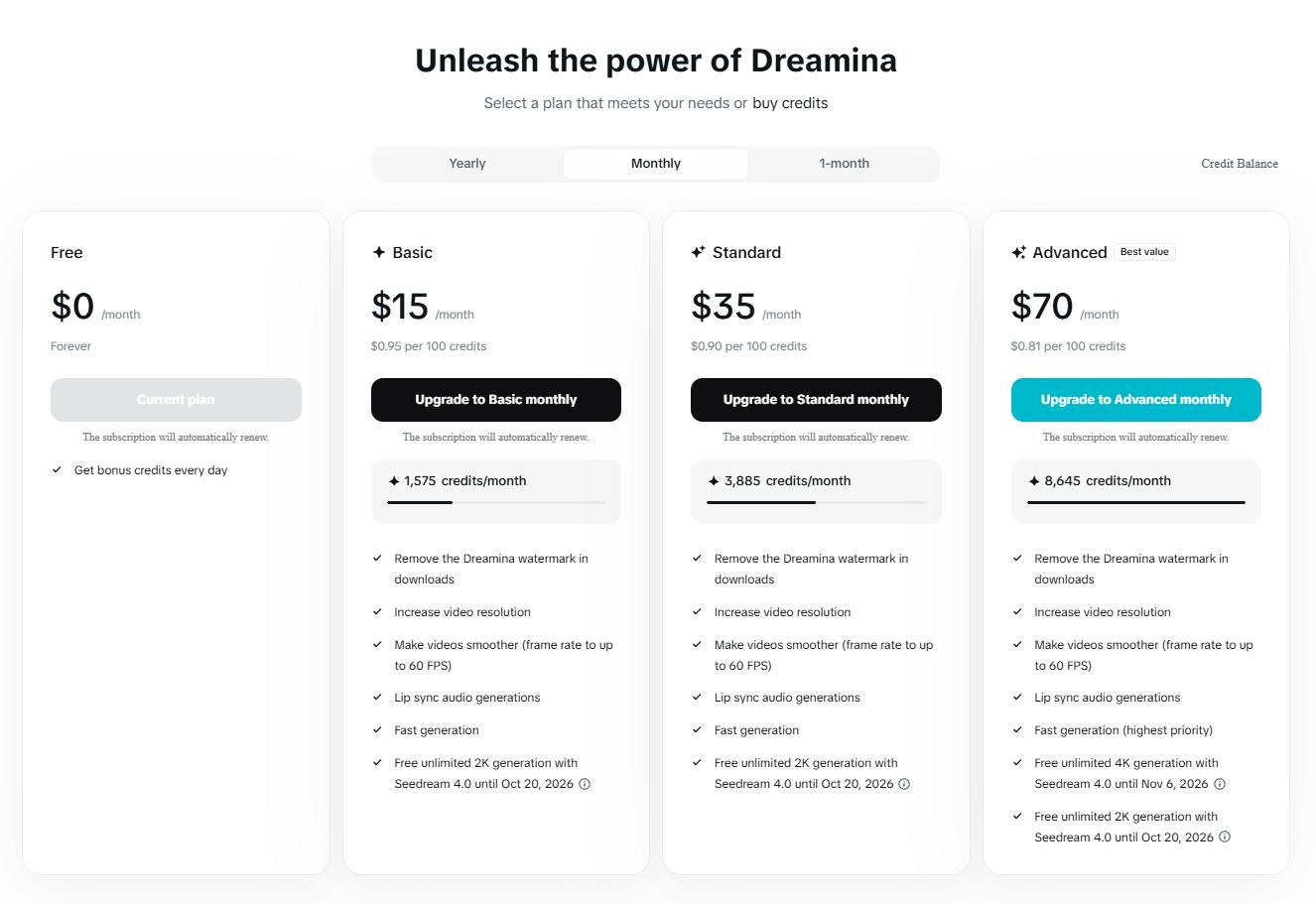
Official Price:
2.2 Kling 3.0 — Realistic Motion and Consistent Characters
Kling 3.0 is one of the strongest AI video generators if you care about realistic motion and character consistency. Compared with many tools that can create a good-looking first frame but struggle once the subject starts moving, Kling usually feels more stable in walking scenes, camera movement, and body motion. It also supports advanced video-generation features such as text-to-video, image-to-video, multi-shot storyboarding, and native audio, which makes it more useful for creators who want more than a simple short clip.
Pros
- Keeps the main subject relatively stable across frames, especially in simple walking or portrait-style scenes.
- Supports text-to-video and image-to-video workflows.
- Offers advanced options such as multi-shot storyboarding and native audio support, depending on the version and access.
- Can produce high-quality results, with publicly listed specs mentioning up to 4K output and 15-second videos.
- Works well for realistic human motion, camera movement, and short cinematic scenes.
Cons
- It may take several generations to get the exact result you want.
- The interface and controls may feel less beginner-friendly compared with simpler AI video tools.
- It can still struggle with complex multi-person scenes, precise object interactions, or longer story continuity.
- Content moderation can be strict in some cases.
- Users need to be careful to access the official Kling platform, since fake Kling-related websites and ads have been reported.
Official Price:

2.3 Gemini Omni — Text, Image, and Video in One Multimodal Tool
Gemini Omni is different from most traditional AI video generators because it is built around multimodal creation, not just text-to-video. Instead of only typing a prompt and waiting for a clip, you can use different types of input, including text, images, video, and audio, which makes it feel more flexible for creative workflows. It is especially interesting if you already use Google’s AI ecosystem, because Gemini Omni is expected to connect with tools like the Gemini app, Google Flow, and YouTube Shorts.
Pros
- Supports multiple input types, including text, photos, videos, and audio.
- Can generate both video and audio, which makes it more flexible than silent text-to-video tools.
- Fits naturally into the Google ecosystem, especially Gemini, Flow, and YouTube-related workflows.
- Useful for remixing or transforming existing media instead of only generating videos from scratch.
- Supports personalized avatar-style video generation with safety restrictions around creating only your own likeness.
Cons
- The maximum video length is still short, with public reports mentioning clips of up to around 10 seconds.
- Availability may depend on paid access, region, rollout stage, and the specific Google product you are using.
- Some features may be split across Gemini, Flow, and YouTube Shorts, which can make the user experience less straightforward.
- Avatar and likeness-based features may involve extra setup, safety checks, or subscription requirements.
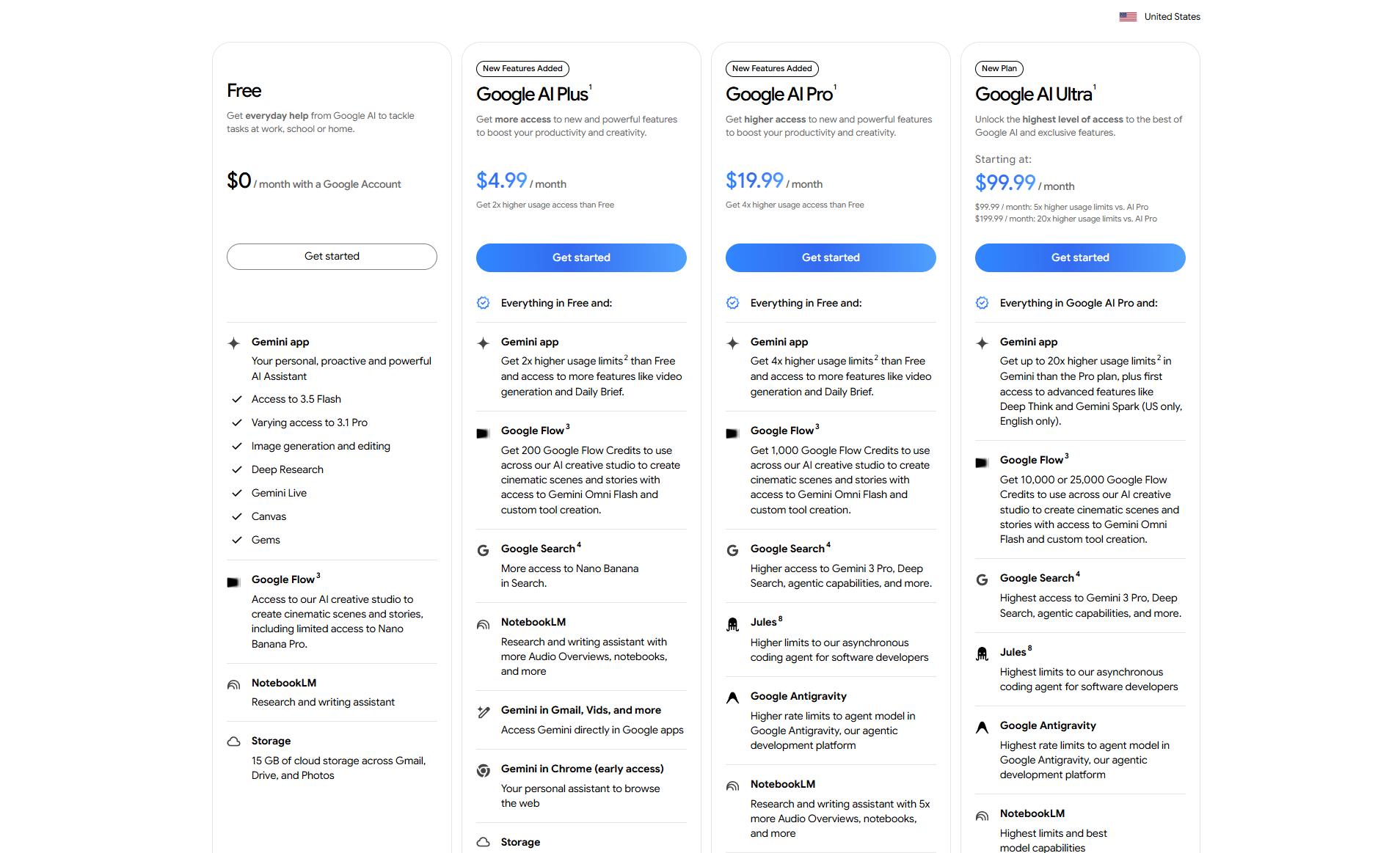
Official Price:
2.4 Google Veo 3.1 — Stable Results with a Cinematic Look
Google Veo 3.1 feels like one of the most polished AI video generators in this list, especially if you care about stability, lighting, and a more cinematic look. Compared with more experimental tools, Veo 3.1 usually feels less chaotic: the scene composition, camera movement, and overall visual tone are more controlled. It also builds on Veo 3’s ability to generate video with accompanying audio, which makes it more useful for finished clips rather than silent visual tests.
Pros
- Produces stable, polished-looking videos with a strong cinematic style.
- Handles lighting, scene composition, and camera movement better than many basic AI video generators.
- Supports video generation with audio, which makes the output feel more complete than silent clips.
- Works well for realistic scenes, cinematic B-roll, product-style visuals, and short creative videos.
Cons
- It may feel less experimental or flexible than tools that offer more playful generation modes.
- Very precise edits or long story continuity can still be difficult, especially when working with multiple clips.
- API pricing can become expensive if you generate or test many clips.
- If you want maximum creative freedom, Veo’s safety filters and platform rules may feel more restrictive than some alternatives.
Official Price:
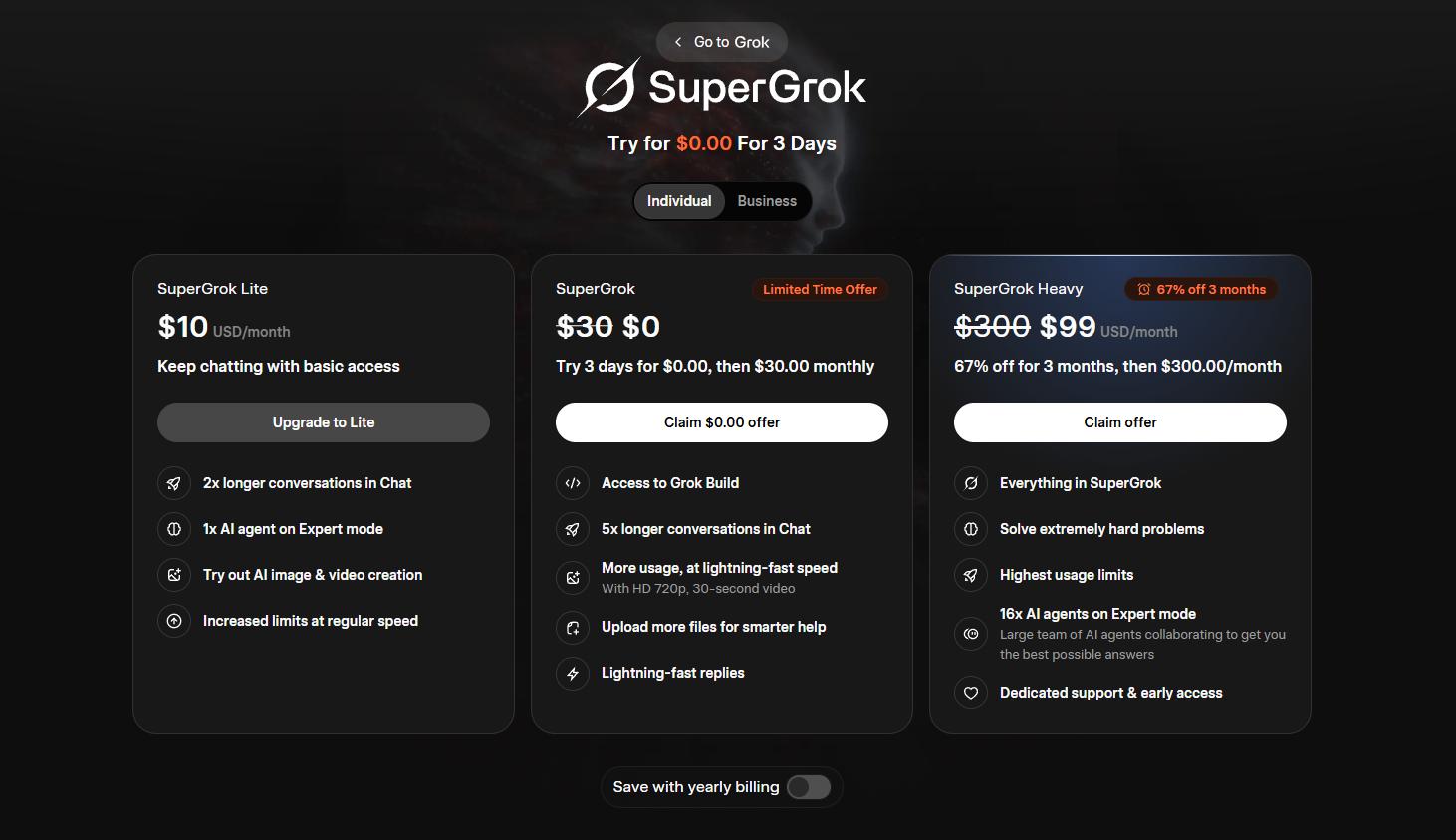
2.5 Grok Imagine — Spicy Mode for More Creative AI Videos
Grok Imagine is the most unusual tool in this comparison because it is not just positioned as a standard AI video generator. It focuses more on fast image and video creation, short animated clips, and playful generation modes, with Spicy Mode being its most talked-about feature. Its Spicy Mode allows more adult-oriented outputs.
Pros
- Fast and easy to use for quick creative ideas.
- Can generate short animated audiovisual clips from prompts.
- Offers multiple generation modes, including Spicy Mode, which makes it stand out from more restricted AI video tools.
- Works well for casual experiments, social-style visuals, meme-like content, and quick concept generation.
Cons
- Video length is relatively short, commonly describing around six-second clips.
- Output consistency may be weaker than more video-focused tools like Seedance, Kling, or Veo.
- Spicy Mode has raised safety, legal, and reputational concerns, especially around misuse and explicit deepfake-style content.
- Access may depend on X/Grok subscription status, waitlists, region, or rollout stage.
Official Price:
Part 3: Same Prompt Video Test: How the 5 AI Video Generators Performed
To make the comparison as fair as possible, I used the same prompt across all five AI video generators. I chose a natural, realistic city scene instead of a fantasy or sci-fi prompt, because it makes it easier to compare motion, lighting, character consistency, camera movement, and overall realism.
Prompt:
A realistic cinematic video of a young woman walking through a quiet city street in the early morning after light rain. The pavement is slightly wet, reflecting soft sunlight and passing buildings. She is wearing a beige trench coat and carrying a small coffee cup. The camera slowly follows her from the side as she walks at a natural pace. Subtle wind moves her hair and coat slightly. The background includes a few pedestrians, parked cars, and warm reflections in shop windows. Natural lighting, realistic motion, shallow depth of field, smooth camera movement, no exaggerated effects, no text, no logos.
Seedance 2.0 Video Generation Result:
Kling 3.0 Video Generation Result:
Gemini Omni Video Generation Result:
Google Veo 3.1 Video Generation Result:
Grok Imagine Video Generation Result:
Result Summary:
|
AI Video Generator |
Same-Prompt Test Result |
Best For |
Rating |
|
Kling 3.0 |
Kling 3.0 delivered the most satisfying result in this test. The video looked realistic, the character movement felt natural, and the surrounding natural environment was well-rendered. |
Realistic character videos, nature scenes, social clips, and motion-heavy prompts. |
★★★★★ 4.8/5 |
|
Google Veo 3.1 |
Google Veo 3.1 produced natural motion and a strong cinematic feel, but the generation speed was noticeably slow. |
Cinematic short videos, narrative shots, and high-quality visual tests. |
★★★★☆ 4.4/5 |
|
Seedance 2.0 |
Seedance 2.0 performed better with precise prompt control. When allowed too much freedom, the result was less impressive, although the cinematic feel and color quality were still good. |
Creators who want more control and are willing to write detailed prompts. |
★★★★☆ 4.1/5 |
|
Gemini Omni |
Gemini Omni felt average overall, but the scene realism was fairly good. |
Basic scene generation, realistic environment tests, and simple visual exploration. |
★★★☆☆ 3.5/5 |
|
Grok Imagine |
Grok Imagine was the fastest tool in this test, but the overall video quality was relatively average. |
Fast drafts, early concept testing, and quick visual experiments. |
★★★☆☆ 3.3/5 |
Part 4: Bonus — AIReel as an All-in-One AI Video and Image Generator
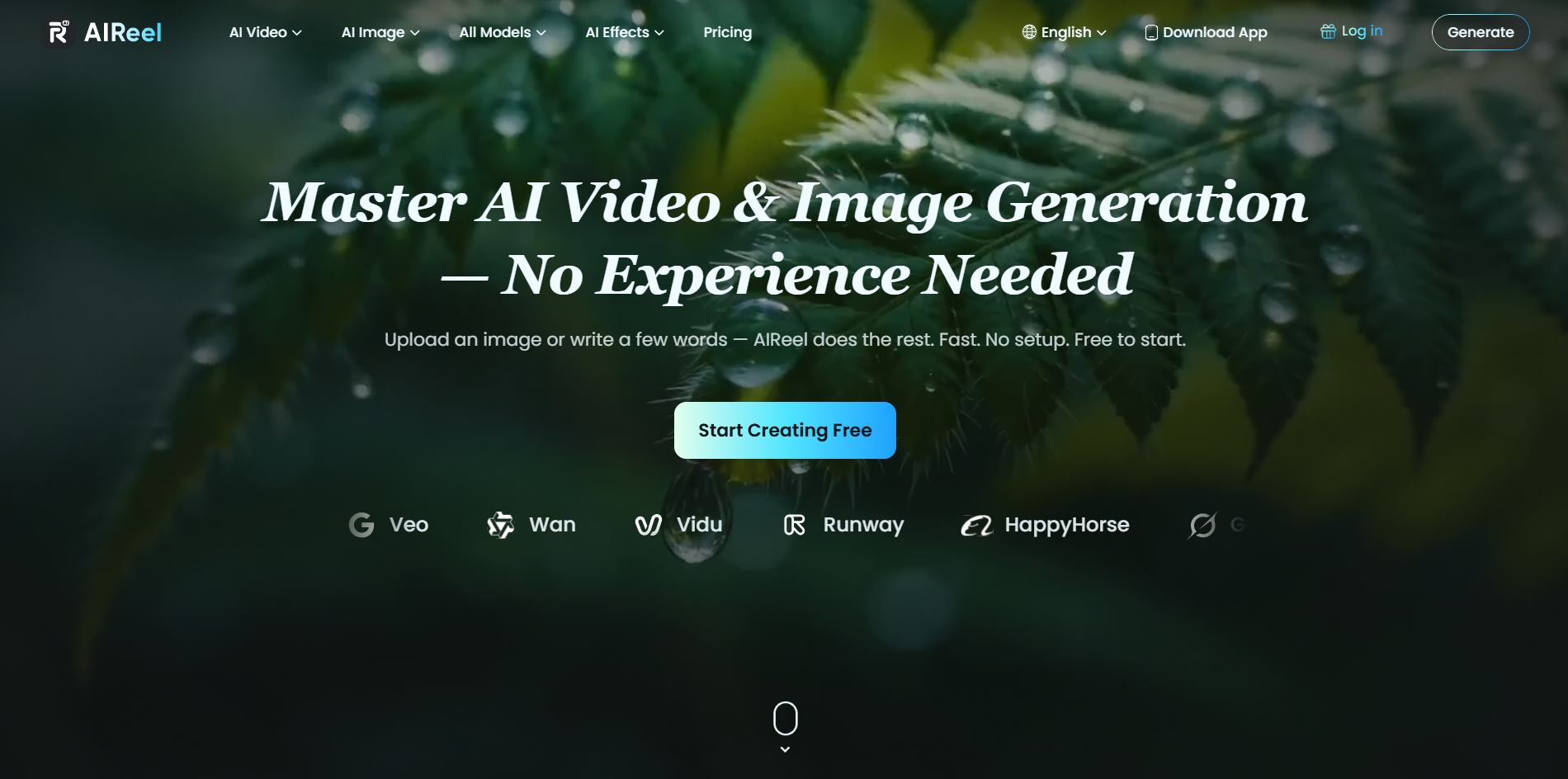
While the five tools above are all strong AI video generators in different ways, they are mostly focused on video creation. If you also need to create AI images, thumbnails, visual concepts, or social media assets, switching between several tools can quickly become inconvenient. That is where AIReel can be a useful bonus option.
AIReel is an all-in-one AI video and image generator designed for users who want a simpler creative workflow. Instead of using one platform for text-to-video, another for image generation, and another for quick visual experiments, AIReel brings both AI video generation and AI image generation into one place. This makes it especially useful for creators, marketers, bloggers, and small teams who need to produce different types of visual content regularly.
Why AIReel Is Worth Considering:
- Web and mobile app access: AIReel works across both web and mobile, so you can create AI videos not only on your computer but also on your phone whenever inspiration comes up.
- Built-in prompt enhancer: If you are new to AI video generation, AIReel’s built-in prompt enhancer can help turn simple ideas into more detailed prompts. This lowers the learning curve and makes it easier to create cinematic-looking videos without studying how every professional AI video model works.
- Multiple AI models in one platform: Instead of paying for several different AI video generators separately, AIReel brings multiple popular and up-to-date models into one place. With one subscription, you can try different models and choose the one that works best for each project.
- Complete image-to-video workflow: AIReel supports a more complete creative workflow, including image generation, text-to-video, image-to-video, and frame-by-frame video creation. This is useful if you want to move from visual ideas to finished videos without jumping between multiple tools.
- Free trial available: AIReel also offers a free trial, which makes it easier to test the platform before deciding whether it fits your workflow.
- 1,000+ AI effects and templates: For creators who want faster results, AIReel includes more than 1,000 AI effects and templates, making it easier to create social videos, creative edits, visual concepts, and marketing content without starting from scratch.
Conclusion
After comparing these 5 online AI video generators in 2026, I found that each tool has its own strengths. Seedance 2.0 is the most powerful overall, Kling 3.0 is strong in realistic motion, Gemini Omni works well for multimodal creation, Google Veo 3.1 delivers stable cinematic results, and Grok Imagine stands out with its Spicy Mode.
If you are looking for the best AI video generator for a specific use case, these five tools are worth testing. But if you want an all-in-one platform for AI video generation, AI image creation, prompt enhancement, multiple models, free trials, and ready-made templates, AIReel is also a practical option to consider.