Ghostface AI Photo Generator Choose Your Horror Scene
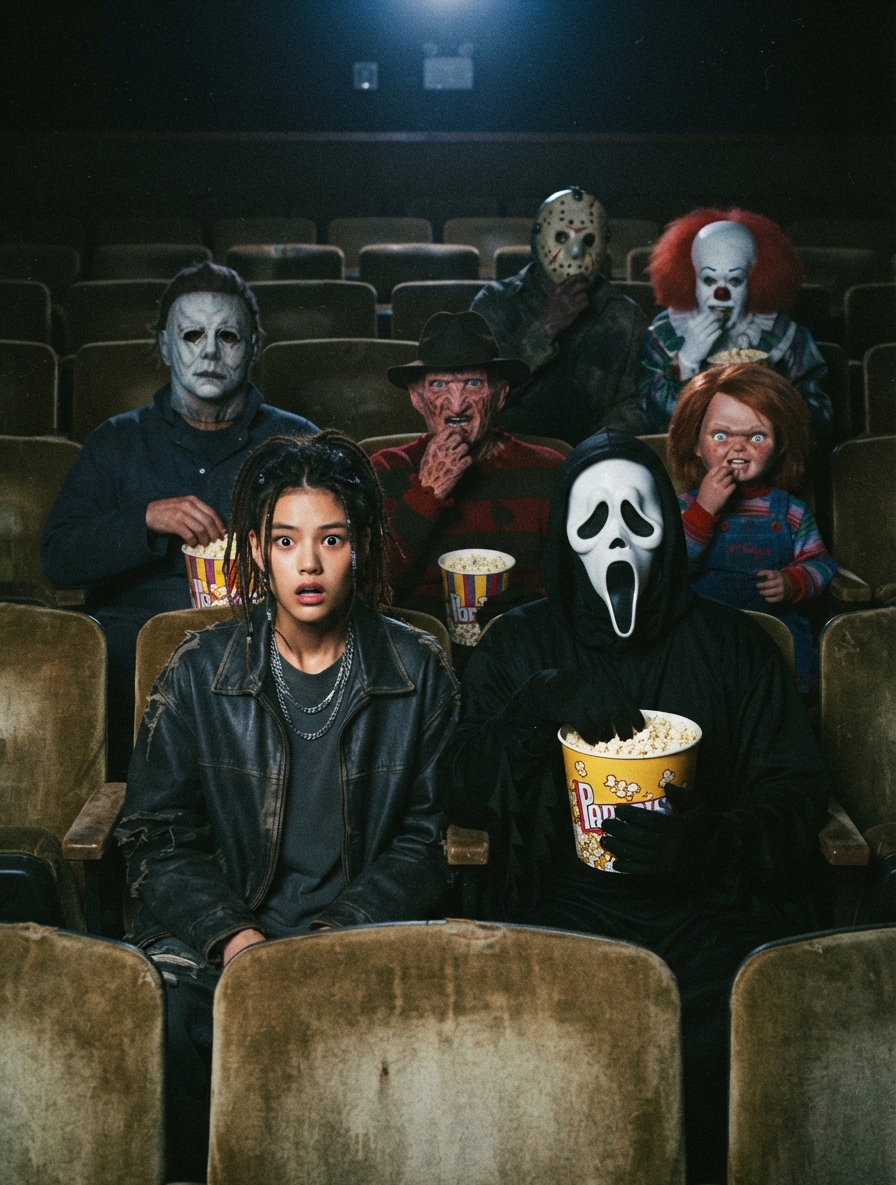
Upload one photo and choose the horror setup that fits your idea. Place Ghostface behind you in a Halloween-decorated kitchen, sit beside him in a movie theater, or try a template featuring Michael Myers, Chucky, Freddy Krueger, or Pennywise.
Explore Ghostface AI Photo Examples
Browse retro horror photos made with different scene templates and iconic slasher characters. From a Ghostface cameo in a decorated Halloween kitchen to a tense theater seat beside a masked figure, each template gives your portrait a different spooky story.



How to Create a Ghostface AI Photo with AIReel
Step 1
Upload one clear photo of yourself or your chosen subject. A visible face and simple composition help AI blend the portrait into the horror scene.

Step 2
Browse the available templates. Pick the Halloween kitchen, movie theater, Ghostface, or another horror icon scene that matches your idea.

Step 3
Generate your image, preview the result, then download and share your spooky Ghostface AI photo to celebrate the Halloween.

What Makes Ghostface AI Photo Generator Stand Out

Choose Your Horror Template
Start with the scene that feels right for your photo. Put Ghostface behind you in a Halloween-decorated kitchen, sit beside him in a movie theater, or explore other horror and slasher setups.

Iconic Horror Characters
Ghostface is only the beginning. Depending on the available templates, you can create a photo with Michael Myers, Chucky, Freddy Krueger, or Pennywise appearing in the scene with you.

Retro Scary Movie Atmosphere
Grain, flash photography, dark corners, and throwback color give each image a nostalgic Y2K horror feel. The result looks like a strange snapshot from a late-night movie or Halloween party.

Made for Halloween Posts
Give your Halloween feed a creepy new post that friends will want to comment on and share. Your spooky photo is ready for Instagram, TikTok, Pinterest, and other seasonal social posts.
FAQs About the Ghostface AI Photo Generator


More AI Effects
Create Stunning AI Videos All in One Stop
AIReel replaces complex tools — faster, smarter, and more affordable.