AI Product Video Generator

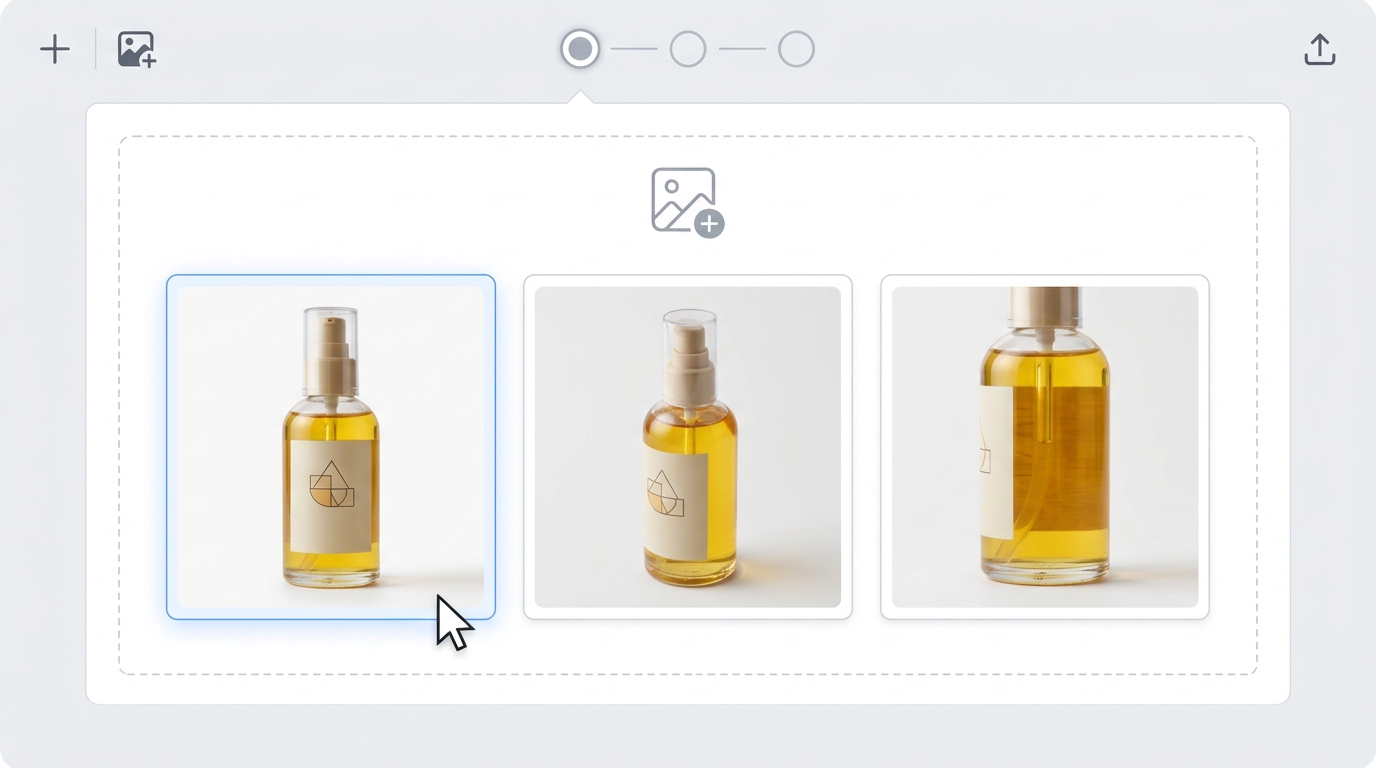
Give shoppers another way to discover your product. Upload your product photos and describe a scene, from a quiet tabletop reveal to a bold campaign visual. Generate a short video for your store or social feed, with optional video and audio references to help communicate the result you have in mind.

Use your existing product images. Describe the shot in your own words.

100K+

Users Worldwide

20+

AI Models

1,000+

Creative Templates

4.7

Google Play Rating

Give Each Product a Scene Worth Watching

Build a Video Around the Photos You Had

Turn product images into video by describing what should happen around the item. Ask for a camera glide or shifting light. Your photos provide the visual starting point; your prompt explains the movement, surroundings, and details you want viewers to notice.
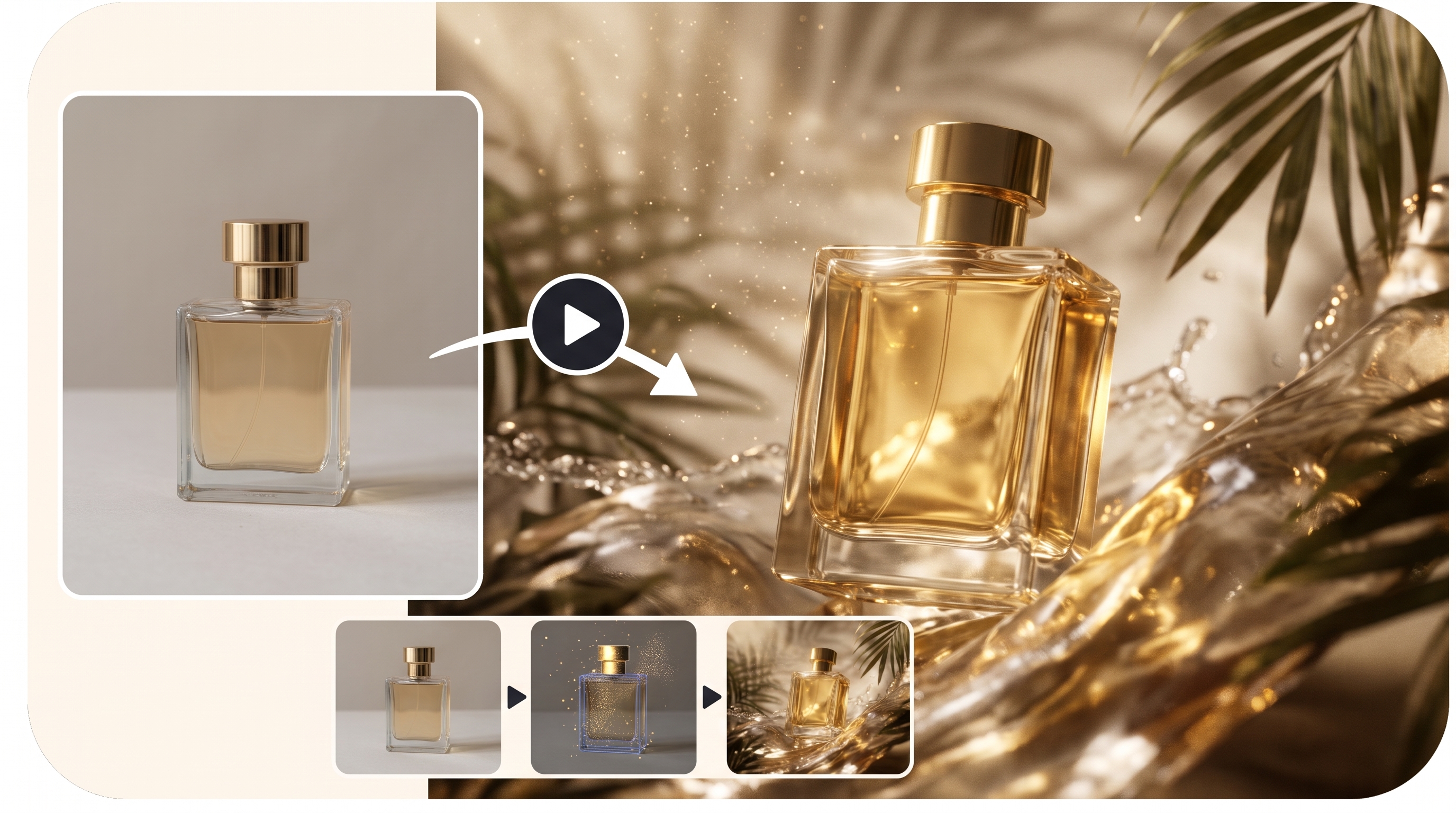
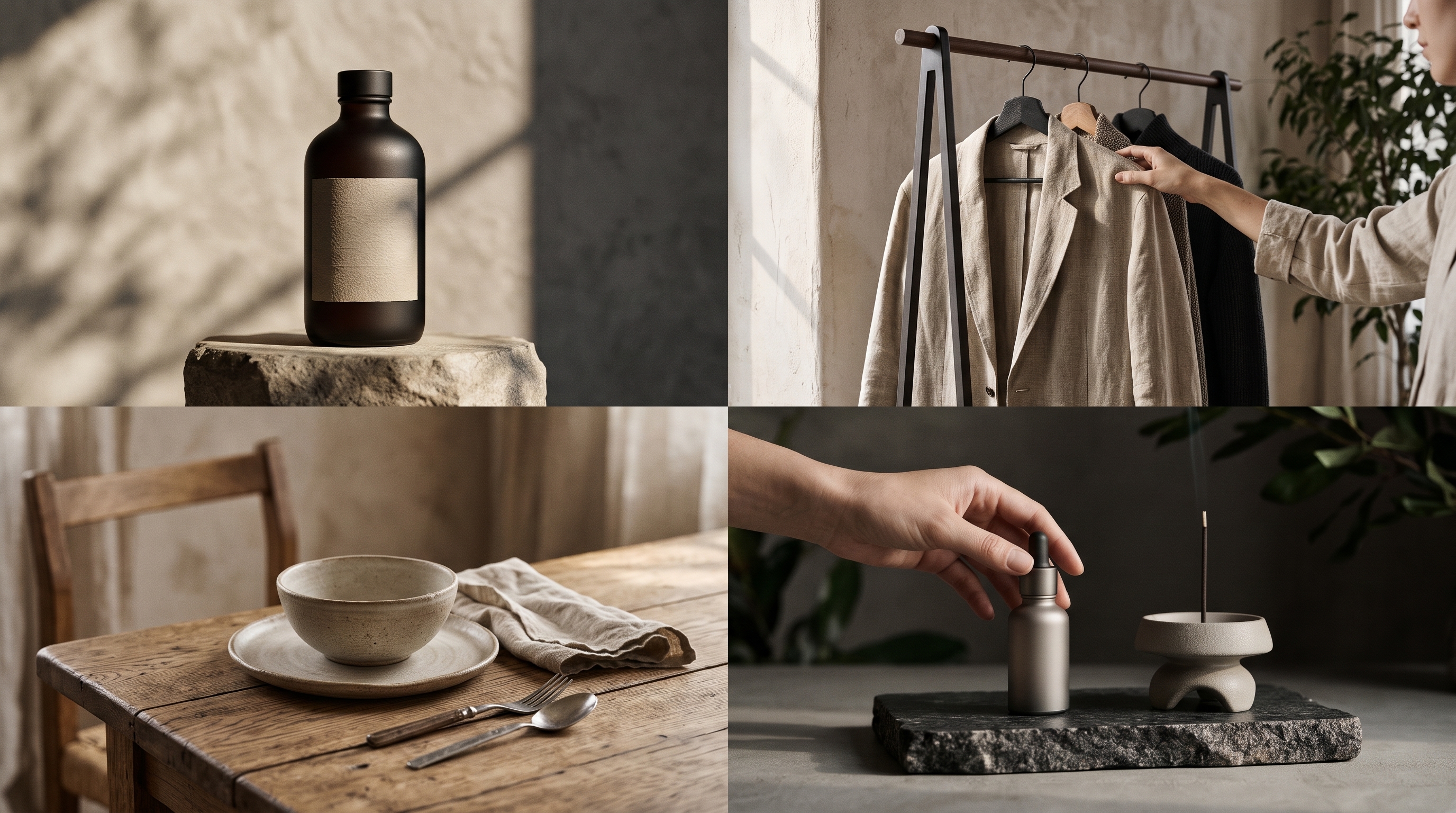
Build a Video Around the Photos You Had

Find a Visual Approach for Your Kind of Product

Different product deserve a different introduction. Use a restrained close-up for packaging, a textured setting for apparel, or a warm interior for home goods. Explore AI product videos for beauty, fashion, accessories, electronics, and more, with scenes shaped around the item you sell.

Find a Visual Approach for Your Kind of Product

Make Product Content for the Places You Sell

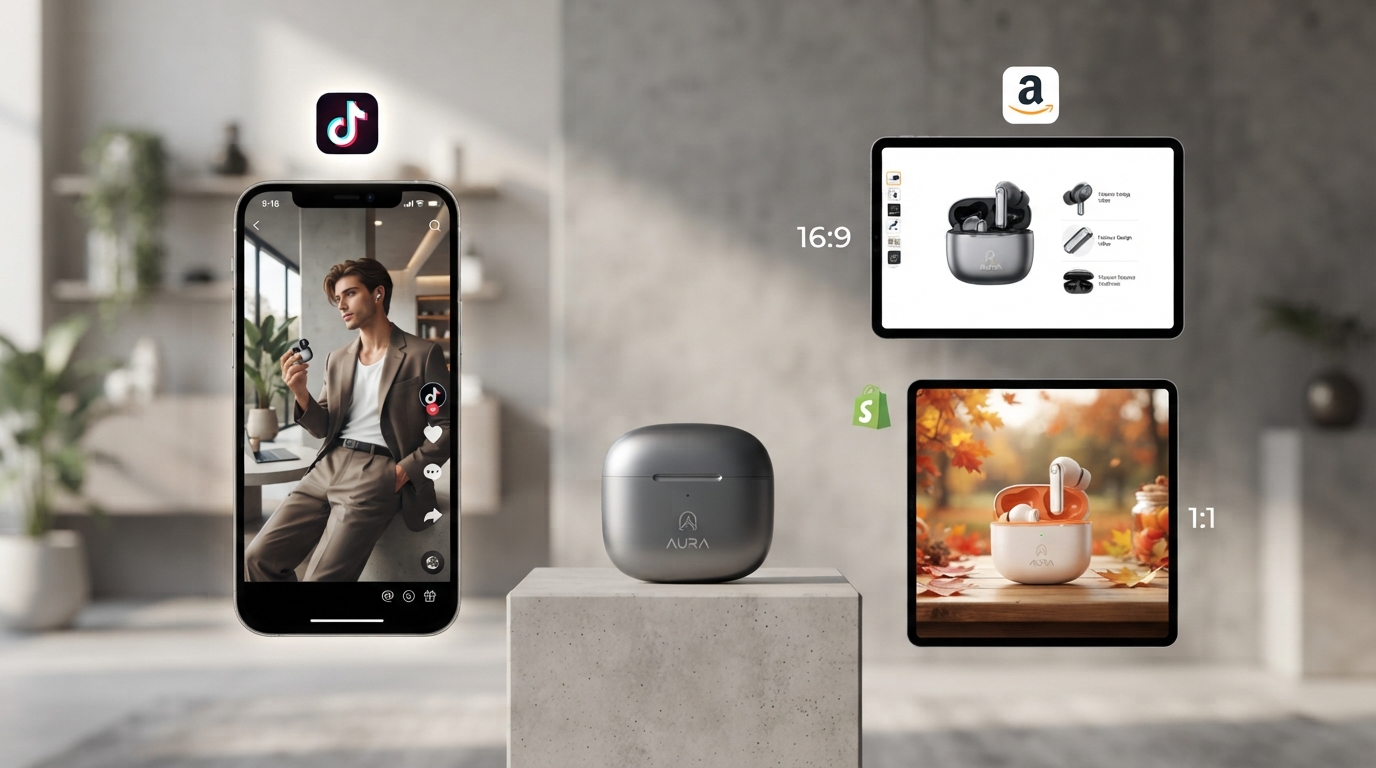
Create ecommerce product videos for a Shopify storefront, a TikTok Shop post, or an Amazon listing. Introduce a new item, draw attention to a design detail, or give an existing product a fresh seasonal setting. Build the clip around one clear message that fits its place in your marketing.

Make Product Content for the Places You Sell

Show the AI More of What You Mean

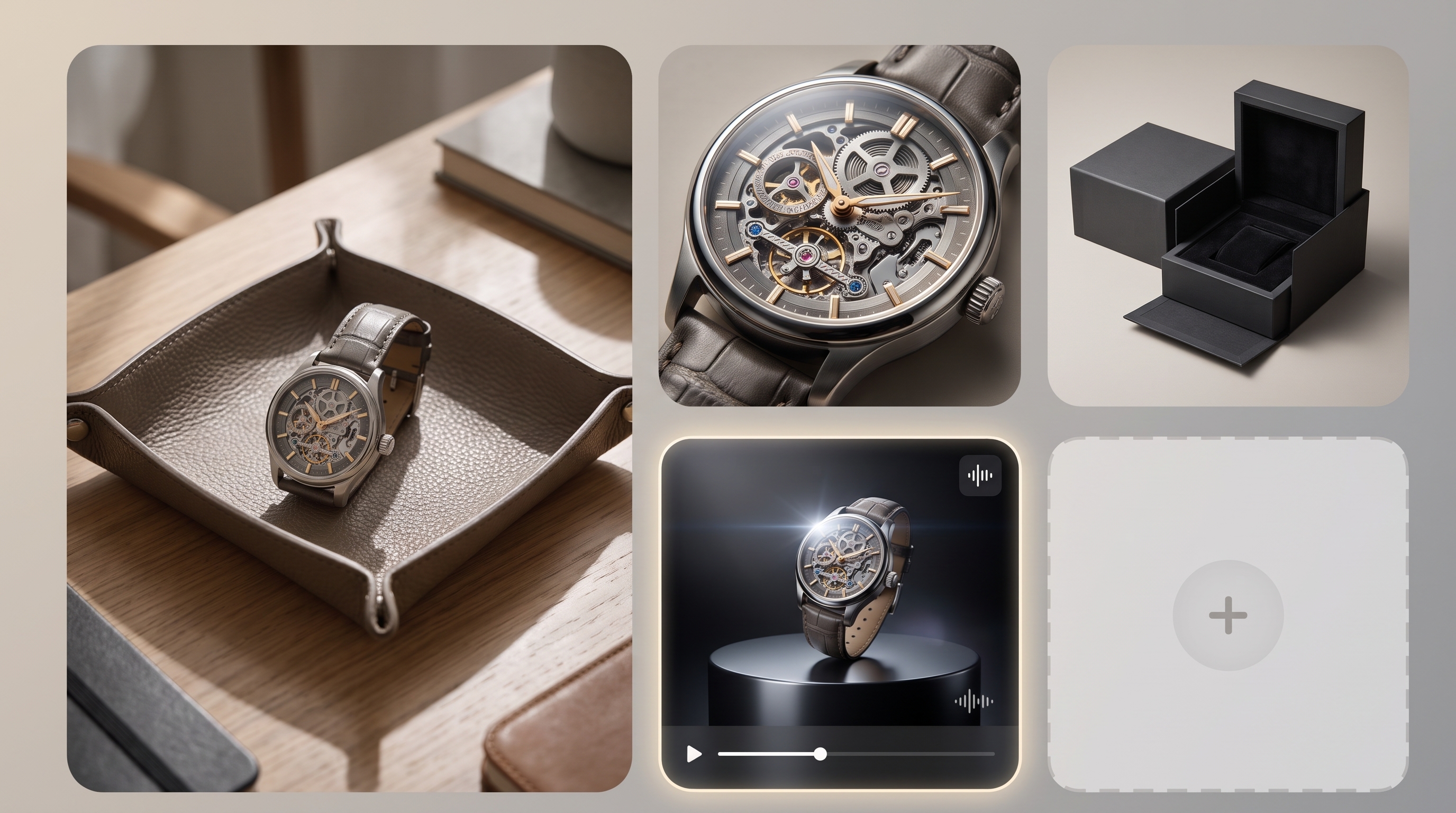
Use several product images to show the shape, packaging, and details you care about. Add an optional reference video or audio file when you have a more specific creative direction. Explain the role of each reference in your prompt so the AI has more context for the video you want.

Show the AI More of What You Mean

Why Use AIReel for Your Product Videos?

No Filming or Video Editing Needed

No Filming or Video Editing Needed

Upload your product photos and describe the scene and movement you want. AIReel's AI product video maker generates the clip, so you can skip setting up a shoot, recording footage, and piecing clips together in an editor.

Let a Template Get Your Idea Started

Let a Template Get Your Idea Started

Not sure how to introduce your product on screen? Browse AIReel's ready-made templates and choose the one you like. Start with an existing visual concept, then supply your product images to make it relevant to your own campaign.

Choose Settings for the Video You Need

Choose Settings for the Video You Need

Adjust duration, resolution, and aspect ratio before generating. Plan a vertical clip for a social feed or a wider scene for your storefront. Choose the settings around the placement and the amount of detail you want to show.

How to Make Product Videos with AI

STEP 1

Step 1: Select Your Product Photos

Upload clear photos of the product you want to feature. You can include additional views when they help show an important detail.

Product Video Ideas for Your Next Selling Moment

Build a short visual around the product, the audience, and the reason you are posting.

Online Stores Introducing an Item

Online Stores Introducing an Item

Give a shopper a quick visual introduction alongside your product photos. Create product videos for ecommerce pages that highlight a finish, a silhouette, or a piece of packaging, with a scene that fits your storefront's visual style.

Social Teams Planning Product Posts

Social Teams Planning Product Posts

Turn a single product idea into a short post for TikTok, Instagram, or another social channel. Use an AI product showcase video to give a featured item its own moment, then add your campaign message when preparing the post.

Beauty Brands Highlighting Packaging

Beauty Brands Highlighting Packaging

Put a fragrance bottle, cosmetic compact, or skincare jar in a setting that suits the collection. Explore light, background colors, and camera movement to draw attention to the packaging without planning a separate shoot for each campaign idea.

Clothing Brands Presenting a Collection

Clothing Brands Presenting a Collection

Create AI product videos around your apparel images for a new drop, a featured fabric, or a seasonal color story. Describe the setting and the garment detail you want to highlight, such as embroidery on a pocket or the outline of a structured coat.

Home and Tech Sellers Adding Context

Home and Tech Sellers Adding Context

Help shoppers imagine where an item belongs. Place a desk organizer in a study scene or a portable speaker beside a weekend bag. Use the prompt to explain the setting and keep the product as the main point of interest.

Marketing Teams Exploring Campaign Ideas

Marketing Teams Exploring Campaign Ideas

Compare a calm product introduction with a bolder promotional scene using the same source images. Develop different visual directions for a launch, sale, or restock, and choose which idea to carry into the wider campaign.

Find a Plan for Your Product Content

Select a plan to get more credits

AI Product Video Generator FAQs

© 2026 AIReel. All rights reserved.
FunCreate LIMITED
Registration Number: 76104529
Address: Room 1911, Lee Garden One, 33 Hysan Avenue, Causeway Bay, Hong Kong
© 2026 AIReel. All rights reserved.
FunCreate LIMITED
Registration Number: 76104529
Address: Room 1911, Lee Garden One, 33 Hysan Avenue, Causeway Bay, Hong Kong