Why AIReel Goes Beyond Other AI Video Generators
With smoother in-between motion, fewer visual breaks, and less trial and error from the first frame to the last—AIReel delivers a more controlled and production-ready experience than other AI video generators.
From One Moment to the Next
Produce fluid transitions, visual transformations, and dynamic scene shifts created between a defined first & final frame.
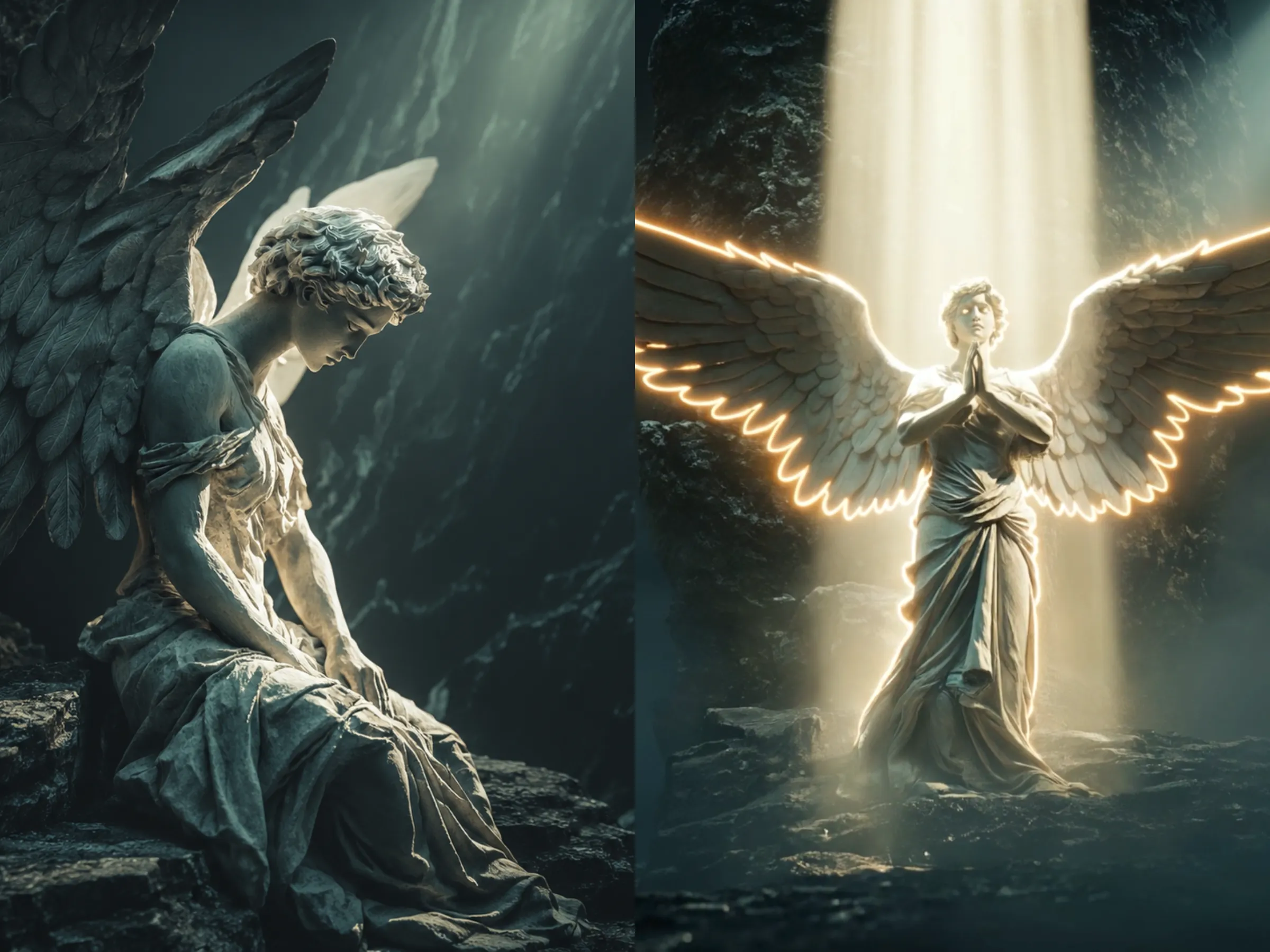
Use the uploaded image as the opening frame and keep it visually unchanged. Preserve the original dark rocky cavern, black stone walls, cool teal-gray color palette, sacred overhead light beams, and the angel statue’s facial features, stone material, carved clothing, wing details, and seated posture. Maintain a cinematic photorealistic style throughout the entire video, using one continuous shot with no cuts or transitions.
0–4 seconds: Begin from the current 4:3 medium-wide composition. The camera slowly and steadily dollies forward toward the statue, slightly lowering its angle while gradually approaching the statue’s bowed face. The surrounding rock walls create subtle natural parallax as the camera moves. Soft overhead light passes through faint mist and floating dust particles. The statue remains completely still, while the weathered stone texture, fine cracks, carved robe folds, and layered feather details remain sharp and realistic.
4–8 seconds: The camera reaches a complete close-up of the statue’s face, clearly revealing the forehead, eyes, nose, lips, and intricately carved curly hair. The statue slowly and naturally opens both eyes with a restrained, solemn movement, without sudden twitching. At first, the eyes appear dark and lifeless, then a soft white-gold glow gradually emerges from within the pupils. The gaze slowly becomes more vivid, conscious, compassionate, and filled with sacred energy. The growing light subtly reflects across the stone eye sockets, nose bridge, and cheeks without changing the statue into human skin.
8–12 seconds: The camera rapidly pulls back and zooms out into a dramatic full-body wide shot, revealing the statue’s head, torso, robe, legs, and enormous wings. At the same moment, the statue slowly straightens its upper body from the bowed seated position. Both wings unfold outward in a majestic, powerful, and symmetrical motion, with each layer of stone feathers opening smoothly and naturally. Both hands rise simultaneously and gently rest together over the center of the chest, forming a reverent prayer-like pose. The overhead divine light intensifies, illuminating the entire statue and creating a soft white-gold rim light around the head, shoulders, chest, hands, and wing edges. Mist and floating dust become visible inside the light rays, while the surrounding cavern remains dark, making the angel appear exceptionally holy, peaceful, solemn, and transcendent. End on a stable full-body composition of the angel with fully extended wings and both hands placed over the chest in prayer. Preserve the stone sculpture material at all times; natural facial anatomy, complete hands and fingers, symmetrical wings, no extra characters, no text, no flickering, no camera shake, and no body deformation.
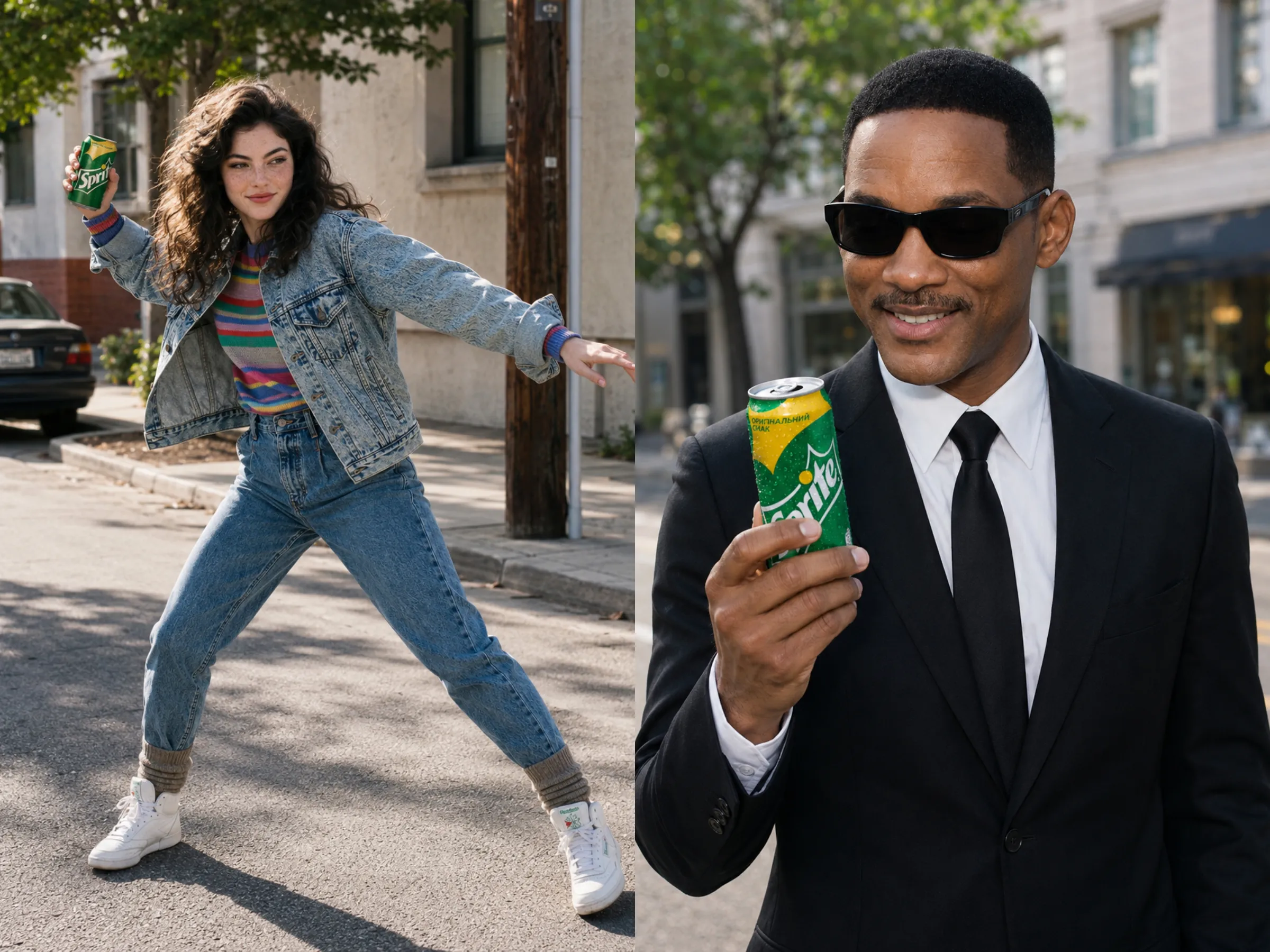
Use the first uploaded image as the opening frame. Keep a realistic cinematic look with polished commercial product photography. Use natural street lighting, crisp detail, and smooth, believable motion.
0–2 seconds: The video begins with the still frame of the first image, maintaining consistency between the street background, the person's clothing, posture, and the appearance of the beverage can in their hand. The person makes a short, energetic wind-up, dipping slightly and turning the shoulders, then throws the can high into the air with a confident, forceful motion. The camera subtly follows the can as it rises.
2–5 seconds: As soon as the can leaves the hand, switch to a slow-motion product tracking shot. The can rotates slowly in mid-air, clearly showing the front, sides, and top. Water droplets, metallic highlights, brand logos, and green and yellow packaging are clearly visible. Let the street fall naturally out of focus while sunlight catches the can, creating a crisp, chilled commercial close-up.
5–7 seconds: At the top of its arc, the can hangs for a beat, then drops quickly. Keep the can locked in focus as it falls, with clean motion blur, visible air movement, and a strong sense of speed. Add matching directional motion blur to the background for extra speed and impact.
7–10 seconds: Transition quickly into the second uploaded image, using its street setting and matching the person's clothing, sunglasses, expression, and framing. The can drops precisely into the person's hand and is caught cleanly and effortlessly with one hand. Keep the catch stylish and controlled; the instant the can is caught, all motion stops and the frame settles. He looks down at the can with a relaxed, satisfied smile for a natural commercial finish. Freeze the final frame on the one-handed catch, with the product clearly featured. No extra people, deformations, or unrelated props. Keep the camera work fluid and seamless, with strong realism, speed, clarity, and product visibility.
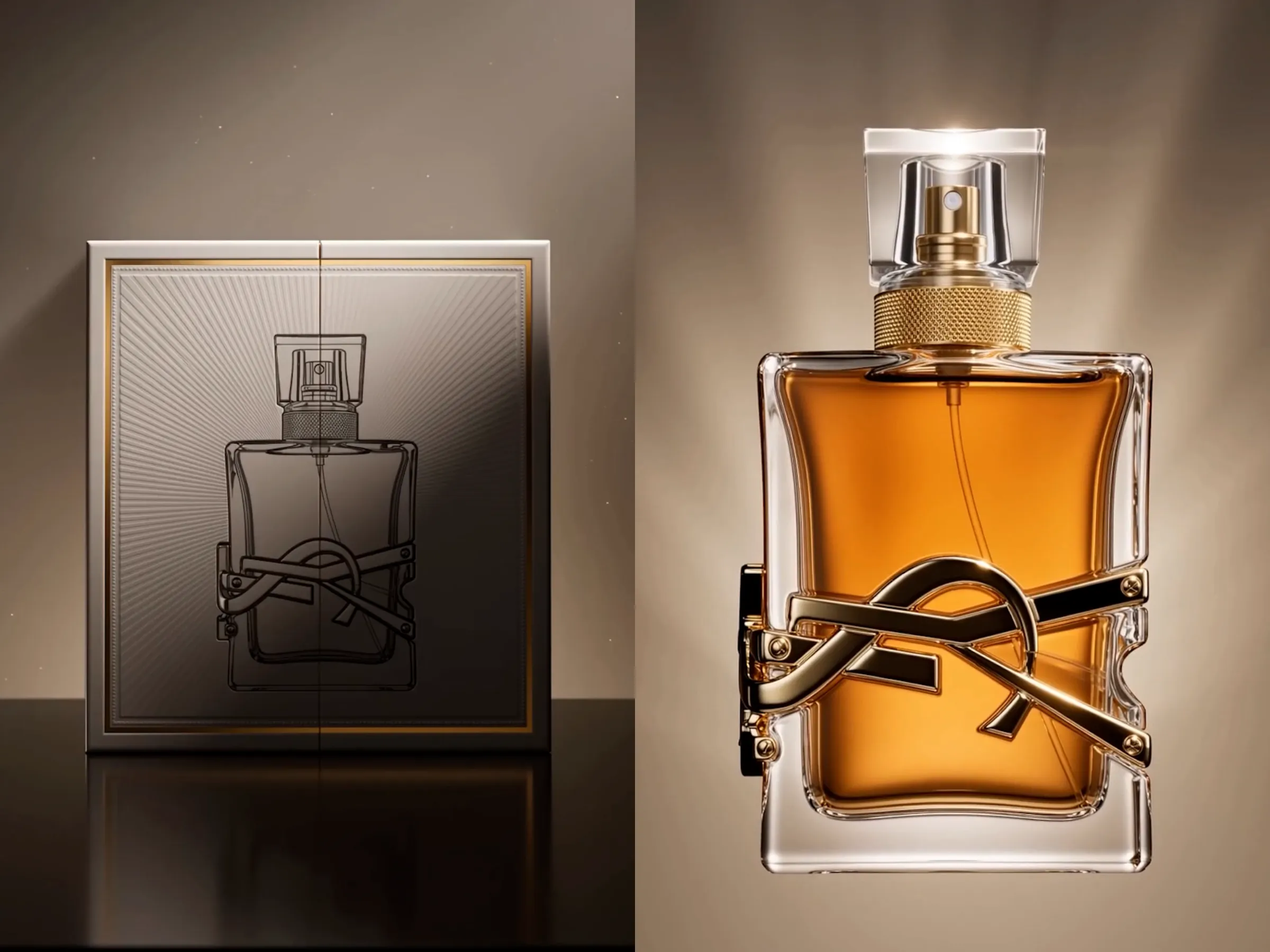
Open on a premium, elegantly designed perfume box. The front of the package must clearly display a printed product image of the perfume bottle, perfectly matching the final physical product, including the bottle shape, cap design, glass color, liquid color, label placement, proportions, and metallic decorative details. The printed product image must remain complete, sharp, undistorted, and realistically integrated into the commercial packaging design.
Place the perfume box at the center of the frame, facing directly toward the camera. Use a clean premium fragrance studio background with a subtle gradient backdrop and a low-reflection surface. The entire scene should have a photorealistic, luxurious, cinematic product-commercial style, presented as one continuous transformation shot without visible cuts.
0–2 seconds: Slowly push the camera toward the stationary perfume box. The printed perfume bottle image on the front of the packaging is clearly visible, naturally integrated with the branding, foil edges, embossed patterns, paper texture, and premium surface finish. Soft directional light from the upper side creates delicate rim highlights around the box. Focus on the printed product image, realistic ink texture, packaging material, and precise seams. A small amount of subtle floating light dust creates a quiet, mysterious, and luxurious atmosphere.
2–4 seconds: The perfume box begins to vibrate subtly and slowly levitates above the surface. A soft white or golden glow emerges through the edges and seams. At the same time, the printed perfume bottle image on the front of the package begins to glow gently. The bottle outline within the printed image develops subtle three-dimensional highlights. The illustrated glass reflections, cap, label, and decorative details gradually appear to gain real depth. The image is still attached to the package surface, but it begins to look dimensional, as though it is preparing to emerge from the box.
4–6 seconds: The lid, side panels, and lower sections of the perfume package unfold gracefully. The internal padding and paper structures separate into floating layers. Simultaneously, the printed bottle image rises outward from the front surface like an embossed relief. Its flat silhouette gradually gains physical thickness. The printed glass area transforms into transparent three-dimensional glass, while the illustrated cap changes into realistic metal or glass material. The entire product image gently detaches from the package and floats in front of the open box, naturally evolving from a flat two-dimensional image into a three-dimensional perfume bottle.
6–8 seconds: The perfume bottle continues completing its physical form. The transparent body becomes fully realistic, with clean glass edges, believable thickness, and natural refraction. The perfume liquid gathers from the colored section of the original printed product image, becoming real fluid and gradually rising from the bottom of the bottle. Colors, foil accents, and graphics from the package dissolve into fine streams of light and travel toward the bottle, reconstructing the label, metallic decorations, and cap details. The upper packaging structure transforms into the cap, which rotates gently in midair before locking precisely onto the bottle neck. The camera performs a subtle orbit around the product, revealing the glass depth, liquid color, label, cap material, and refined construction.
8–10 seconds: The perfume box and all remaining packaging components dissolve into delicate luminous particles and merge into the perfume bottle. Only the fully assembled physical perfume bottle, perfectly matching the product image printed on the original package, remains floating at the center of the frame. The bottle slowly rotates by approximately a quarter turn, revealing its front design, side profile, elegant curves, transparent glass, and liquid refraction. Overhead lighting and soft rear rim lighting intensify, creating polished highlights around the bottle edges. Finish with a subtle camera push-in as the bottle rotates back to the same front-facing angle shown on the original packaging image. Hold on a complete floating hero shot of the final product.
The front of the package must clearly show the perfume bottle product image throughout the opening section. The final perfume bottle must perfectly match the printed image in shape, color, proportions, cap, label, and decorative details. The transformation must visibly show the two-dimensional printed product image becoming dimensional and turning into the real perfume bottle. Do not use a sudden replacement or abrupt transition. Use realistic transparent glass, natural liquid movement, and clear transformation logic. No people, no hands, no duplicate products, no unreadable text, no bottle deformation, no intersecting geometry, no flickering, and no camera shake.
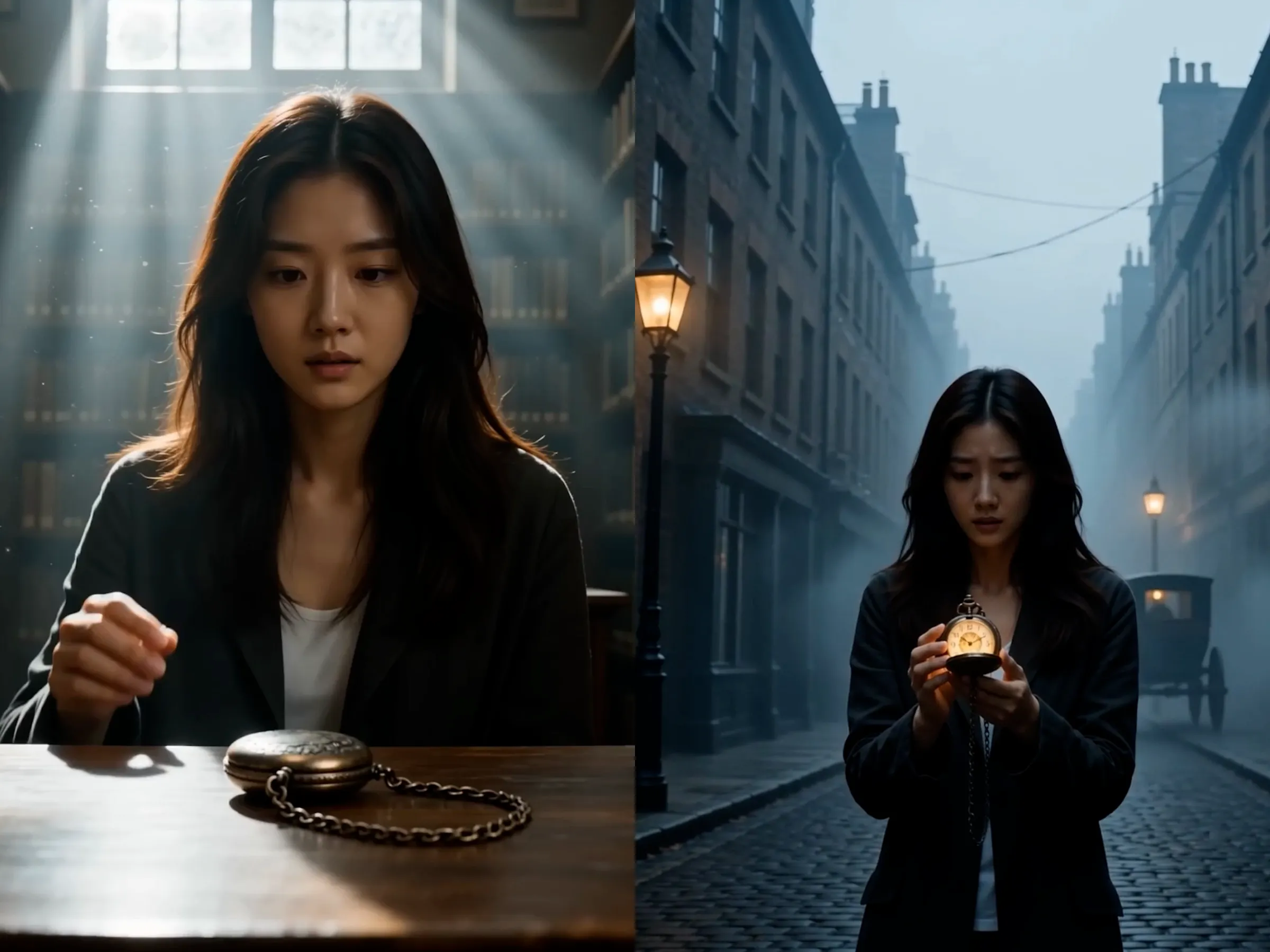
Open on a character picking up an antique pocket watch. The character is located in a modern room, an old bookstore, an attic, a museum, or a quiet contemporary street. The pocket watch features an aged metal case, intricate engravings, a delicate chain, and a clearly visible clock face. Use a cinematic photorealistic style with layered warm and cool lighting, creating a mysterious atmosphere filled with historical depth. Present the entire sequence as one continuous camera movement, allowing the modern environment to rewind and naturally reconstruct itself into a past era.
0–2 seconds: Begin with a medium close-up and slowly push the camera forward. The character notices the pocket watch, picks it up, and raises it toward their face. Shift focus toward the object, clearly revealing scratches on the metal case, engraved patterns, the gently swinging chain, and reflections across the glass. The character presses the top button with their thumb. The cover slowly clicks open, revealing the detailed clock face. Their expression changes from calm to curious and intensely focused.
2–4 seconds: A faint golden glow emerges from inside the pocket watch. The numbers and markings on the clock face illuminate one after another. The second hand suddenly stops, pauses briefly, and then begins spinning rapidly counterclockwise. The minute and hour hands also rotate backward at increasing speed. Gears and internal mechanical components move in reverse beneath the glass, while tiny golden particles escape through the seams. The surrounding world begins to behave as though it is playing backward. The character’s hair, clothing edges, and nearby dust are subtly pulled toward the watch by an invisible temporal force.
4–6 seconds: The time-reversal effect rapidly spreads across the entire environment. The camera makes a subtle orbit around the character as surrounding objects begin moving backward: falling papers rise and return to a table, broken glass pieces reassemble, extinguished lights turn back on, and vehicles or pedestrians move along reversed paths. Walls, furniture, signs, and modern decorations begin fading and transforming. Electronic devices, contemporary lighting, and metallic structures stretch into layered temporal afterimages and streams of light. The character remains standing at the center of the reversal, tightly holding the glowing pocket watch.
6–8 seconds: The modern world rapidly rewinds into an earlier historical era. Glass-covered buildings transform into brick and stone architecture. Modern cars reverse out of existence and are replaced by vintage automobiles, horse-drawn carriages, or old streetcars. Contemporary streetlights become gas lamps, while signs, clothing, and storefronts change into period designs. The final destination may become a Victorian street, a nineteenth-century European town, a Republican-era Chinese district, or a vintage railway station. The camera moves with the character while the environment continuously reshapes around them without a sudden cut.
8–10 seconds: The reversal gradually slows to a stop. The hands of the pocket watch return to a normal speed, and the golden glow becomes softer. The camera stabilizes and pulls back to a medium-wide view, fully revealing that the character has arrived in the past. They now stand among historic storefronts, brick buildings, gas lamps, horse-drawn vehicles, and faint atmospheric mist. The character looks around in disbelief, then lowers their gaze toward the pocket watch, which still carries a faint residual glow. End on a cinematic final frame of the character holding the watch while standing in another era.
Keep the character’s appearance, clothing, and pocket-watch design consistent throughout. The watch must remain the clear source of the time reversal, and its hands must visibly rotate counterclockwise. The environmental transformation should be continuous and logically structured. No abrupt cuts, duplicate characters, body deformation, intersecting objects, flickering, unreadable text, or camera shake.
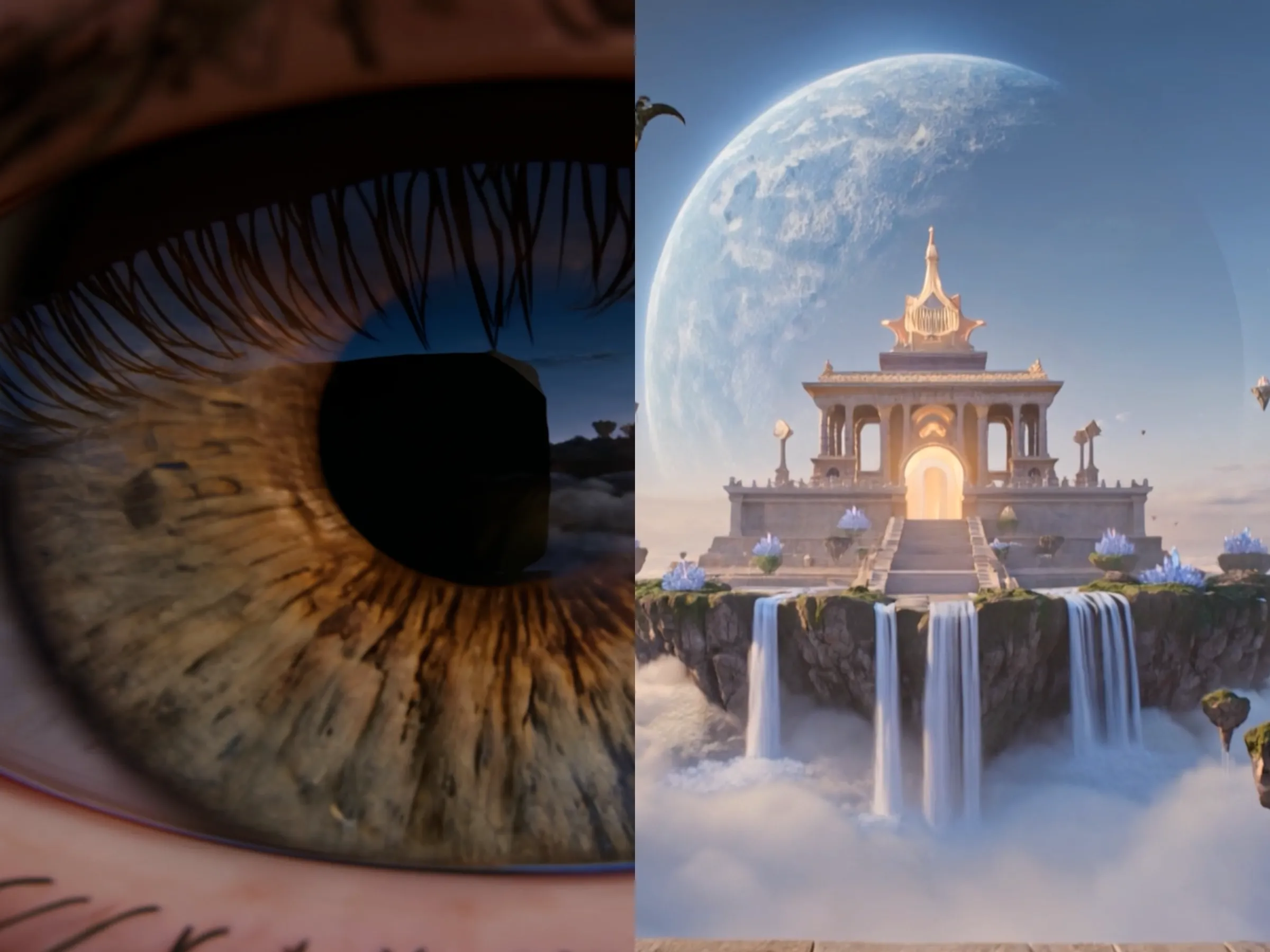
Open on an extreme macro close-up of a human eye and pupil. The camera is almost pressed against the eye, clearly showing eyelashes, eyelid texture, skin pores, iris fibers, corneal reflections, and the moist highlight deep inside the pupil. Inside the pupil, there is a faint reflection of a mysterious fantasy world: floating islands, glowing forests, a sky temple, a giant moon, and a sea of clouds. Use an ultra-realistic cinematic fantasy style. The entire video must be one continuous unbroken shot, with smooth camera movement, no cuts, and no hard transitions. The key is to create an immersive progression that starts from the pupil, establishes an external third-person spatial view, and then seamlessly transforms into first-person POV.
0–2 seconds:
Start with a still extreme macro shot of the pupil, with the focus locked tightly on the iris and pupil center. The eye has subtle natural micro-movements, and the eyelashes and eyelid details are clearly visible. Soft dreamlike light is reflected on the cornea. As the camera slowly pulls back, the shot gradually widens from a pure pupil macro into a full eye view, then reveals part of the face and side profile of the character. The viewer realizes that the camera has been observing the character’s eye from extremely close range. The character’s expression is calm and focused, and their eye reflects a mysterious and majestic fantasy landscape in the distance.
2–4 seconds:
The camera continues pulling back smoothly and makes a subtle move around the subject, naturally transitioning into a third-person perspective. The spatial relationship is now fully established: the character is standing in a place that feels like a threshold between reality and fantasy, such as the edge of a cliff, an ancient stone platform, the entrance to ruins, a mist-covered high place, or another mysterious location. The character stands still, gazing forward. Their hair and clothing move slightly in the breeze, while dust particles and soft beams of light drift through the air. The camera moves gently from the side-front or side-back position, maintaining the feeling of observing the character from outside. This clearly shows that the character is looking toward some vast unknown world ahead.
4–6 seconds:
The camera begins to move toward the character again, but now the movement is no longer just observational — it gradually aligns with the character’s line of sight. The camera glides along the direction of the character’s shoulder line, head orientation, and gaze, as if merging with the way they are looking forward. As the lens passes closer to one side of the head, the character’s face drifts out of prominence, and the camera naturally slides toward the direction the character is facing. At this stage, third-person observation and subjective vision begin to blend together. Small glowing particles, light haze, and flowing wind can subtly appear in the space, suggesting that the camera is about to enter the world the character is seeing, while keeping the transition elegant, believable, and cinematic rather than abrupt.
6–8 seconds:
The shot now seamlessly becomes first-person POV. The character’s face is no longer visible; the camera has become the character’s own vision. The scene ahead starts slightly soft and then gradually sharpens, as though a real human eye is refocusing. The character is now standing at the entrance of a fantasy world, such as on an ancient stone bridge floating above a sea of clouds, at the edge of a cliff, or on a platform before a celestial temple. A magnificent otherworldly landscape unfolds ahead: islands of different sizes float across the sky, covered with glowing trees, crystalline plants, and strange flowers; waterfalls pour from the floating landmasses into the clouds below; a majestic temple rises in the distance; a giant moon or planet hangs overhead; flying creatures glide across the mist. The camera moves forward naturally with subtle breathing motion and realistic head movement.
8–10 seconds:
The first-person perspective becomes fully stable. The character slowly takes one step forward, causing a gentle natural rise and fall in the camera. The character’s own hands may briefly appear at the bottom of the frame, naturally and anatomically correct, lightly touching floating glowing particles, petals, or resting on the edge of the bridge, reinforcing the feeling of fully entering the character’s point of view. The camera then slowly tilts upward, fully revealing the sky temple, floating islands, giant moon, sacred beams of light piercing through the clouds, and flying creatures crossing high above. Nearby glowing plants sway softly in the wind, creating a holy and dreamlike atmosphere. End on a breathtaking first-person final frame that clearly conveys the full transformation: the camera began with an extreme pupil close-up, then through one continuous take it pulled back to establish the third-person character space, aligned itself with the character’s gaze, and finally merged into the character’s first-person perspective to reveal the complete fantasy world.
Requirements throughout:
The opening frame must remain an extreme pupil close-up. The entire sequence must be one continuous take. The transition logic must clearly show: pupil macro close-up → pull back into third-person character space → align with the character’s line of sight → seamlessly become first-person POV. Maintain ultra-realistic eye detail and premium fantasy-world visuals throughout. No horror elements, no eye deformation, no extra limbs, no flickering, no unreadable text, no sudden visual jumps, and no excessive camera shake.
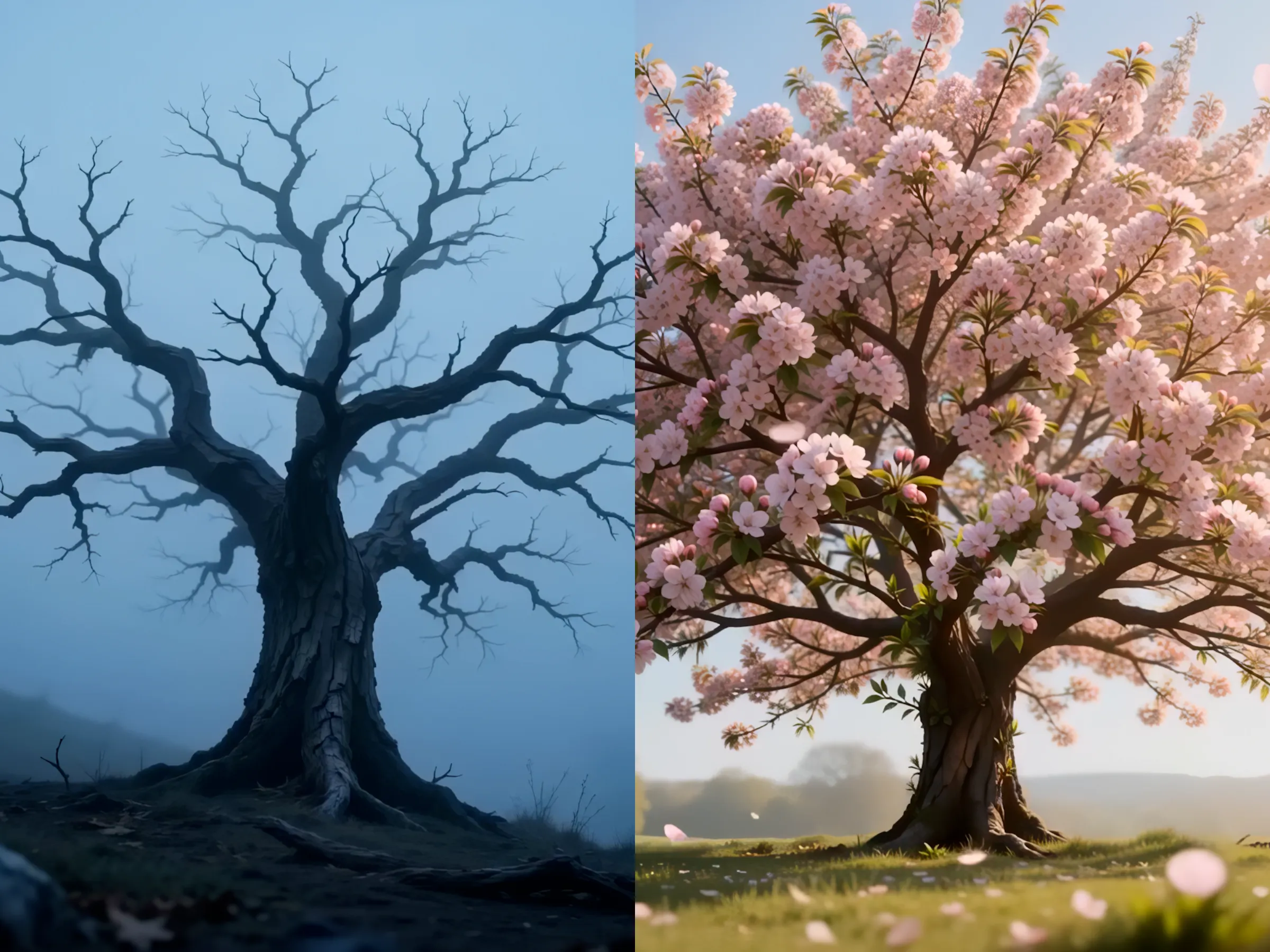
Open on a withered tree. The tree stands in a natural environment such as a quiet courtyard, hillside, field, lakeside, forest clearing, or beside an old path. In the opening shot, the trunk is rough and cracked, the branches are dry and twisted, and there are almost no leaves. The tree appears gray-brown or dark brown, giving off a feeling of decay, stillness, coldness, and dormancy. The surrounding environment also feels bleak, with fallen leaves, dry grass, or light mist on the ground. Use a cinematic photorealistic style, with smooth camera movement, refined lighting transitions, and a strong focus on the theme of life returning and the tree evolving from withered to blooming.
0–2 seconds:
Start from a still opening frame and slowly focus on the withered tree. The tree remains fully dry and lifeless, with stiff branches, cracked bark, and visible signs of aging and peeling texture. The environment has a cooler tone, and the lighting is soft and subdued, creating the feeling of late winter or a sleeping life force. The camera may slowly push in to emphasize the details of the trunk, branches, and the quiet, barren atmosphere around it.
2–4 seconds:
The first signs of revival begin to appear. A gentle sense of life slowly awakens from within the trunk and branches, as if a warm energy is rising through the tree. Subtle warmth begins to appear in the bark crevices, and tiny buds begin forming at the tips and joints of the branches. The previously dull and faded color of the tree starts to shift slightly warmer. Small fresh shoots emerge gradually from the branch nodes. At the same time, the surrounding light becomes softer and brighter, the mist begins to lift, and a light breeze gently stirs the branches. The overall mood transitions from stillness into early signs of life.
4–6 seconds:
The tree enters a more visible growth stage. More buds appear rapidly, and fresh leaves begin sprouting along the branches. The previously dry limbs slowly become more vital, and the tree’s color evolves from gray-brown into richer natural browns and emerging greens. The leaves unfurl in a believable organic way, spreading across the branches and gradually filling out the crown. Fallen leaves on the ground may scatter softly in the breeze, while the surrounding environment becomes more lively. The light noticeably grows warmer, as if spring is arriving quickly.
6–8 seconds:
The tree now transitions from revival into the flowering stage. Flower buds begin to appear among the leaves, then quickly swell and open. Blossoms begin spreading across the entire tree, filling the branches with clusters of flowers. The blossoms may resemble cherry blossoms, peach blossoms, plum blossoms, small white flowers, or any other spring-like flower species, as long as they feel natural, lush, and layered. The crown becomes fuller and more vibrant, with flowers and fresh leaves interwoven together. The color palette transforms completely from the previous dull, withered tones into soft, life-filled pinks, whites, pale purples, or other bright spring colors. The camera may slightly orbit or continue a gentle push-in to highlight the blooming process and the sense of renewal.
8–10 seconds:
The transformation is complete. The final frame reveals a fully blooming tree. The branches are now full, healthy, and covered in abundant blossoms. The crown spreads beautifully, radiating the energy of spring and new life. Sunlight becomes warm and luminous, shining through the canopy and creating soft beams of light. Blossoms sway gently in the breeze, and a few petals may drift naturally through the air, adding a poetic and emotional quality to the scene. The surrounding environment also becomes brighter and more alive, with greener grass, clearer air, and a fresher sky. The overall atmosphere should feel warm, peaceful, healing, and full of hope. End on a stable final frame of the tree in full bloom, clearly showing the complete life evolution from withered to flourishing.
Requirements throughout:
The transitions must be smooth and natural, with clear and believable growth logic. Maintain a cinematic photorealistic style at all times. Emphasize the continuous progression of withered → budding → leafing → blooming. No abrupt jumps, no extra people, no text artifacts, no flickering, no tree deformation, and no unnatural intersections. The focus should remain on rebirth, the arrival of spring, and a healing sense of renewal.
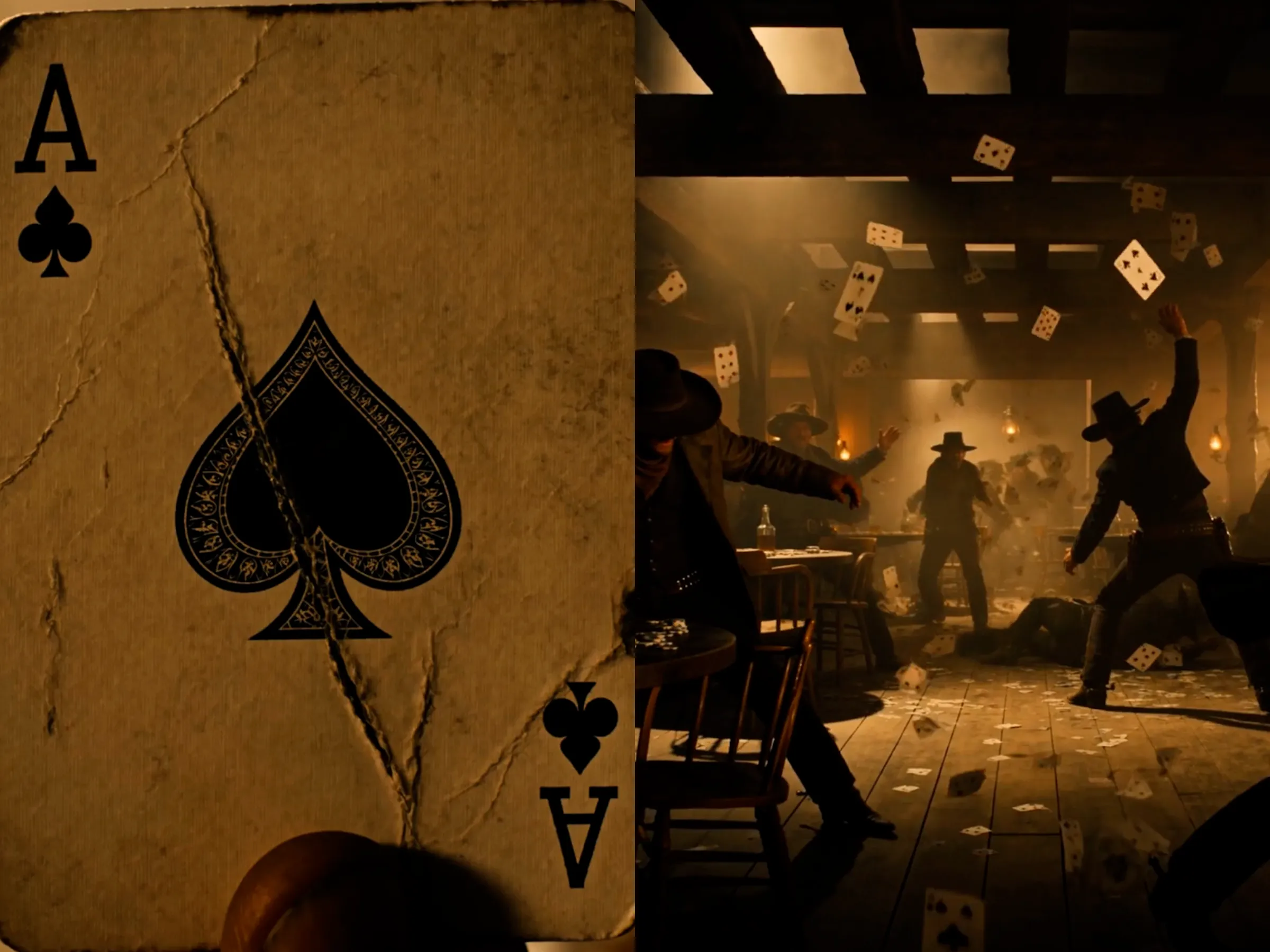
Open on an extreme close-up of a single playing card. The camera is almost touching the card surface, clearly showing the paper fibers, worn edges, fold marks, slight stains, and the printed number and suit details. The lighting has the warm yellow tone of an old Western saloon lamp. The background is heavily blurred, showing only vague hints of a wooden room, dim lantern light, and drifting smoke. The overall style should be cinematic and photorealistic, with a strong Wild West saloon casino atmosphere: rough wood textures, old gambling tables, whiskey glasses, oil lamps, floating dust, tobacco haze, and a tense sense of danger. All characters must wear outfits consistent with a Western cowboy gambler identity: wide-brim cowboy hats, worn leather jackets or long dusters, vests, shirts, neckerchiefs, belts, holster-style leather accessories, cowboy boots, and vintage gambler styling.
0–2 seconds:
Start with a still macro close-up of the playing card, with the card filling almost the entire frame. Focus is locked sharply on the suit, number, paper texture, and slightly curled or worn edges, making it feel real and heavily used. Warm yellow light falls across the card, while the surrounding environment remains indistinct, with only the blurred outline of a dim wooden interior. Floating dust and light smoke drift through the air, creating the heavy, dangerous tension of a Western saloon gambling room. The camera begins to pull back very slowly.
2–4 seconds:
As the camera continues pulling back, it gradually reveals that the card is being held in the fingers of a Western gambler or caught in the instant of being flicked outward. Part of the character’s look becomes visible: rugged but refined hands, possibly leather gloves or weathered skin, half a face hidden under the shadow of a wide-brim hat, a worn leather coat or dark vest, a shirt, and a neck scarf. The background becomes slightly clearer, revealing a wooden gaming table, a green or brown old-style table surface, scattered chips, vintage bottles, whiskey glasses, wooden chairs, and oil lamps or hanging fixtures. The environment is now clearly established as an Old West frontier saloon combined with a gambling den, filled with smoke, dust, wood, and alcohol atmosphere.
4–6 seconds:
The camera pulls back faster, fully establishing the saloon-casino interior. The scene now enters active conflict: several characters are engaged in a dynamic fight, but the choreography remains cinematic, stylish, and non-gory — punching, dodging sideways, grabbing collars, flipping wooden tables, knocking over chairs, and diving behind table edges for cover. All characters wear costumes strongly aligned with a Western cowboy gambler image: wide-brim hats, boots, leather vests, long dusters, old-fashioned suits, neck scarves, pocket-watch chains, leather holsters, and belts. They should feel like dangerous gamblers and frontier outlaws from an Old West saloon. The single card from the opening expands into many playing cards flying through the air, as if forcefully thrown, swept up by the fight, or blasted off the table, spinning and slicing through the frame.
6–8 seconds:
The shot opens into a wider action view, fully revealing the Wild West saloon casino fight scene. Heavy wooden beams, plank walls, an old bar counter, gambling tables, overturned chairs, scattered bottles, and chips create a chaotic yet layered environment. Multiple cowboy-gambler figures move across the scene: one flips away from the side of a gaming table, one throws cards while dodging, one is knocked backward near a wooden post, and another’s long coat whips dramatically through the air, creating strong Western silhouettes. The flying playing cards become one of the main visual elements, spinning rapidly in the warm light and smoky haze, combined with dust, splashing liquor, and collapsing chairs to form a powerful, rhythmic Western action tableau.
8–10 seconds:
The camera finally reaches a highly impactful wide or very wide final shot, fully revealing the casino fight scene in a Wild West saloon filled with flying playing cards. Wooden tables are knocked askew or flipped over, clusters of cards swirl through the air, chips and glasses are scattered around, and the floor is littered with wood debris, dust, and loose cards. Several characters dressed as Western cowboy gamblers are spread across the frame in dynamic action poses, creating a tense and cinematic composition. Overhead oil lamps or vintage hanging lights, along with side firelight, illuminate the saloon. Smoke and airborne dust remain visible in the air, creating a rough, dangerous, vintage, chaotic, yet deeply cinematic atmosphere. The key objective is to clearly show the full transition from an extreme close-up of a single playing card to a wide action scene of a Wild West saloon casino fight with flying cards everywhere.
Requirements throughout:
The overall visual style must clearly lean toward an Old West frontier saloon casino, not a modern luxury casino. Character costumes must strongly fit a Western cowboy + gambler identity. Camera transitions must be smooth and natural, with a clear close-to-wide progression. The action should feel stylish, chaotic, tense, and distinctly Western, but not gory. No abrupt cuts, no unreadable text, no body deformation, and no confusing scene logic. Emphasize the full visual narrative of playing card close-up → camera pulling back → Wild West saloon casino revealed → flying-card fight scene.
All-in-One Video Tool
From Two Frames to a Complete Video
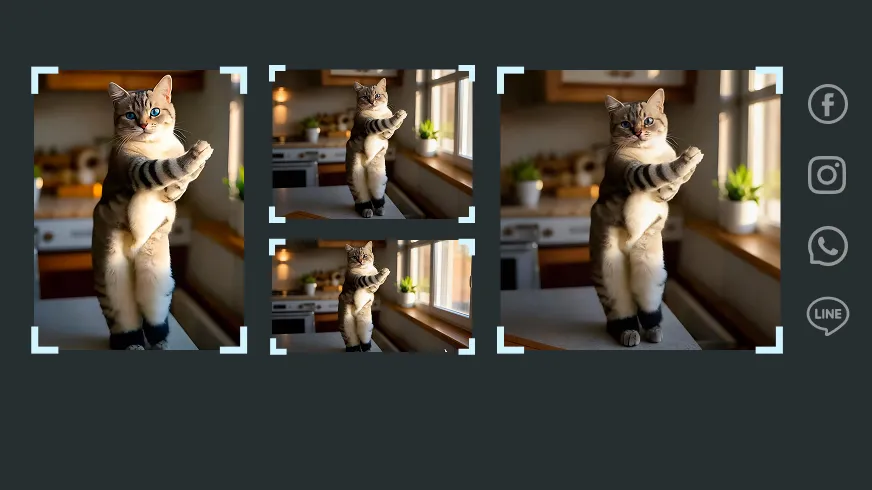
For Social-Ready Content
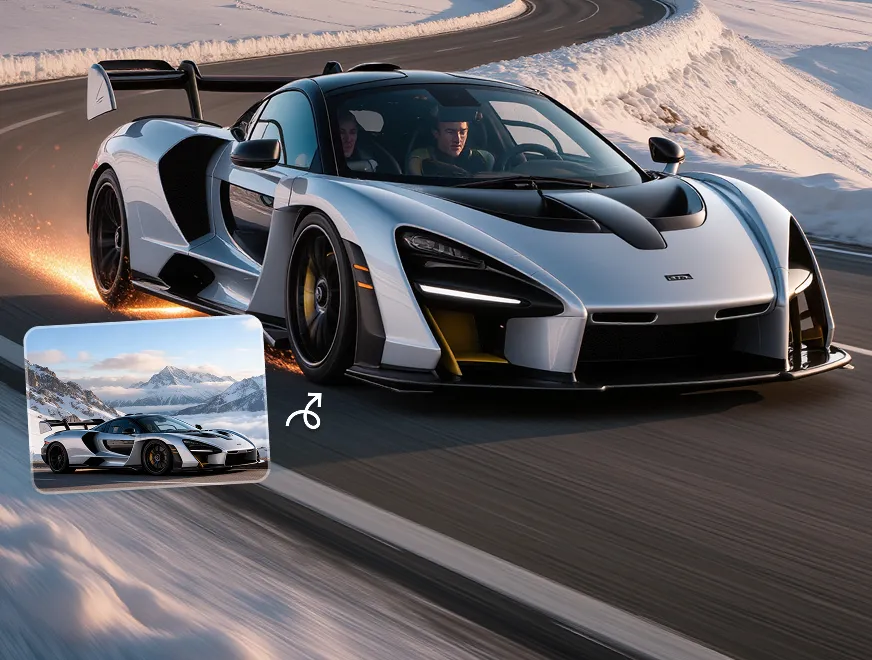
Create AI videos already matched to the formats of TikTok, Reels, Shorts, and other platforms.
High-Quality Output
Polished motion and seamless transitions turn every first-to-last-frame idea into a video worth watching.

Smart Tools, Simple Workflow
Powerful frame-to-frame control, without the technical complexity that often slows creation down.
Save Time and Cost
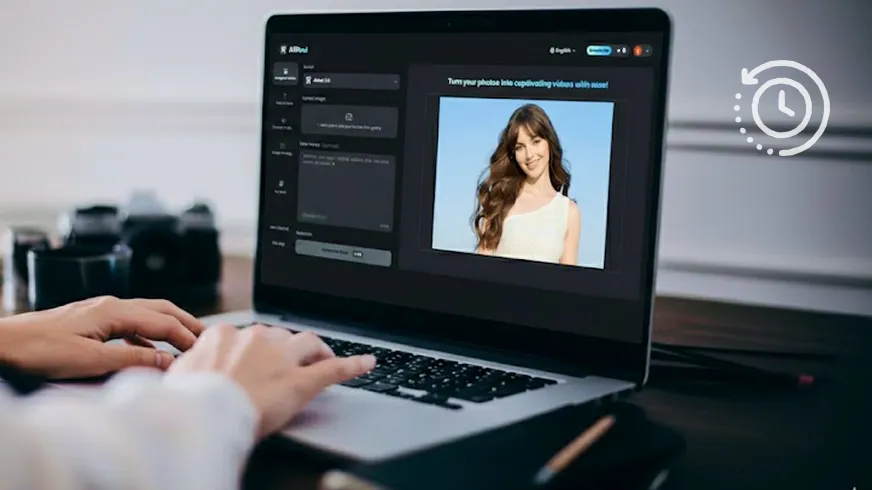
More finished videos from just two frames—without reshoots, long edits, or extra production work.
How to Make a Video from Keyframes
Wondering how to connect the first frame to the final frame? Just follow a few simple steps.
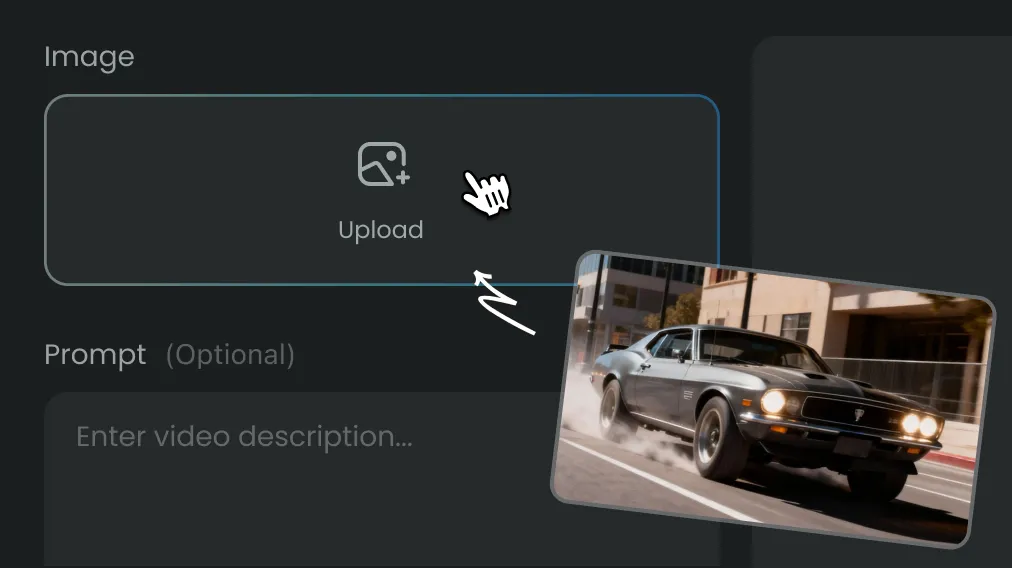
Step 1
Upload the starting and ending images.
Step 2
Describe how the first image should change into the second.
Step 3
Wait a few seconds and your AI video will be ready.
FAQs
It creates the motion and visual progression between two chosen images, using one as the opening frame and the other as the intended ending.
Not necessarily. They can feature different poses, settings, viewpoints, or visual states, though a clear connection between them usually produces a more coherent result.
Generation time varies by AI model and AI video length. Progress appears in the creation history, so the page does not need to remain open while the video is processing.
Start-End frames can be used for character transformations, product reveals, action sequences, scene changes, viewpoint shifts, time-based visual progressions and more.
Yes. AIReel offers free access to get started with frame to video AI. Once the included usage is finished, additional generations are available through credits or a paid plan
AIReel offers several AI models, each suited to a different creative goal:
- Seedance: complex movement, multi-subject action, and cinematic camera work.
- Wan: direct, prompt-guided transitions between clearly defined first and final frames.
- Kling: expressive character motion, stronger subject consistency, and cinematic scene development.
- Google Veo: smooth, visually polished transitions with strong prompt alignment.
- Hailuo: dynamic transformations, detailed instructions, and precise camera movement.
For balanced performance across different use cases, AIReel’s proprietary model is a reliable all-around choice.
Describe the transition as a short sequence of events—what moves, how the scene changes, and where the camera ends.
For example:
“The camera slowly moves closer as the stone surface cracks and turns into skin, ending with the person opening their eyes.”
Create Stunning AI Videos All in One Stop
AIReel replaces complex tools — faster, smarter, and more affordable.